

We have an honest review policy, but this page contains affiliate links. If you buy through these, we may earn a commission. This helps fund our research at no cost to you.
The Wix vs Shopify decision can be a tricky one, especially if you’re new to ecommerce. But I’ve tested both platforms exhaustively, and in this comparison I share all my findings — and help you make the right choice.
The quick verdict
If you’re hoping to build a professional online store that’s truly scalable, Shopify is the clear winner in a Wix vs Shopify shootout. Its ecommerce features are arguably best in class, and it is considerably better than Wix when it comes to international selling, dropshipping, point of sale and automatic tax calculation.
That said, if you’re aiming to build a content site and do some fairly simple selling on the side, Wix can be a better choice than Shopify, because it gives you a significantly larger range of content creation tools. And, while its selling tools are not as sophisticated as Shopify’s, they are pretty good, and cheap to access.
| Reasons to use Wix | Reasons to use Shopify |
| Entirely free plan available | Much better for international selling |
| More content creation features | A stronger choice for dropshipping |
| No transaction fees for using third-party payment gateways | Better for point of sale |
| Considerably more bundled templates | More comprehensive analytics |
| More generous multilingual features | More developed ecommerce AI tools |
| More generous product option limits | Better automatic tax calculation tools |
| Has autosave features | All templates are fully responsive |
Free trials
Let’s begin with a bit of background on both platforms.
Wix and Shopify: the background
At first glance, Wix and Shopify look like very similar tools, promising to give you everything you need to build a website or online store — and without needing to code.
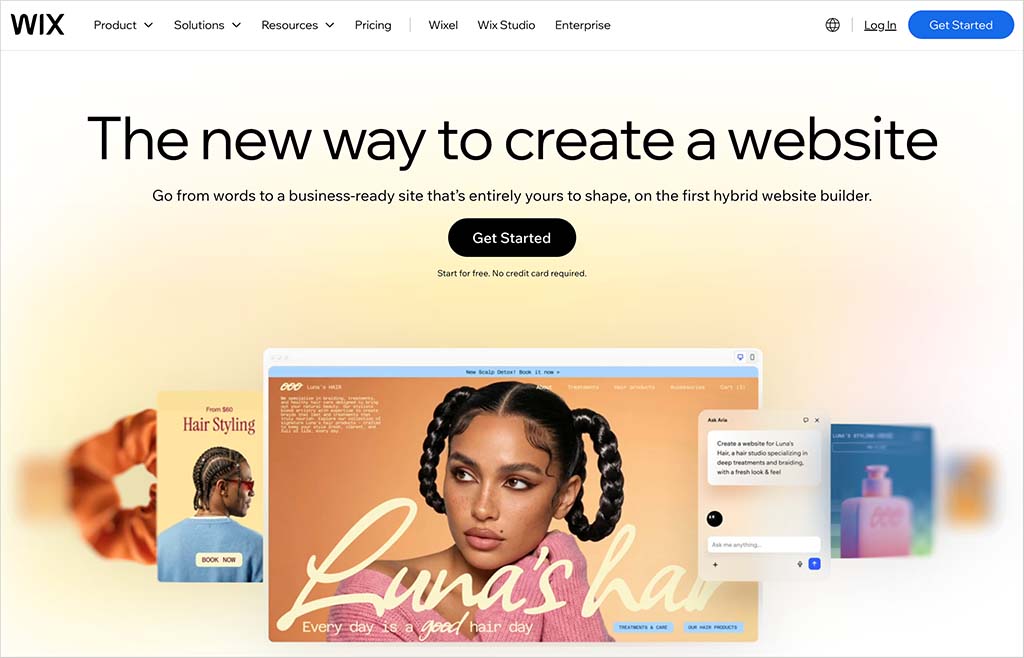
And both have very large user bases: there are an estimated 8.9 million live websites powered by Wix, and 6.9 million powered by Shopify (source: BuiltWith.com, August 2026).
But both of these platforms started life with very different purposes in mind.
Wix was initially conceived as a solution for building content-based websites, for those wishing to create:
- brochure sites
- blogs
- photography portfolios
- news sites
By contrast, Shopify was specifically designed to be a solution for starting an online store – and accordingly, all its features have always been 100% geared towards selling products.

But over the years, both products’ feature sets have changed considerably — Wix has evolved into a platform that now offers a lot of selling features, while Shopify’s content presentation tools have become considerably more sophisticated.
This means that you can now use either tool to create a content-driven website or an online store.
But which is better for your project?
Let’s find out — starting with a look at pricing.
Wix and Shopify pricing
The most significant difference between Wix and Shopify’s approach to pricing is that while all Shopify plans involve fees, Wix offers an entirely free one.
Shopify does give you a free trial, however — but it’s not terribly generous. In fact, it’s shorter than any ecommerce platform trial that I’ve come across to date, lasting just three days.
The good news is that Shopify is currently testing an offer that lets you extend it to three months at a cost of $1 per month. This 90+ day extension — which may not be around indefinitely — can be accessed here.
Now, Wix’s free plan is very limited in functionality. You can’t sell anything with it, or connect a domain to it — and it’s got hard-to-avoid Wix ads on it (see my screengrab below for an example of these).
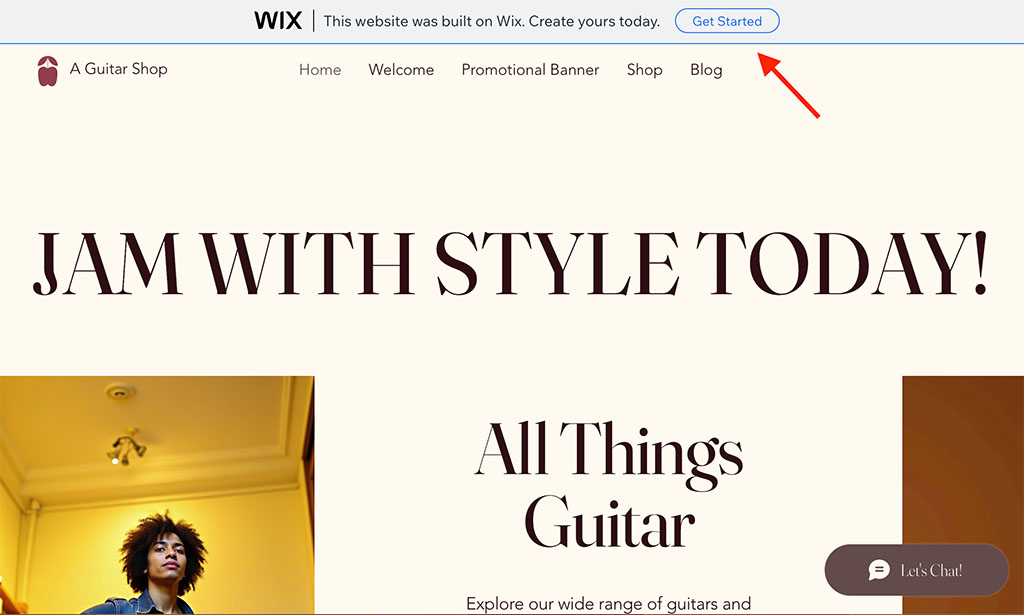
But even so, the free plan gives you a good way to ‘sense-check’ Wix and try it out.
To get the most out of Wix though, you’ll really need to go for a premium plan. And this brings us to…
Wix pricing
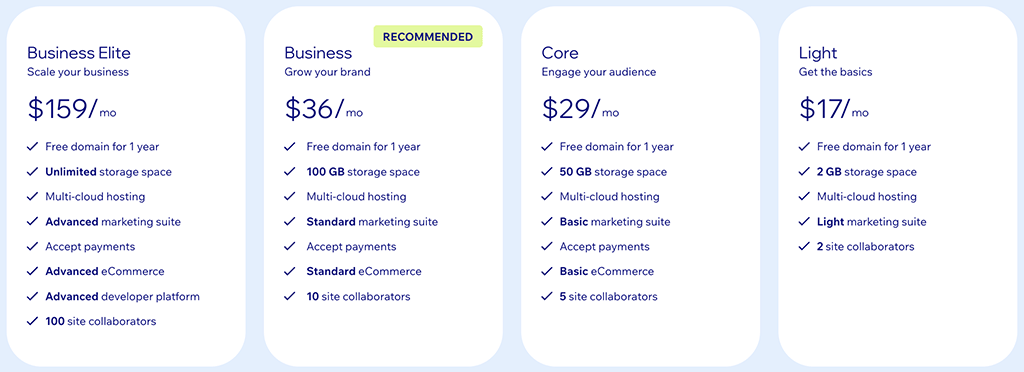
There are five Wix pricing plans available:
- Light — $17 per month
- Core — $29 per month
- Business — $36 per month
- Business Elite — $159 per month
- Enterprise — negotiable
The main differences to watch out for with regard to the Wix premium plans are:
- Storage space (for text, video, images, etc.) — this varies according to plan, with the most expensive plans offering more of it.
- Access to apps — on the Wix ‘Core’ plan or higher, you get the ‘Events Calendar’ app and an SEO app, ‘Get Found Today,’ bundled with your main Wix subscription.
- Forms — you can create more data capture forms (containing more fields) on the more expensive Wix plans.
- Ecommerce features — if you’re using the ‘Light’ plan, you can’t access these. Additionally, you get more selling functionality on the more expensive plans (higher tax calculation limits, better dropshipping features etc.).
- Support — priority support is only available on the ‘VIP Business Elite’ and ‘Enterprise’ plans.
It’s probably fair to say that the best-value Wix plans are the ‘Core’ and ‘Business’ plans, as their feature-to-price ratio is good, and both plans cover the basics for those needing a brochure website or online store respectively.
A quick note about the ‘Wix Enterprise’ plan: as the name suggests, this is geared towards more corporate users, and pricing for it is negotiable.
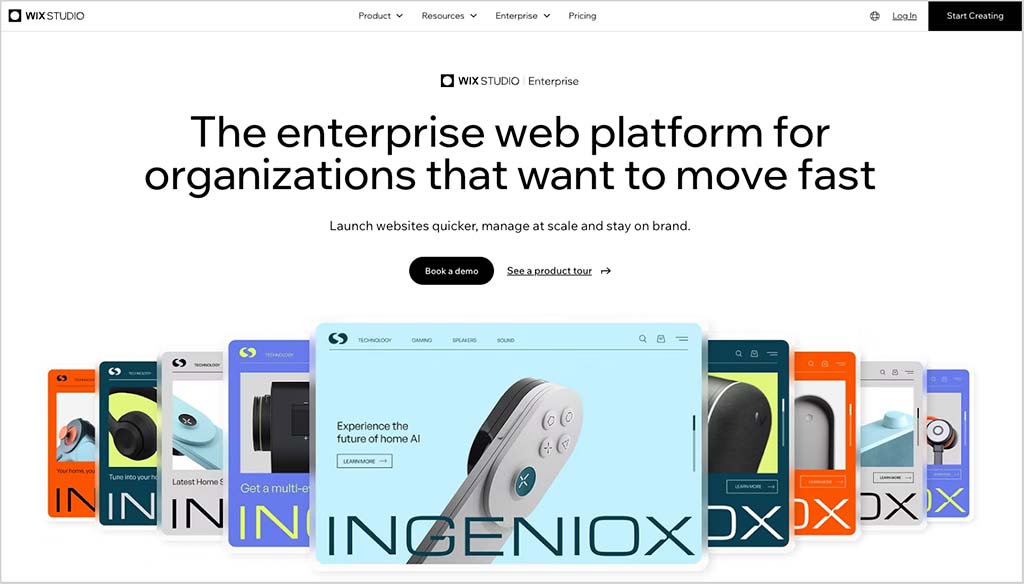
Wix Enterprise gives you a lot more hand-holding and access to consultants, along with more robust security and multi-store management tools. And it’s effectively a different version of the platform from the one you encounter on the regular plan — it’s based on the relatively new ‘Wix Studio’ setup, rather than the traditional version of Wix.
Shopify pricing
There are four main Shopify pricing plans to choose from:
- Basic — $39 per month
- Grow — $105 per month
- Advanced — $399 per month
- Shopify Plus — fees are negotiable, but in the region of $2,300 per month.
As discussed above, unlike Wix, Shopify doesn’t give you access to a free plan. A special 3-month trial of the platform is currently available here, however.
The key differences between the Shopify plans involve:
- the number of users who can access an account — the more expensive the plan, the more ‘seats’ you get (note that the ‘Basic’ Shopify plan only lets you have one user, forcing you to upgrade immediately to a $105/mo plan to work with team members — a significant hidden cost).
- third-party shipping rate calculations (available on the ‘Advanced Shopify’ plan)
- multi-currency features — on the ‘Advanced’ plan, you can apply duty and import taxes, and access more extensive custom pricing features
- shipping insurance — merchants can obtain shipping insurance (to the value of $200) on ‘Grow’ plans or higher
- checkout capacity — the number of checkouts you can facilitate per minute increases the higher up the pricing ladder you go.
Like ‘Wix Enterprise,’ Shopify Plus is pitched as an enterprise-grade solution that offers advanced features involving security, APIs, task automation and fulfilment.
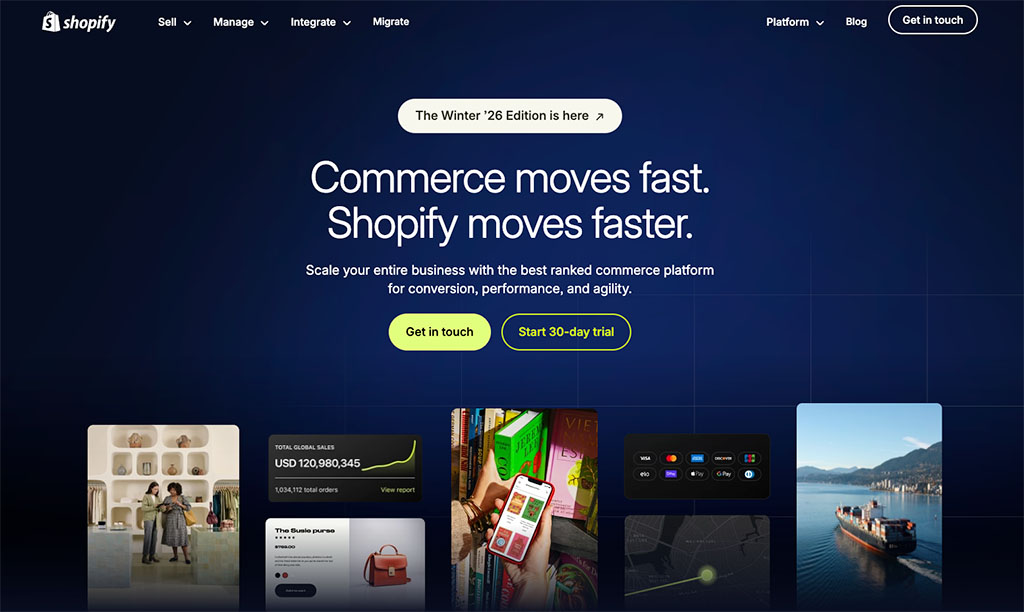
The fees for Shopify Plus are negotiable, but the product is very expensive — you can expect to pay around $2,300 per month for it.
📚 Related resource: You can learn more about the differences between Shopify and Shopify Plus here.
Transaction fees and credit card rates
In addition to monthly fees, there are also transaction fees and credit card fees to consider. And it’s important to understand the difference between both:
- Transaction fees are a percentage ‘cut’ of your sales taken by online store builders.
- Credit card fees are the charges applied by your payment processor (or ‘payment gateway’) each time one of your customers buys a product via credit card.
With both Wix and Shopify, you can avoid transaction fees if you use their built-in payment processors, Wix Payments and Shopify Payments respectively.
Furthermore, Shopify Payments is only available in certain countries. So, depending on your location, you may have to use a third-party payment gateway — and Shopify charges you when you do.
On all its plans, Shopify will apply transaction fees of 0.6% to 2% per sale if you use a a third-party payment gateway (with the exact percentage cut depending on the plan).
Wix doesn’t charge you at all for using a third-party payment gateway, so it’s a win for Wix here.
As for credit card processing fees, the Wix Payments and Shopify Payments charges are as follows:
- Wix Payments: 2.9% + 30c in the US.
- Shopify Payments: 2.5% + 30c to 2.9% + 30c in the US, depending on plan.
(These processing fees can be a lot lower in other countries, however, and are slightly lower where in-person sales are concerned.)
Custom domain names
It’s worth pointing out that if you pay on an annual basis for any Wix plan, you get a free custom domain name for your first year of service (i.e., yoursitename.com).
Shopify lets you register domains using its platform too — but doesn’t provide them for free.
Some quick conclusions on Wix vs Shopify pricing
For me, the bottom line on Wix vs Shopify pricing is this: if you’re hoping to build a ‘general’ website showcasing content rather than products, then with its entry-level plan’s pricing of $17 per month, Wix is considerably better value.
But in order to make a call on which of these two products offers more value from an ecommerce point of view, you’ll need to drill down into the quality of selling features available in each — and as we’ll see shortly, it’s in this area that Shopify delivers some really strong functionality.
I’ll walk you through all of Wix’s and Shopify’s key ecommerce features in just a moment — but before I do that, let’s look at something that a lot of people understandably prioritize when choosing a website builder: visuals.
Templates
At the heart of Wix and Shopify’s approach to web design is a set of pre-designed templates.
(In Shopify, these are referred to as ‘themes’).
You pick one of these templates, add some text and images to it, and it forms the basis of your site or store’s design.
Your template should be thought of as a ‘starting point’ — its default colors and the typefaces included with it can all be changed to match those of your brand.
Quantity of templates
When you create a Wix account, you get to choose from 3,112 bundled templates —considerably more than the 24 free themes included with Shopify.

That said, if you’re not happy with the limited range of free Shopify themes, there is always the option to purchase a premium theme for a one-off fee. There are 1,204 of these available, ranging from $100 to $500 in price.
It’s worth noting that these premium Shopify themes tend to come in a few variants, extending the template choice available from Shopify a bit further.

But ultimately, in terms of the quantity of templates, Wix is the winner.
What about the quality, though?
Quality of templates
In terms of quality, both platforms’ set of templates are professional in appearance and contemporary in design.
But I feel it’s fair to say that Shopify’s themes are geared more firmly towards ecommerce, and are arguably more robust for use in that context.

Wix offers a much greater range of general purpose templates, though — so if your aim is to build a content-driven site, and sell ‘on the side,’ there’s a lot more on offer from Wix.
The bottom line on template quality is that if you’re looking for a dedicated ecommerce template, Shopify arguably provides you with stronger templates – but to get the best Shopify themes, you will have to pay extra.
Template performance on mobile devices
Shopify’s templates are all 100% responsive, meaning that their components — text, images, forms, etc. — will automatically resize themselves to suit the device that they’re being viewed on (for example a desktop computer, mobile, or tablet).
Wix’s approach is now a little more complicated because it offers two different editing experiences. Websites built with its newer Harmony editor (including those created with Wix Aria) are fully responsive too. However, websites created with the classic Wix Editor use a design approach called absolute positioning, where page elements are positioned by pixel rather than relative to the viewer’s screen.
For users of the classic Wix Editor, this means you’ll usually need to manage separate desktop and mobile layouts. This involves more work than Shopify’s single responsive design approach, because changes made to your desktop layout don’t always translate perfectly to mobile.
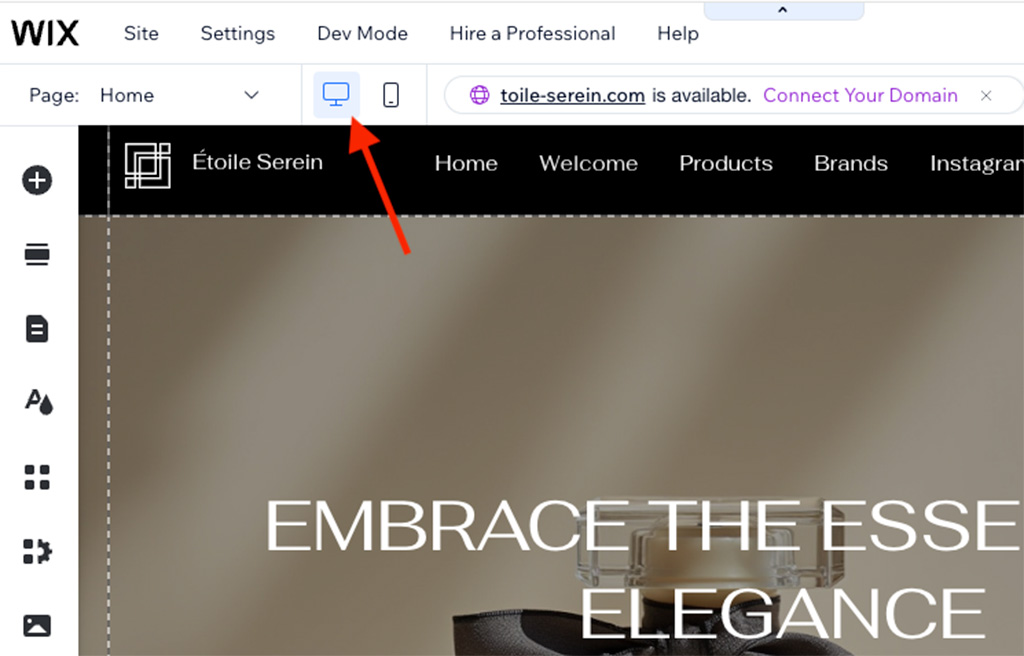
That said, the classic Wix Editor does a pretty good job of generating a mobile version of your site automatically. If you’re making only minor changes to a template, you may not need to edit the mobile layout at all. More substantial customizations, however, will usually require some manual tweaking to ensure everything displays correctly.
This extra control isn’t necessarily a bad thing. Being able to edit your desktop and mobile layouts independently lets you create a cleaner mobile experience by hiding elements that might be unnecessary for smartphone users — something that’s much harder to achieve in Shopify without resorting to custom code.
Overall though, I prefer Shopify’s fully responsive approach. It follows current web design best practice, aligns with Google’s recommendations for mobile-friendly websites and generally results in a faster, simpler editing workflow.

To be fair to Wix, the company has addressed this longstanding weakness with its newer Harmony editor, which does produce fully responsive websites. The catch is that many of the available Wix templates still use the classic Wix Editor (and are thus not fully responsive).
Additionally, sites built with the old editor can’t currently be migrated to Harmony — meaning many long-time Wix users will need to rebuild their sites to benefit from the newer technology and responsive designs.
That said, the way that Wix Editor templates behave shouldn’t necessarily represent a deal breaker for you. Google’s John Mueller has stated on several occasions that Wix sites built with these generally perform well in search results.
But if you’re operating in a particularly competitive niche, Shopify’s fully responsive approach still gives it a slight edge over Wix from both a usability and SEO perspective.
Styling and switching templates
When it comes to styling or switching templates, Shopify is a hands-down winner over Wix.
First, you get full access to the CSS and HTML code of your template in Shopify.
This is not the case in Wix — although you can add CSS in Wix, you can’t edit the general stylesheets. Similarly, you can add HTML code blocks to a Wix web page, but not edit the general code of your site.
Additionally, Shopify makes it extremely easy to switch templates. With Wix, if you get bored of your site’s template, and want to switch to another one, you will have to rebuild your whole site to do so.
So if it’s design flexibility or future-proofing you’re after, the better choice is definitely Shopify.
But what about actually using the platforms?
Content management and interface
Ease-of-use
When you set up a site with either Wix or Shopify, there’s an onboarding phase to go through. This involves giving both platforms some basic information about your project — site name, purpose, goals, etc.
Once done, both platforms also let you choose whether to build a site using an ‘AI builder,’ or to use a template as a starting point.
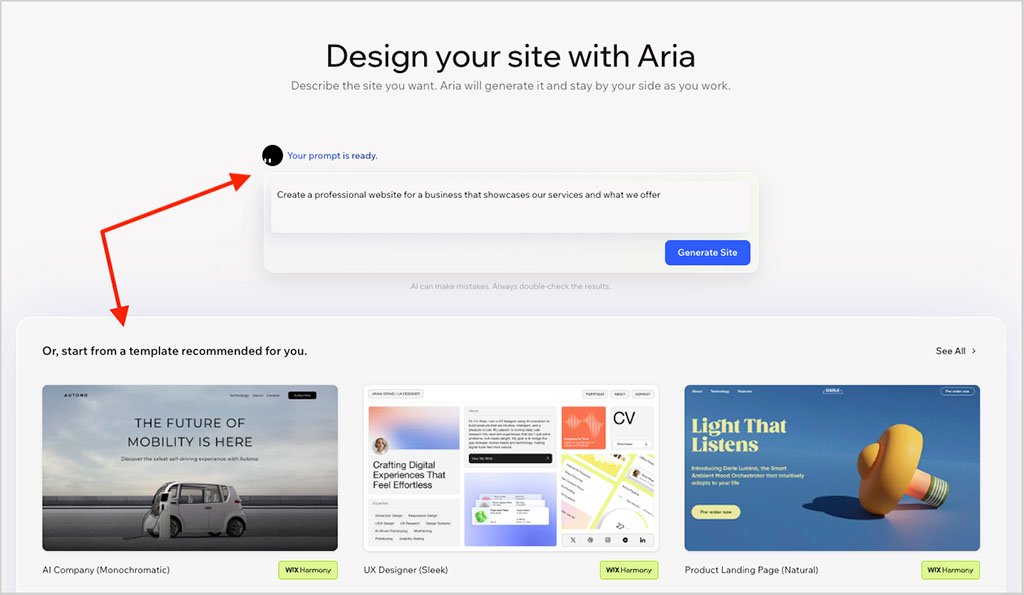
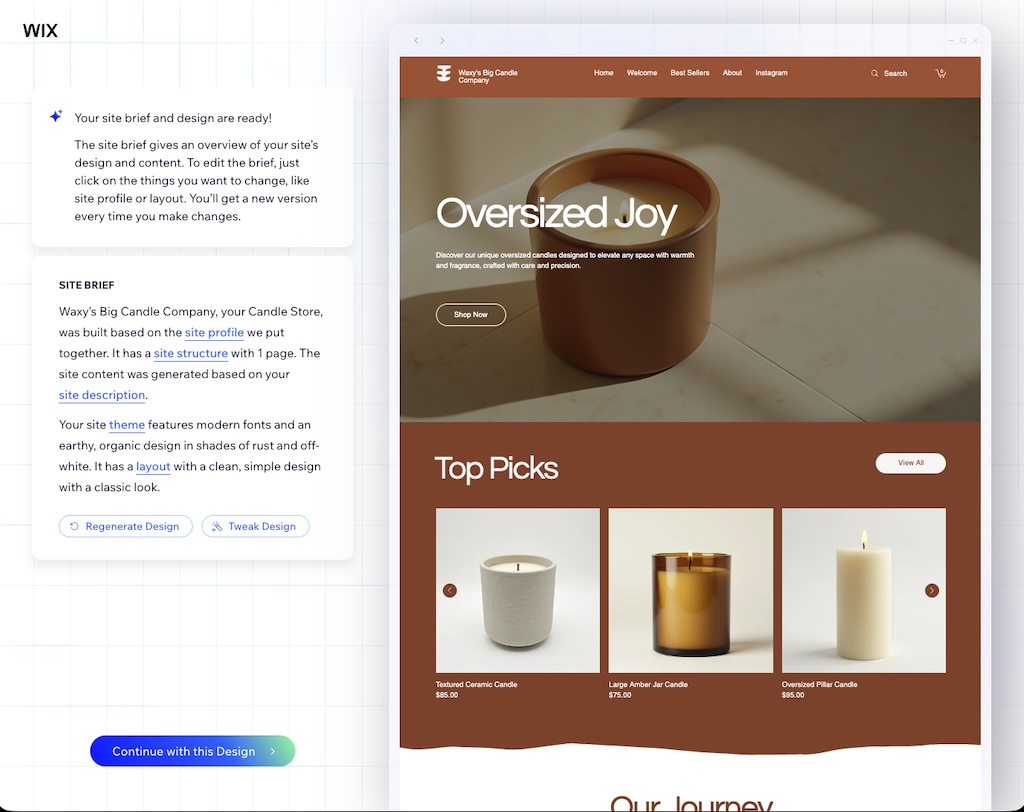
To test both platforms’ AI site builders out, I presented myself as a candle maker, and requested a store for my candle-selling business, ‘Waxy’s Big Candle Company’.
The screenshot below shows you what Wix output for me here:
And here’s a screenshot of what I got from Shopify:

Both of these storefronts were perfectly pleasant and provided me with some good design inspiration. Other than their aesthetics, the key difference between them was that while Wix gave me a one-page site, Shopify gave me a multi-page one.
But with both platforms, I’m not sure that using the AI site builder is any quicker than picking a template. Yes, you get a site instantaneously — but you still have to replace most or all of its dummy copy, products and photography with your own (which you’d have to do with a template anyway).
Regardless of which method you use to start your project — AI site builder or template — both platforms then take you to a dashboard, where you can edit your website further.
In Wix, there are now two editing experiences to choose from: the newer Harmony editor and the classic Wix Editor. Harmony can be used either with AI-generated sites created by Wix Aria or with ready-made Harmony templates, while the classic Wix Editor powers Wix’s traditional templates.
The Harmony editor combines drag-and-drop editing with AI-powered assistance. Alongside making changes manually, you can ask the AI to update layouts, generate content or refine your design using natural-language prompts.
The classic Wix Editor, pictured below, uses a more traditional drag-and-drop approach to editing content.

The process involved with adding or editing basic content in the Wix Editor is fairly straightforward: I found it equivalent in complexity to using Microsoft Word or Google Docs. You just go to the content you’d like to edit, and change it accordingly. It’s all fairly intuitive.
The Harmony editor is similarly easy to get to grips with, and its AI-assisted workflow can be genuinely useful.
But gosh, both Wix editors can be slow — while testing Wix for this comparison, I frequently encountered ‘loading’ icons and spinning wheels of death.
With Shopify, you’re dealing with a simpler interface — one that’s a bit more reminiscent of WordPress. Key functionality is grouped into sections on the left, and edit or style content on the right.
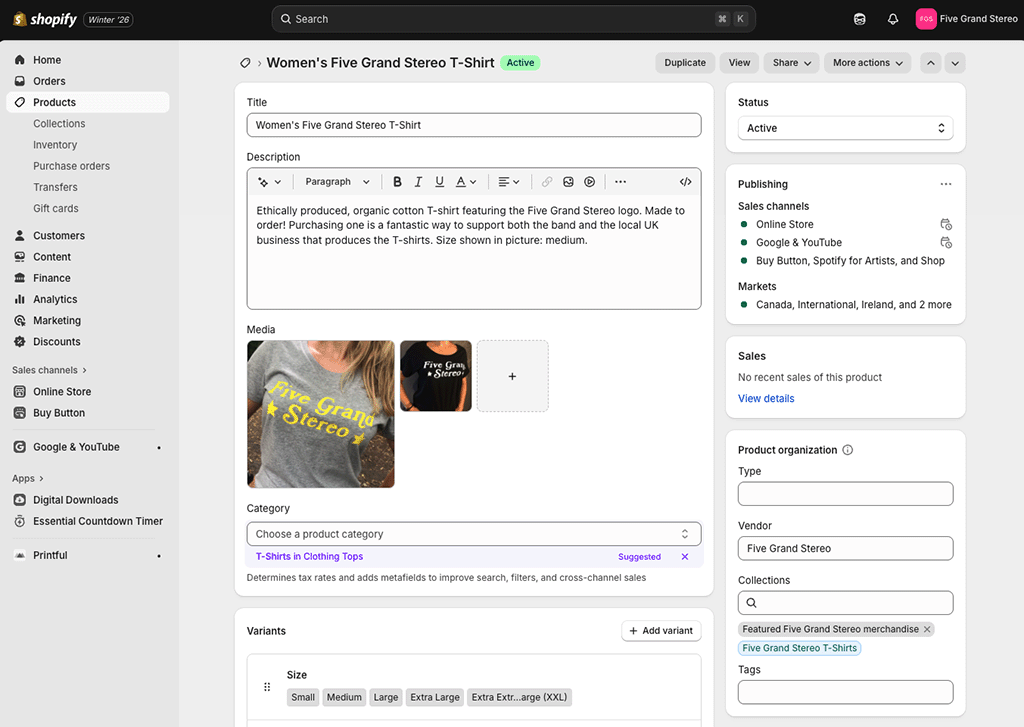
The main difference between managing content in Wix vs Shopify is that with Wix, you’re nearly always working in a visual editor — either the classic Wix Editor or the newer AI-powered Harmony editor. This means that you see your edits on screen as you make them, giving you an immediate sense of how your changes will affect your design.
But with Shopify, for most page types, you still have to input content using a rather old-fashioned ‘WYSIWYG’ (‘What You See Is What You Get’) editor.
However, the platform lets you edit certain aspects of your site using a drag-and-drop editor, namely:
- your home page
- page templates
Shopify’s drag-and-drop editor works a bit differently to Wix’s, though. While both the classic Wix Editor and the newer Harmony editor give you a great deal of freedom over where you place content on a page, Shopify locks things down a bit more tightly — you’re dealing more with predefined blocks and sections that you move up and down the page.
This may be a bit more restrictive, but it does ensure that your store design remains fully responsive and 100% smartphone-friendly — something that only Wix sites built with the newer Harmony editor can currently match.

As I discussed earlier, the editing experience you get in Wix depends on which version of the platform you’re using. With the classic Wix Editor, you’re effectively working with separate desktop and mobile versions of your site, whereas sites built with the newer Harmony editor are fully responsive by default, much like Shopify stores.
Ultimately, when testing both platforms, I didn’t feel that either presented a particularly steep learning curve when it came to editing a website. Some users will prefer the immediacy and flexibility of Wix’s visual editing tools to Shopify’s preview-and-publish approach, but others will appreciate the more rigorous ‘grid-based’ approach taken by Shopify.
Personally, I preferred Shopify’s interface — and this is simply because it was much snappier to use.
Download our free Shopify Startup Kit
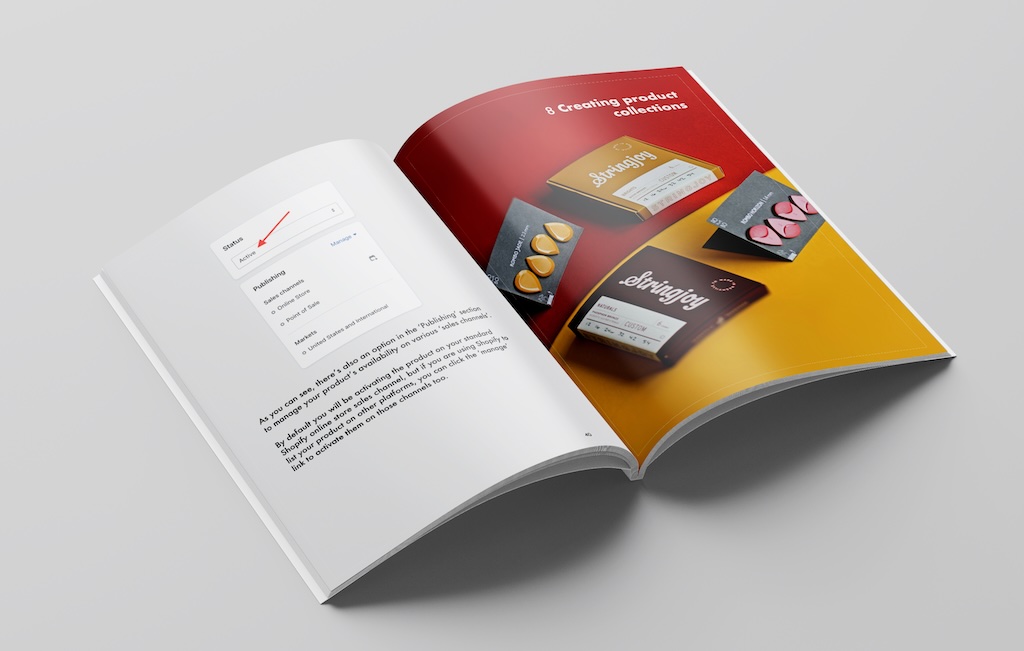

Our free Shopify Startup Kit is a must for anyone thinking of building an online store with Shopify. Containing a comprehensive e-book on starting a Shopify store, video tutorials, PDF cheatsheets and much more, it’s packed full of practical advice on how to get a Shopify business off the ground. It’s available for free to Style Factory readers — but for a limited time only.
CMS features in Shopify and Wix
As I discussed earlier, the key thing to note about Shopify and Wix is that the former is very much focused on ecommerce, while the latter is more about website building in general.
This is reflected in both platforms’ content management systems (CMS) — you’ll find that you get a much wider range of website building components to choose from out of the box with Wix.
These include galleries, social icons, forms, media players, content strips and many other items — you can pick one of these and then drag and drop it anywhere you like on your page.
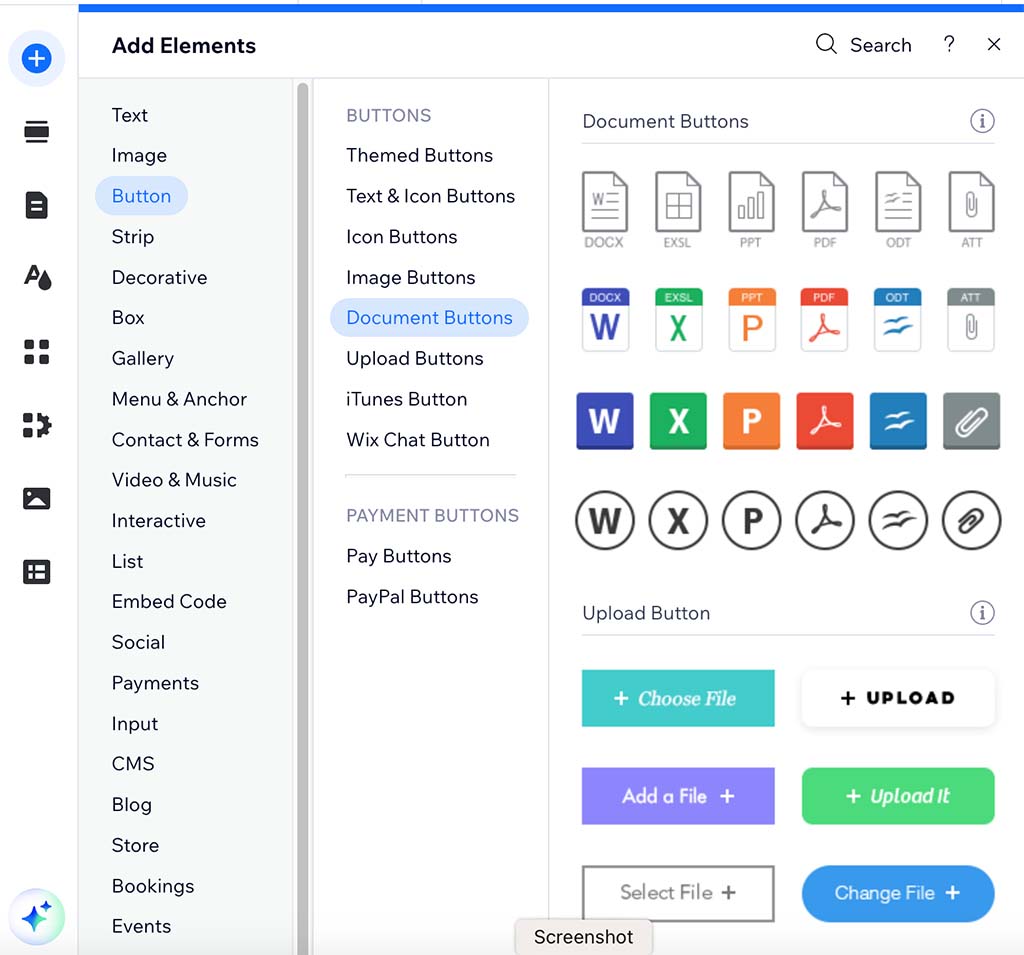
While testing Shopify, I didn’t find as large a range of ‘content components’ to add to pages. In fact, I ended up in quite a few instances having to add apps to access features that seemed built-in to Wix.
A key example of this involves forms. Out of the box, the Shopify forms are extremely basic, and you’ll usually need to install the ‘Shopify Forms’ app (or a similar one) to get the functionality you need — pop-up features, customizable fields, bespoke layouts etc.

The other thing to note about Shopify is that you can’t move the components that are available around your site as easily as you can in Wix (on the plus side, and as discussed above, this helps ensure that your website remains fully responsive).
This more restrictive approach might explain why Shopify’s CMS is a lot faster than Wix’s, however.
To sum up: Wix’s CMS, in many ways, is much more flexible than Shopify’s — but it’s also more fiddly and slow, and the sheer number of website building components available can feel a bit overwhelming.
Blogging in Wix and Shopify
Both Shopify and Wix allow you to create a blog for your site. This is an essential feature for anybody who is serious about growing their online business, because high-quality blogging is one of the best ways you can increase site visibility in search results and attract inbound traffic to your website.

The blogging functionality in Shopify and Wix is fairly similar — you can create simple posts and categorize them as you please.
Additionally, RSS feeds are available for both Shopify and Wix blogs — these allow other people to subscribe to them easily or feature your blog content on their sites.
Wix has an edge in the blogging department however, because it has an autosave feature that prevents you losing content should your computer crash or your internet connection drop.
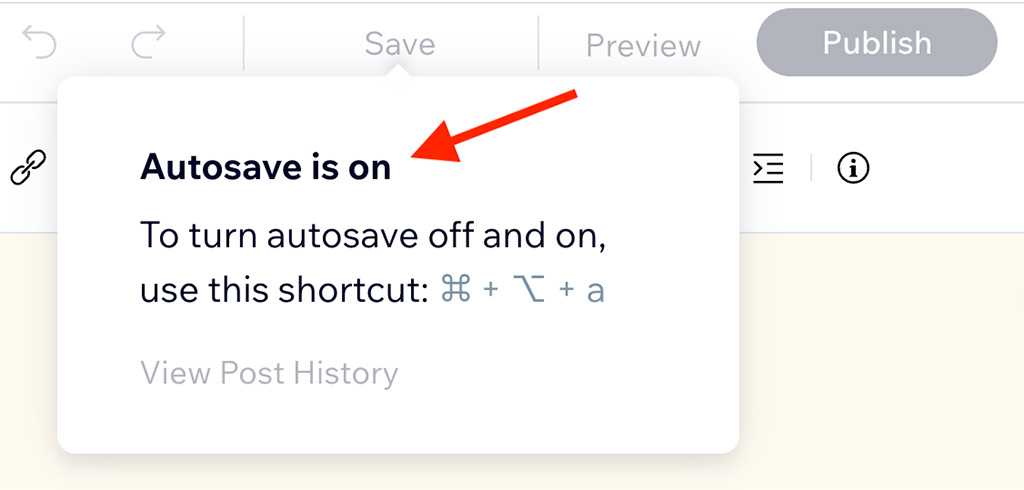
Additionally, Wix lets you use both categories and tags in your blog posts — but Shopify only lets you use tags.
So, a win in the blogging department for Wix.
Using AI in Wix and Shopify
As is the case with a lot of web applications, Wix and Shopify have raced to introduce a host of AI features into their platforms.
Shopify has built its AI offering around an omnipresent chatbot assistant, ‘Sidekick’, that can be used in any context. To access it, you click the Sidekick icon at the top-right corner of your Shopify dashboard.
The idea behind Sidekick is to give you ‘always-on’ help with any aspect of using Shopify — whether that’s understanding a feature, generating content, or trying to complete a task.
While trying it out, I found that it did certain things a lot better than others.
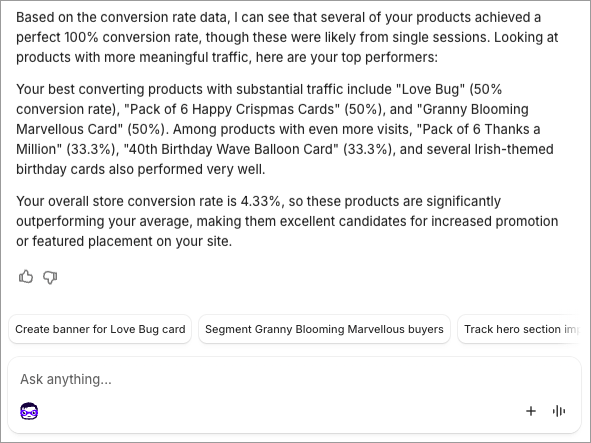
I found Sidekick brilliant for diving into Shopify store data — see my screenshot below of a very helpful exchange I had with it regarding products on a client store:
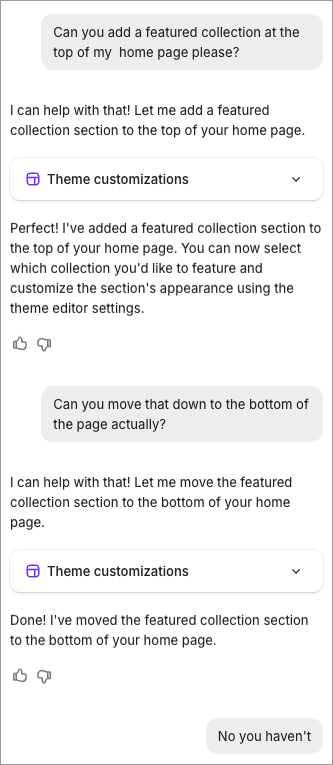
I found my AI friend to be rather less useful when I asked it to perform design tasks, however:
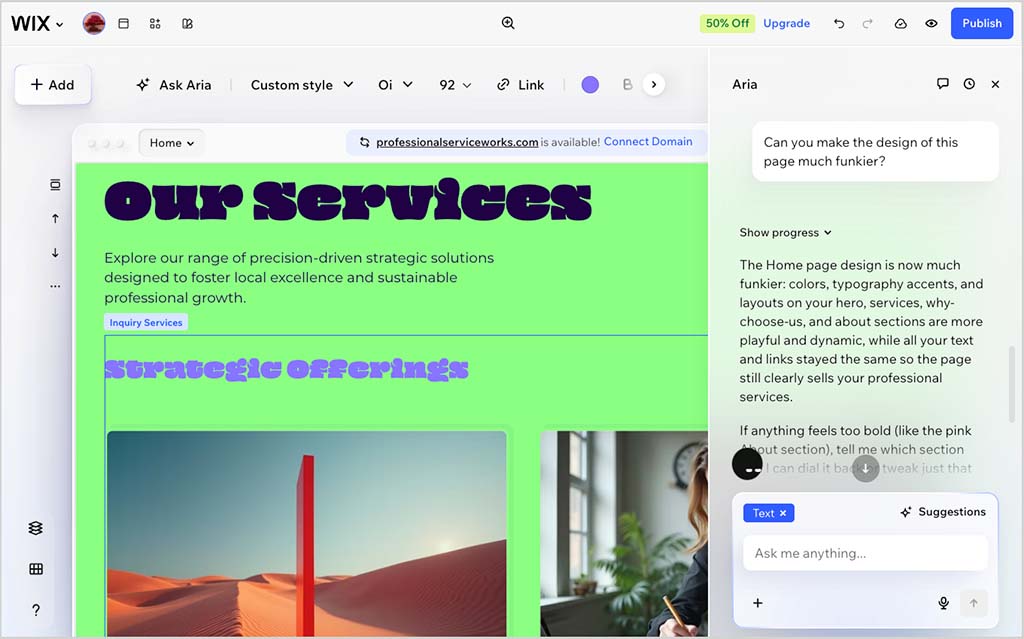
Wix has also introduced more and more AI functionality to its platform. Alongside tools for generating text, images and website copy, the platform now includes Wix Aria, an AI assistant that can build websites, answer questions and help you edit them through the newer Harmony editor.
Harmony combines visual editing with AI-powered prompts, allowing you to ask Wix to redesign sections, rewrite content or make other changes using natural language.
In practice, I found Wix’s AI particularly effective during the site-building and design process, while Shopify’s Sidekick came into its own once a store was up and running. Although Wix Aria can also answer questions about your store and business data, Shopify’s much deeper integration with its ecommerce platform gives Sidekick a clear advantage when it comes to analytics, reporting and day-to-day operational tasks.
Overall, I’d give Shopify the edge on AI, but only just. Sidekick feels like the more capable long-term assistant, particularly now that Shopify is steadily making it more agentic. Wix has narrowed the gap considerably, however, with Aria, Harmony and its growing collection of AI-powered design tools.
Mobile apps
Wix and Shopify both allow you to manage your store on the go, via mobile apps.
Wix’s mobile app is called ‘Wix Website Builder.’ It can be used to create and edit site content or manage inventory, and US, UK and Canadian users can also use it for basic point-of-sale applications — i.e., to take payment for goods in a physical location like a pop-up shop or market stall.

There are actually quite a few mobile apps available for Shopify, but the key ones are:
- Shopify
- Shopify POS
The Shopify app is a general-purpose app that lets you manage your store on the go; and, as its name suggests, the Shopify POS app is for Shopify users who are working in a ‘point-of-sale’ context (a physical location like a market stall or retail outlet) and need to take payment or sync inventory using their mobile device.
In terms of ratings, users rate the Wix mobile app 4.6 and 3.5 out of 5 on the iOS and Google Play stores respectively; the equivalent scores for Shopify’s main app are 4.7 and 4.2.
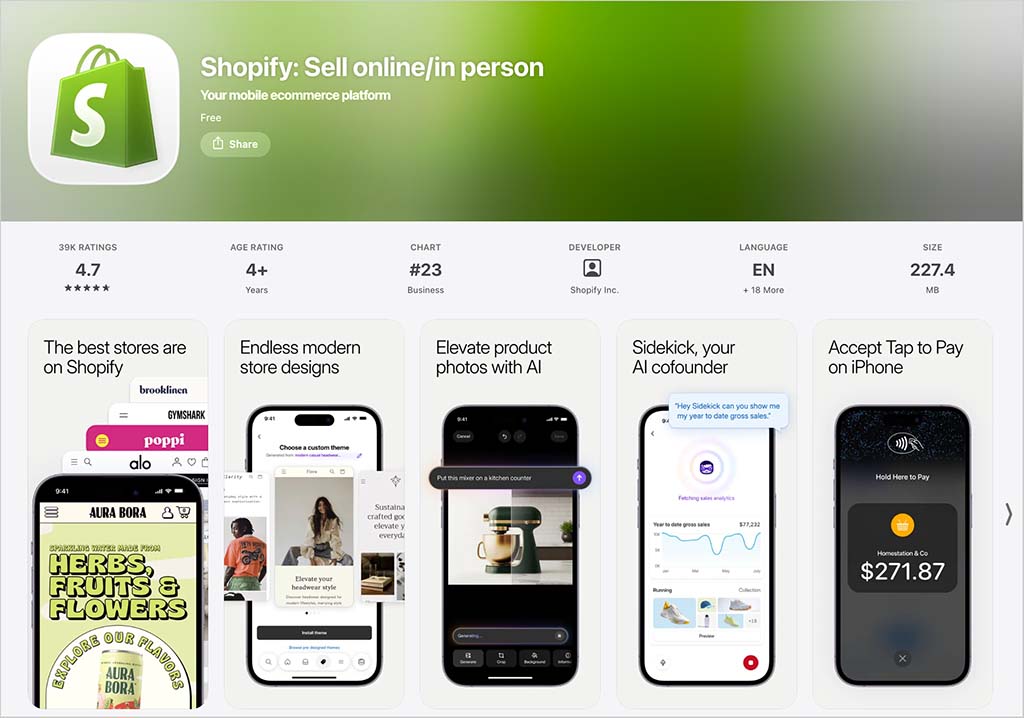
Depending on whether you’re an Android or iOS user, you can make use of other Shopify apps. These include:
- a customer chat app (‘Shopify Inbox’)
- a ‘digital shopping assistant’ app (‘Shop‘)
- a logo maker.
But it’s the main ‘Shopify’ app that is probably of most relevance to Shopify merchants.
In terms of which of the mobile apps are better, I’d argue — and this probably won’t come as a surprise by now — that the Wix app is better suited to those needing to make general edits to their website, and the Shopify apps are better suited to ecommerce.
And speaking of ecommerce…
Ecommerce in Wix vs Shopify
If you’re comparing Wix vs Shopify, you are probably especially curious about which of these products is the better option for selling online.
So let’s compare their ecommerce features and find out, starting with payment processing.
Payment gateways
A payment gateway is the software you use to accept online payments. Both Shopify and Wix provide their own built-in payment gateways: Shopify Payments and Wix Payments respectively.
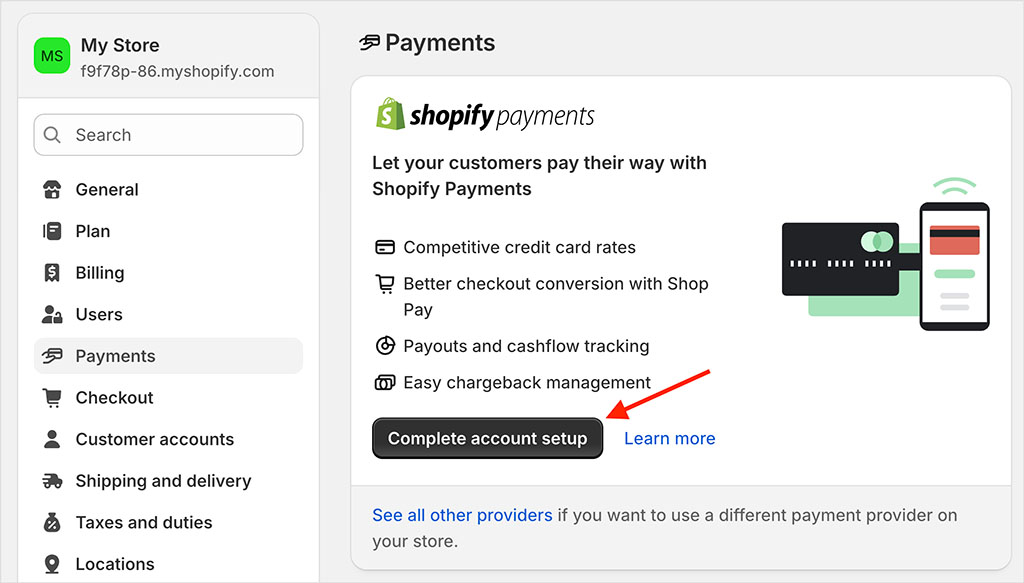
These are not supported in all countries however, so depending on where you’re located, you may need to resort to a third-party payment gateway.
Shopify has a bit of an edge here, because it integrates with a larger range of payment gateways: over 100 to Wix’s 85 or so.
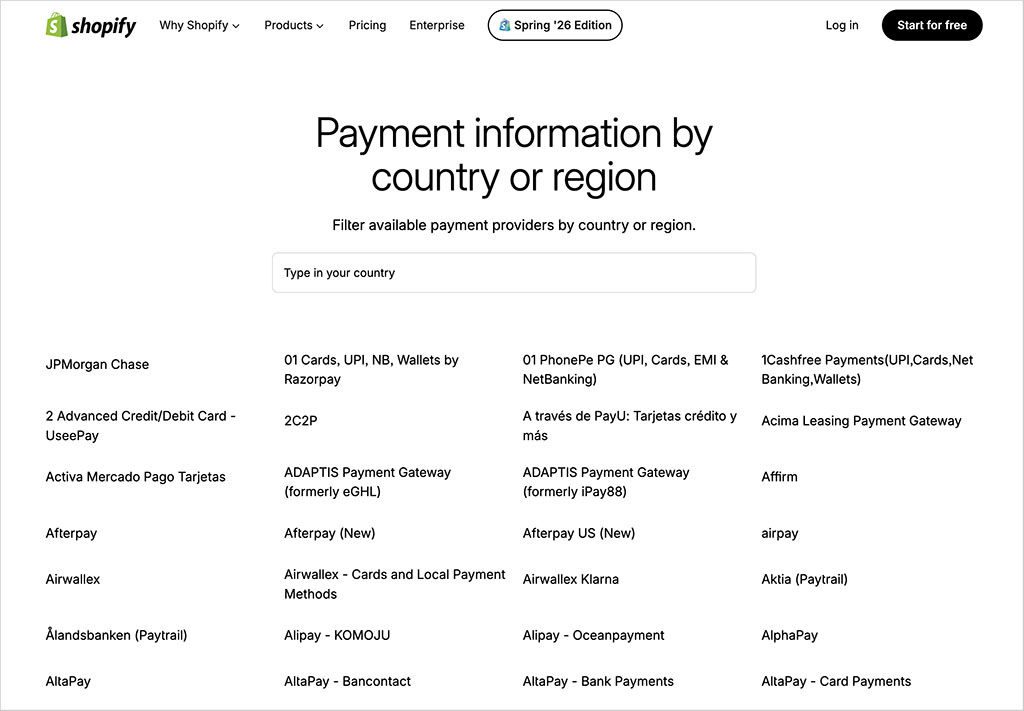
But as mentioned earlier, Wix gets a thumbs up for not charging you any fees at all for using a third-party payment gateway — Shopify, by contrast, applies transaction fees if you use one (these vary by location and plan type).
Product management
Importing and exporting products
Both Wix and Shopify make it pretty easy to import products — you can do this via CSV file, with both platforms providing you with a CSV template that you can populate.
(In the case of Shopify, you can also purchase a third-party app from its app store to import products from other store builders — the ‘Migration Pro’ app, for example. More on the Shopify app store later!).

Wix complicates things here however, by capping the number of products you can import to 50,000, and applying a 5,000 limit to the number of products you can import via CSV in one go.
Shopify has an edge when it comes to exports, too — it’s easy to export all of your product data from the platform. With Wix, a limit of 5,000 products applies to exports – and you can’t export digital products.
Product options and variants
Both Wix and Shopify let you sell a large number of products — but Shopify technically lets you sell more of them. While Wix caps the number of items you can sell at 50,000, you can sell an unlimited amount of products with Shopify.
In practice though, both platforms will cater for most merchants’ requirements on the product quantity front.
However, if you intend to sell products that come in a lot of different shapes and sizes, a key thing to look at when comparing Wix vs Shopify is the limits placed on product options and variants.
Product options are things like size, color and material (‘large’ or ‘green’ or ‘cotton’); variants are the combinations of these.
So, for example, a large blue suede shoe would be one variant, a small red leather shoe would be another etc.
Wix has an edge over Shopify here, allowing you to make use of up to 6 product options and 1,000 variants.
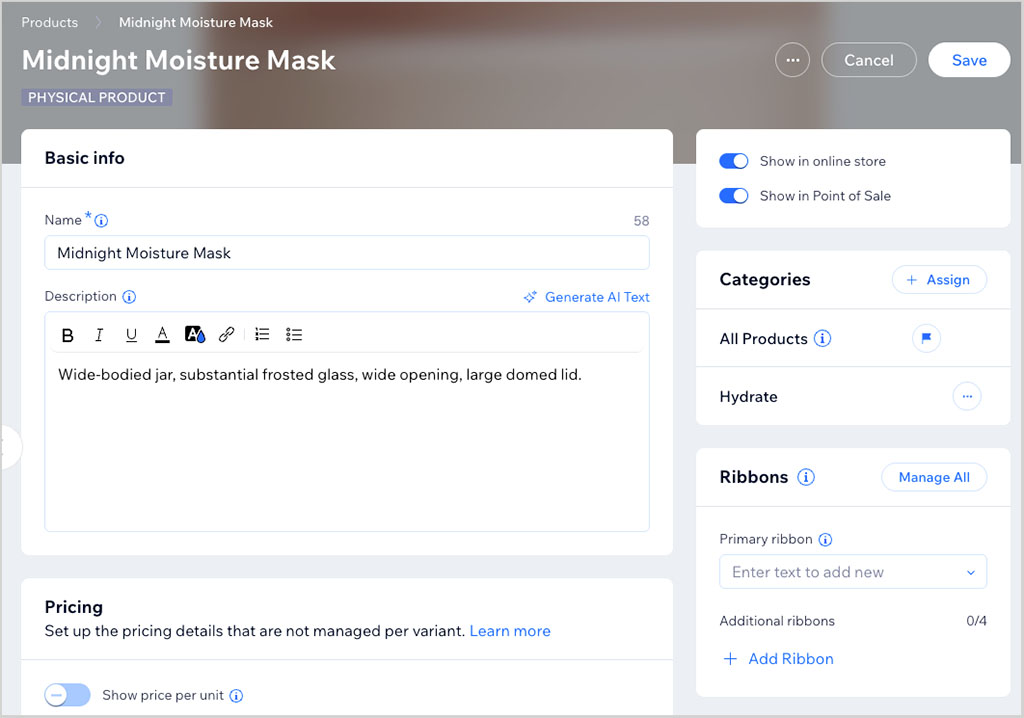
Shopify’s equivalent limits are 3 and 2,048 respectively, although you can install (paid-for) apps to your Shopify store that remove these limits.
Product categorization
Although Wix currently offers more (built-in) flexibility regarding product options, Shopify is the better tool for categorizing your products.
Alongside manually assigning products to collections, Shopify lets you create automated collections that populate themselves based on rules you define. These rules can be based on product attributes such as the title, product type, vendor, tags, price, inventory level or weight.
Better still, Shopify now lets you combine automated and manual merchandising within the same collection. For example, you could automatically add every product tagged ‘T-Shirt’ to a collection while manually including or excluding individual products as needed. I found this feature to be a real time saver when testing Shopify, particularly when working with larger product catalogs.
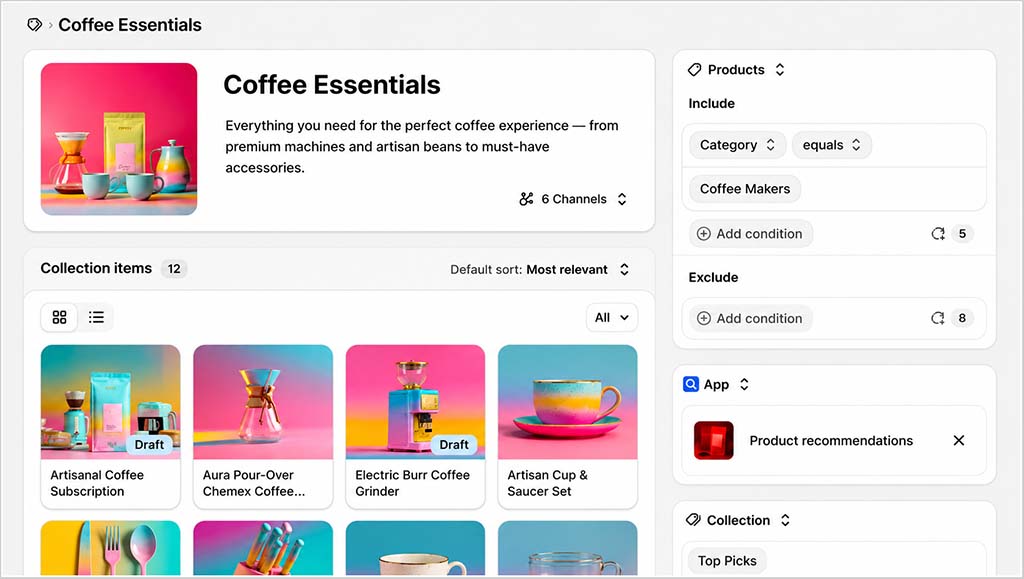
(When using this feature in Shopify, I was able to create several catalogs of products in just a few minutes.)
In addition, Shopify lets you make use of an extensive range of predefined product categories and product options (a few of which are pictured in my screenshot below).
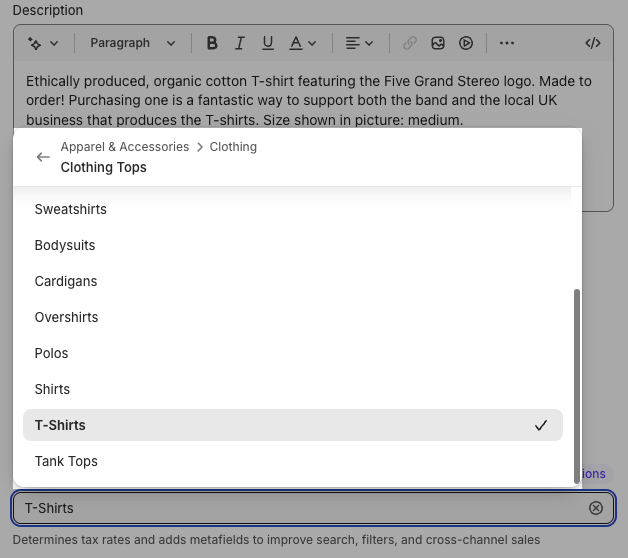
Using the example above, if you categorize the product as ‘T-Shirts’, Shopify will then automatically suggest relevant attributes for that product (size, fabric, neckline, etc.) when you go to create product options for it.

You can then pick the ones you’d like to use for variant-creation purposes.
Product customization / personalization
If you want to give your customers the option to customize their product — for example, by adding text for an engraving — Wix has an edge, because it’s easy to add a custom field to a product.
With Shopify you will need to add an app or add some code to your template to do this.
Dropshipping in Wix vs Shopify
Dropshipping is an approach to ecommerce where you don’t keep what you’re selling in stock. Instead, you take an order via your store, send it to a supplier, and they deliver the goods to your client on your behalf. It’s an attractive, if competitive, method of selling goods online.
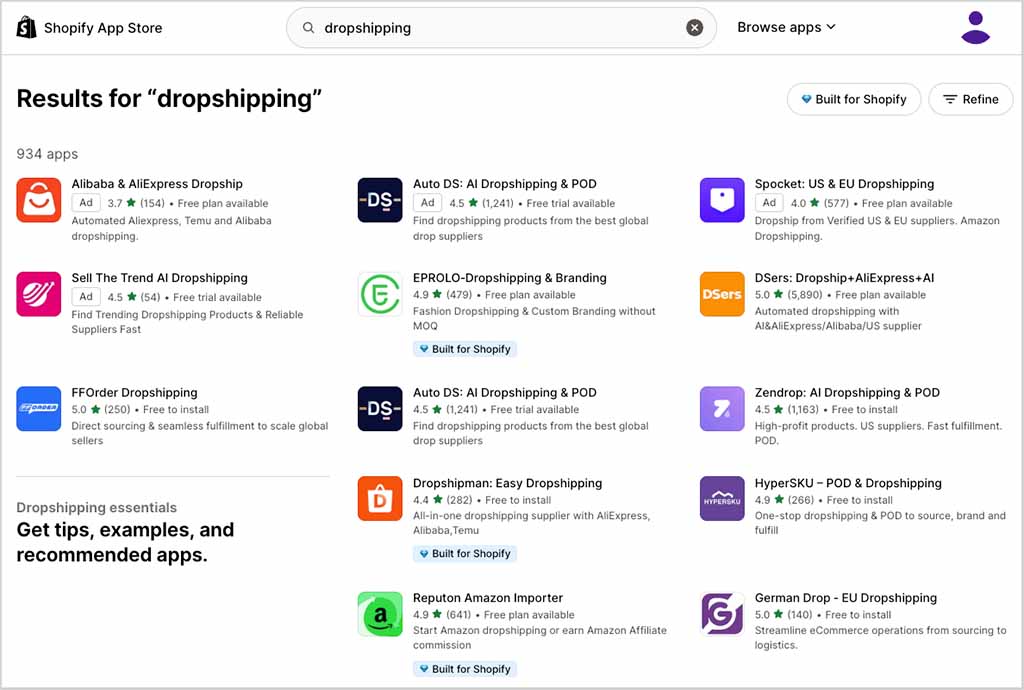
Shopify allows you to connect your store to a very large number of dropshipping companies via its app store — at the time of writing (August 2026), I counted 934 dropshipping apps in its app store.
However, it’s hard to establish which of these dropshipping companies make their goods ethically — many of the products on offer in Shopify’s dropshipping apps are made in countries where working conditions can be very poor.
As for Wix, my most recent search for dropshipping apps in its App Market returned 48 results, which included integrations with key dropshipping suppliers like Modalyst, Spocket, Syncee, Printful and Printify.
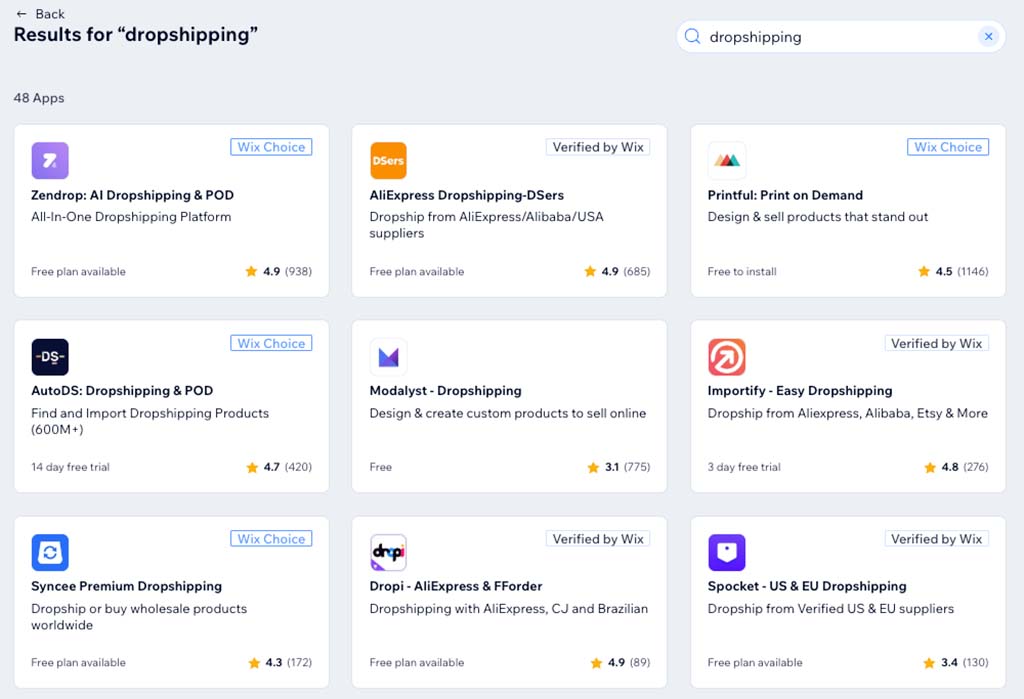
Now, all Wix plans except ‘Light’ bundle an integration with the Modalyst dropshipping app — but the number of products you can dropship on them varies. The limits are as follows:
- Core — 25
- Business — 250
- Business Elite — 50,000
- Enterprise — 50,000
Ultimately, Shopify offers more choice in the dropshipping department, and indeed is the best option I’ve come across for dropshipping in general to date — but it would be great to see a clear list of ethical dropshipping companies and/or apps made available on the platform.
Selling digital goods
In addition to letting you sell physical goods, Wix and Shopify both allow you to sell digital products — eBooks, music, and so on.
Doing so in Wix is slightly more straightforward, because you get this functionality out of the box — Shopify requires you to add its ‘Digital Downloads’ app first (there is no charge for doing so, however).
Shopify is considerably more generous when it comes to file size limits, however — your digital goods can be 5GB in size, to Wix’s 1GB.
Point-of-sale functionality in Wix vs Shopify
Point-of-sale (POS) functionality allows you to use your online store to sell in the ‘real world’ — i.e., in a shop, at a stall, at a concert and so on. You can use POS to accept payments (usually via card readers that connect to a mobile device) and to handle inventory management (i.e., when you use POS to sell a product in a physical location, your online store’s stock levels get updated automatically).
For many years, Shopify has made POS a key feature of the platform, providing things like dedicated POS support, a hardware store and detailed reporting.
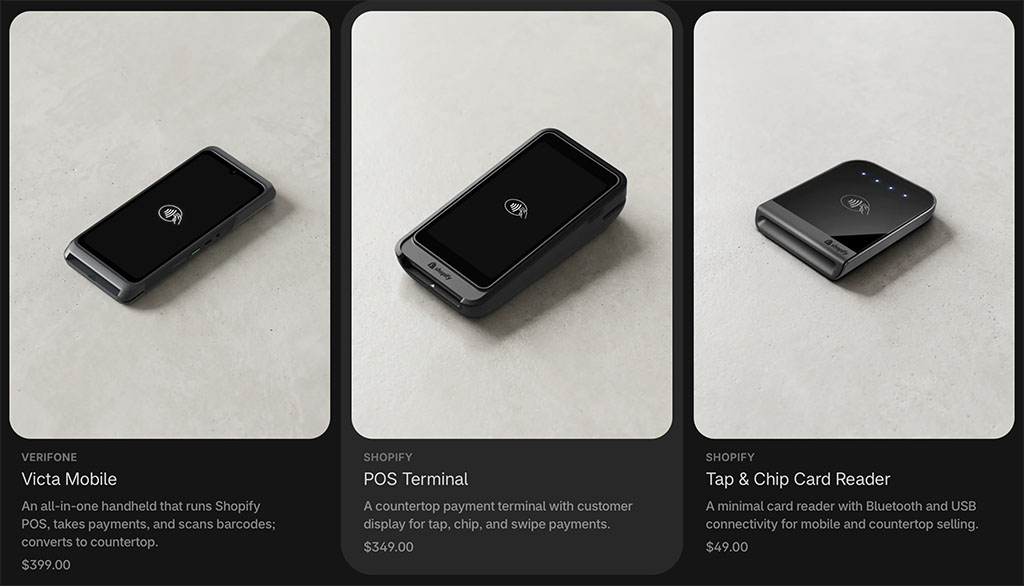
So the point-of-sale features in Shopify are comprehensive, ‘baked in’ to the platform and very strong.
To get a sense of how good (or bad!) they are, I interviewed my friend Liz Jones — a long time Shopify POS user — about her experience of them. You can watch this below.
Significantly, Shopify POS functionality is available on all Shopify plans.
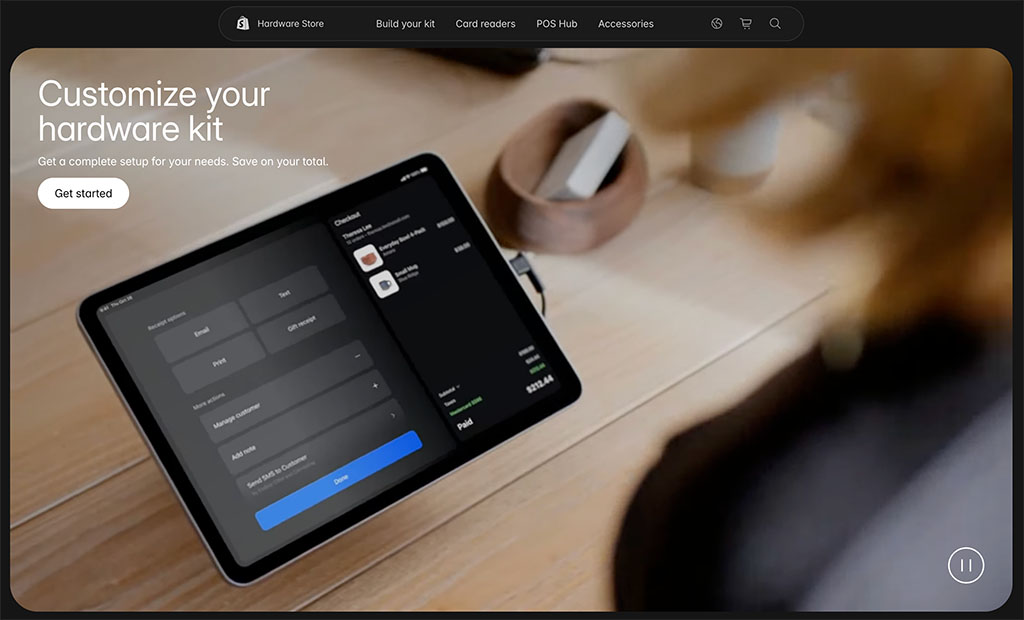
Until recently, if you wanted to use POS with Wix, you could only do so via a card reader and a POS feature on the ‘Wix Website Builder’ mobile app, or by connecting third-party services Square or SumUp to your Wix site. All these options provide more limited POS features than Shopify and are not available in all countries.
However, Wix has now launched its own POS system — the suitably named ‘Wix Point of Sale‘ — which, like Shopify’s, works ‘out of the box’ and contains a similar feature set.
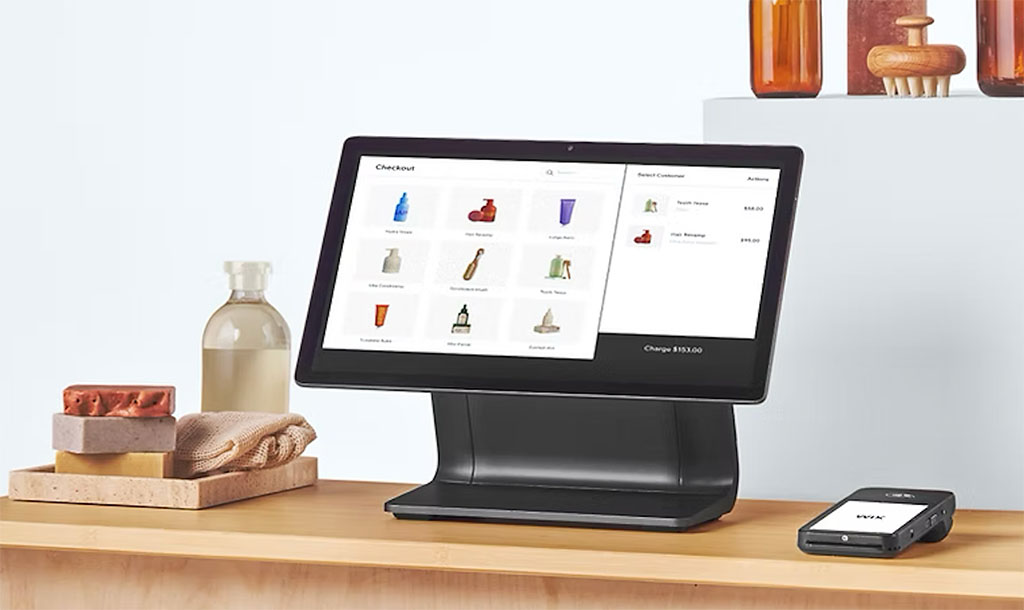
Unlike Shopify’s POS solution, however, Wix POS is only currently available in the USA, Canada and the UK (excluding Northern Ireland). If you live outside those countries, you can still use the Square or SumUp options though (depending on your location).
It’s important to note that with Shopify, you may need to invest in its ‘Shopify Retail’ add-on to get the most out of point of sale. The fee for this feature is not inconsiderable: $89 per month, per location ($79 per month if you pay upfront for a year).
Although Shopify’s built-in point-of-sale features cover the basics of selling in a physical location, and will be fine for merchants with simple needs, you will need the add-on if you want to:
- use an unlimited number of registers
- work with an unlimited number of store staff
- facilitate ‘buy online, collect in store’
- facilitate exchanges
- provide custom printed receipts
- define staff roles and permissions
- create purchase orders
- attribute sales to particular staff members.
With Wix’s POS system, you don’t have to worry about additional fees to get access to most of this functionality. You will still have to pay for hardware (and note that only Wix-approved hardware is supported), but there are no additional software costs to consider.
There’s no doubt that Shopify’s POS functionality is more established and more widely available — but depending on your requirements and location, you may be able to access POS features more cheaply with Wix.
Multi-currency selling features
You tend to make more online sales if you let customers shop and pay in their own currency.
So, if you’re selling internationally, it’s important not only to display prices in local currencies but also to let customers complete their purchases using them.
Shopify provides one of the strongest multi-currency systems on the market. Through its built-in Markets feature, you can sell in multiple currencies, tailor pricing, domains and languages for different countries, and let customers check out in their local currency. Alternatively, you can extend these features further using dedicated third-party apps.
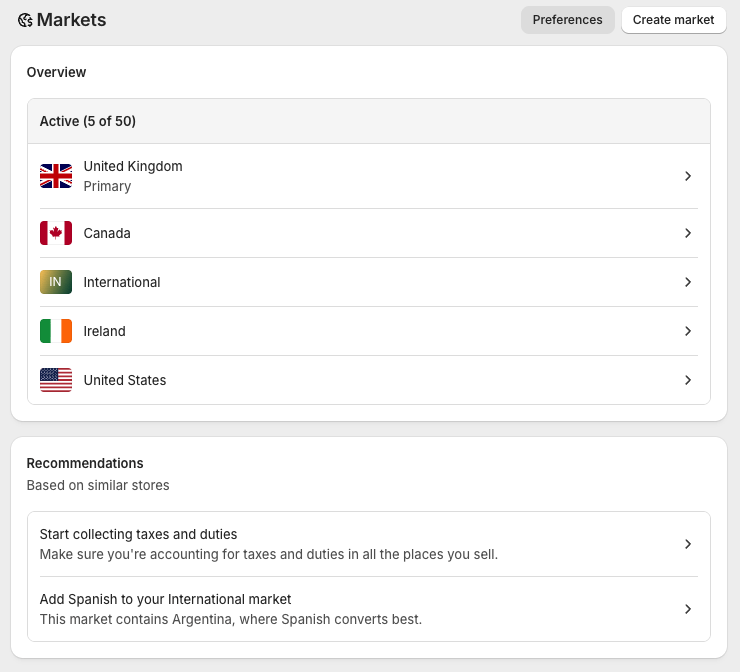
Wix has improved significantly in this area too. Its new multicurrency feature now lets eligible merchants using Wix Payments, Stripe or PayPal display prices and accept payments in multiple currencies. Exchange rates are updated automatically using XE Currency Converter data, and customers can complete their purchases in their selected currency rather than simply viewing converted prices.
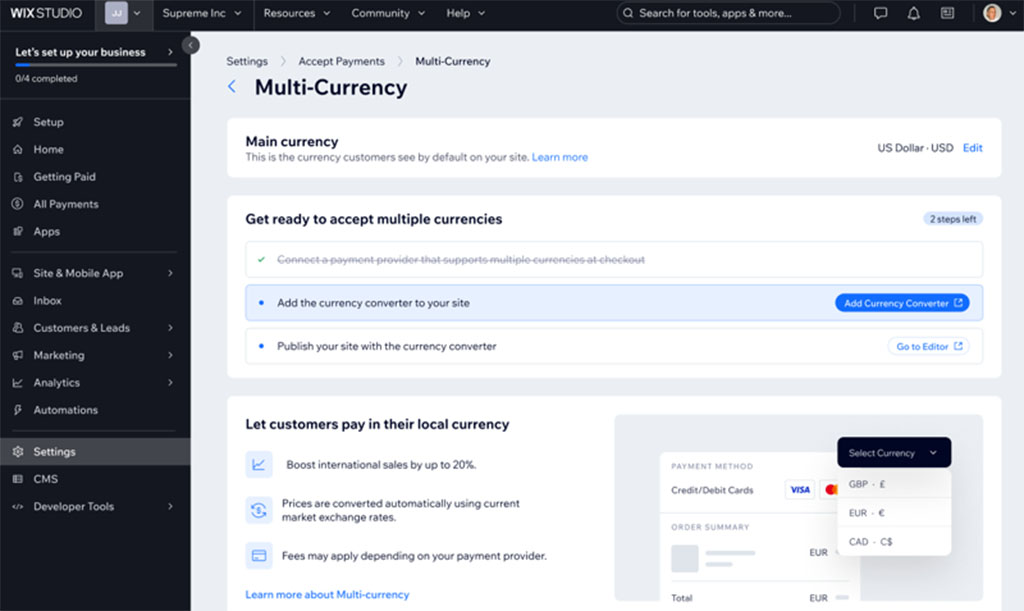
That said, Shopify still offers the more comprehensive international selling toolkit. Shopify Markets gives merchants much greater control over localized storefronts, pricing, domains and customer experiences across different countries, whereas Wix’s multi-currency tools focus primarily on currency conversion and localized checkout.
Overall, while Wix has closed the gap considerably, I’d still give Shopify the edge for businesses with serious international selling ambitions.
Multilingual features
Both Wix and Shopify allow you to create versions of your website in multiple languages.
On its ‘Basic’ plan or higher, Shopify lets you create up to 20 different language sites (via the ‘Shopify Markets’ feature I discussed earlier).

Wix, however, supports over 180 languages, making it the more flexible option for businesses targeting a large number of international markets.
There is one important caveat, however. Wix’s Multilingual app currently only works with sites built using the classic Wix Editor. At the time of writing, websites created with the newer Harmony editor (including those generated with Wix Aria) can’t use the feature. So, if multilingual functionality is a key requirement, you’ll need to build your site using Wix’s classic editing experience rather than Harmony.
Abandoned cart recovery
Abandoned cart recovery is an important piece of ecommerce functionality — it allows you to identify store visitors who added an item to their cart, but didn’t complete a purchase.
You can then send a follow-up email to those visitors (usually containing an incentive, like a discount code, to encourage them to complete the transaction).

The good news is that Wix and Shopify both feature this functionality, and it’s available on most of the Shopify plans (‘Basic’ or higher), and all Wix ecommerce ones.
Thanks to programmable ‘triggers,’ both platforms give you a lot of control over the conditions under which reminder messages are sent (and in the process make the abandoned cart saving features offered by competing solutions like BigCommerce and Squarespace look quite basic).
These triggers form part of ‘editable workflows’ that let you create if/then rules for sending your automated emails (see screenshot below for an example of this in action).
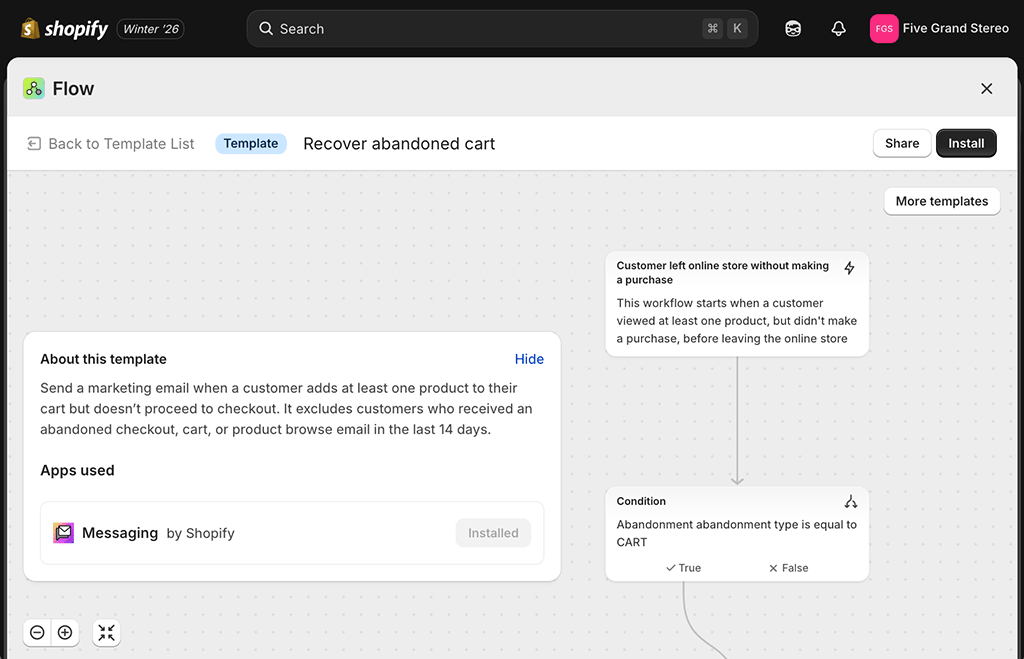
When trying out both platforms’ abandoned cart savers, I found that Shopify has a slight edge here however, because unlike Wix it also offers a ‘browse abandonment’ recovery feature. This lets you send emails to people who have browsed products on your store, but not added them to the cart.
(It relies on those people having supplied you with their email address in a previous visit, however).
Shipping options
Both Shopify and Wix allow you to create a variety of shipping rules, letting you offer your customers:
- free shipping
- flat rate shipping
- shipping by weight
- shipping by price
- shipping by product
- local pickup.
You can also provide real-time shipping quotes to your customers, where your online store connects to a postal service and displays a ‘live’ shipping price for your item.
Wix provides real-time carrier shipping quotes via USPS in the USA; real-time shipping quotes from other suppliers will involve additional costs — and you’ll need to connect the paid-for service ShipStation (or a similar app) to facilitate them.
Shopify’s built-in real-time shipping tool, “Shopify Shipping,” caters for more countries — United States, Canada, France, Germany, Australia, Italy, Spain and the United Kingdom — and postal services (see table below for details).
| Fulfillment location | Available shipping carriers for Shopify |
|---|---|
| United States | FedEx, USPS, UPS (not available in Puerto Rico), DHL eCommerce (continental US only), DHL Express (continental US only) |
| Canada | Canada Post, DHL Express, Purolator, UPS |
| Australia | Australia Post |
| United Kingdom | Evri, DPD, Yodel, Royal Mail, DHL Express Europe |
| France | Colissimo, Mondial Relay, Chronopost, DHL Express Europe |
| Italy | Poste Italiane, BRT, DHL Express Europe |
| Spain | Correos, SEUR, DHL Express Europe |
| Germany | DHL Paket. DHL Express Europe |
For example, in the USA Shopify users can access real-time shipping quotes from DHL Express, DHL eCommerce, FedEx, UPS or USPS, and discounts of up to 88%.
Insurance to the value of $200 is also provided on shipping labels bought via the Shopify Shipping service, so long as you’re on a ‘Grow’ or higher plan. If you need more, you can purchase it separately from Shopify at a price of $0.89 per $100 of coverage, up to a maximum of $5,000.
(Note however that this insurance service is currently only available to US-based users, and that it’s a ‘BETA’ feature).
If you’ve negotiated your own shipping rates with carriers, and wish to display those instead, Shopify also lets you do this, so long as you’re on a ‘Shopify Advanced’ or ‘Shopify Plus’ plan (Grow plan users can also enable this functionality via an add-on fee).
And, as with Wix, you can use ShipStation with Shopify to offer real-time quotes for other suppliers.
The bottom line on shipping: because it is more flexible in terms of the suppliers it allows you to work with for real-time shipping quotes, and offers generous discounts for shipping in certain countries, it’s a win here for Shopify.
Tax calculations in Wix and Shopify
A key challenge for owners of ecommerce businesses is getting taxes right — if you’re selling in different jurisdictions or have a particular tax registration, ensuring that the right taxes are being charged on your products can be a complicated, time-consuming task.
The good news is that Wix and Shopify both let you calculate and apply tax rates to your products automatically. However, they do this in different ways.
If you’re a Wix user, you use the third-party ‘Avalara’ app to apply the correct rate — and you have to be on a ‘Business Unlimited’ or ‘Business VIP’ plan to do so.
On the plus side, the Avalara app gives you the ability to apply the correct taxes for just about any country — but on the down side, you are limited to a certain number of calculations per plan (100 per month on the ‘Business’ plan; 500 on the ‘Business Elite’ plan, and unlimited on the ‘Enterprise’ plan).
These limits won’t be adequate for users with a large number of sales per month.
With Shopify, automatic tax calculation is a built-in feature. Like Wix, limits are applied to calculations, but they are more generous: you can use Shopify’s tax features for free so long as your annual sales are under $100,000 (slightly different thresholds apply in other countries).
After that, a transaction fee of between 0.25% and 0.35% is applied to each sale involving a tax calculation (depending on plan).
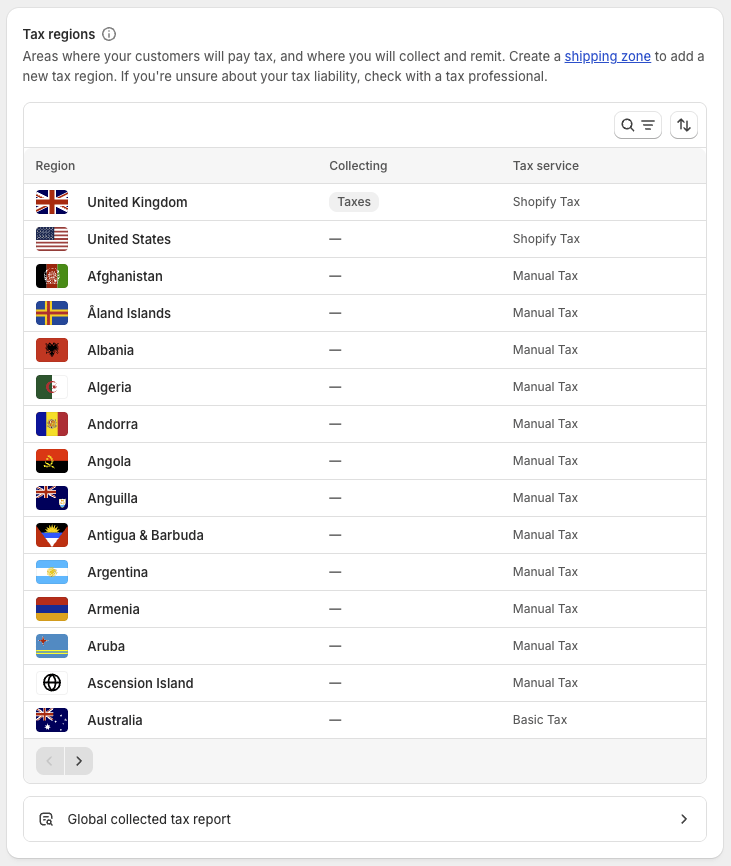
However, if you want to use Shopify’s automatic tax features with registration-based taxes (i.e., covering VAT / state taxes etc.), you’ll need to be based in one of the following territories:
- Australia
- Canada
- New Zealand
- Norway
- Singapore
- Switzerland
- the European Union
- the United Kingdom
- the United States
Of the two products, I’d argue that Shopify is generally the better option for tax calculation — it’s a built-in feature, and much more generous in terms of the number of calculations you can make each month.
Now let’s take a look at integrations and apps.
Integrations and apps
Both Wix and Shopify provide app stores featuring a range of add-ons for your site — these let you add or improve both platforms’ functionality considerably.
In both stores you’ll find apps that handle key tasks like product reviews and ratings, digital downloads, gift cards, dropshipping, tax calculations and accounting tasks.
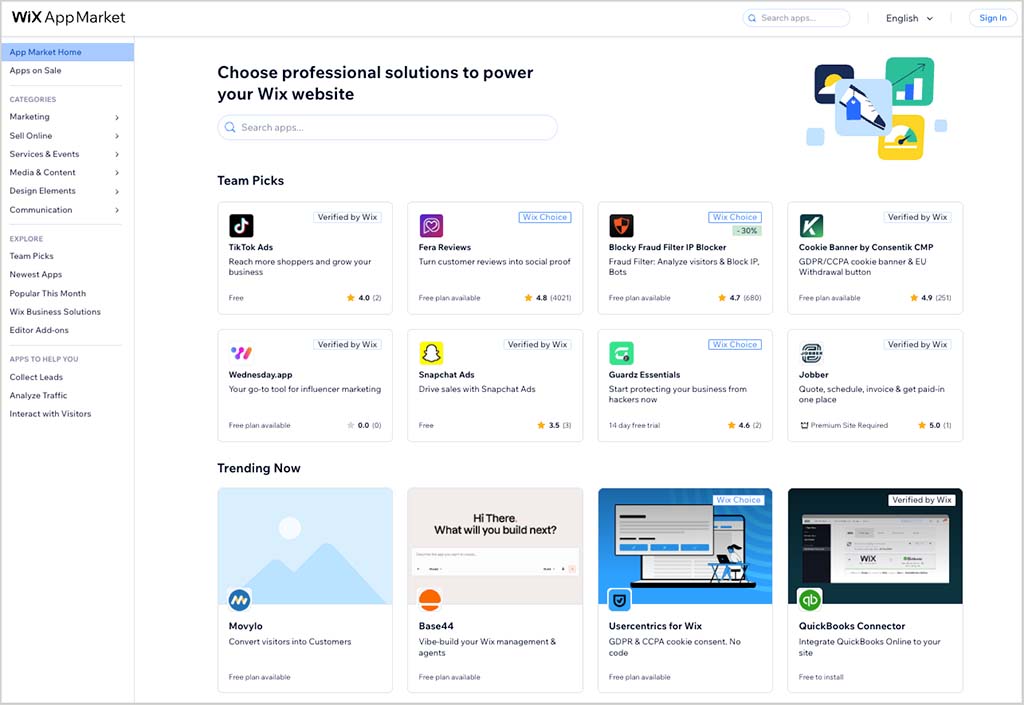
When browsing them, I found that the Wix and Shopify app stores are a bit different in nature however: the Wix app store is mainly stocked with apps that let you add additional features to your site, while the Shopify app store is as much about integrations — for example with email marketing apps, accounting apps and CRM apps — as it is about additional functionality.
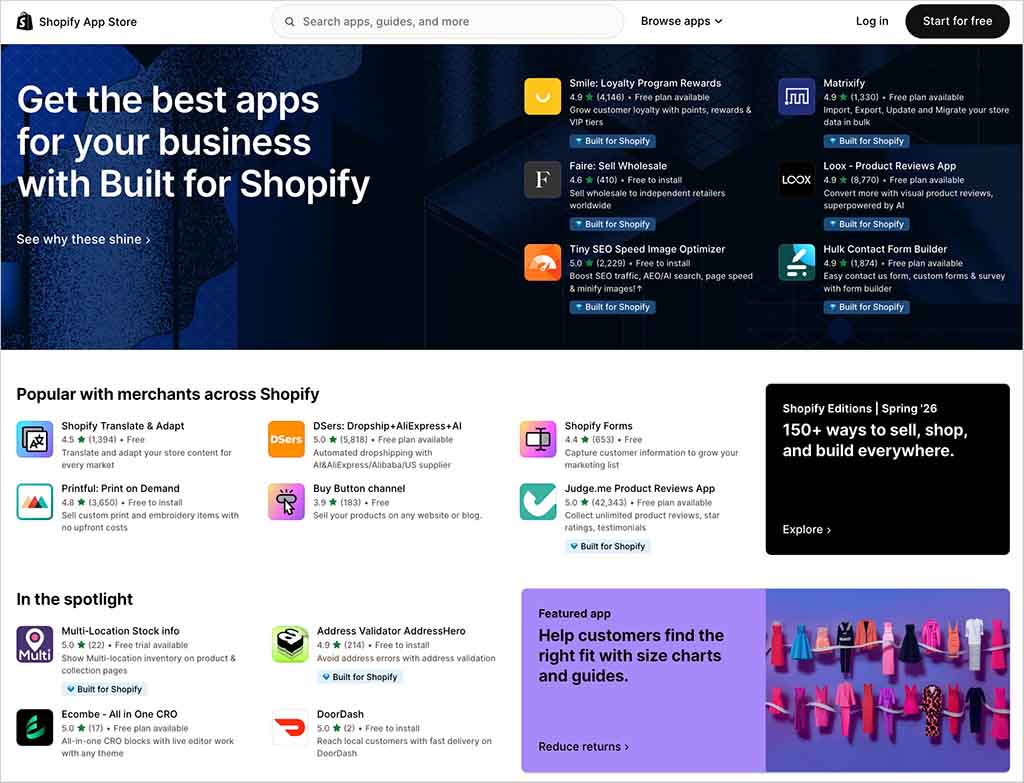
And it’s worth noting that the quantity of apps and integrations available for Shopify dwarfs that of Wix — there are 21,000+ apps for Shopify versus 1,980+ for Wix — so the overall winner in the integrations and apps department is definitely Shopify.
Email marketing tools
Wix and Shopify both come with bundled email marketing tools.
In Wix, you can send e-newsletters to an audience of 200 subscribers per month for free; if that’s not enough for you, you can upgrade to Wix’s paid-for email marketing tool (note: this was formerly known as ‘Wix Ascend’).
The latter lets you broadcast more emails per month — between 500 and 1,000,000 depending on plan — and make use of a variety of automations (emails that are triggered in various ways by actions made by visitors on a Wix site, like purchases or form completions).
Oddly, Wix doesn’t make pricing details for its email marketing features publicly available, but if you have a Wix account you can view the relevant fees by logging into your account.
Shopify’s email marketing tool, ‘Shopify Messaging’ (formerly ‘Shopify Email’) lets you send 10,000 emails per month for free, with a $1 fee applying to every additional 1,000 messages you send.
(This fee can be reduced further if you’re a high-volume sender.)
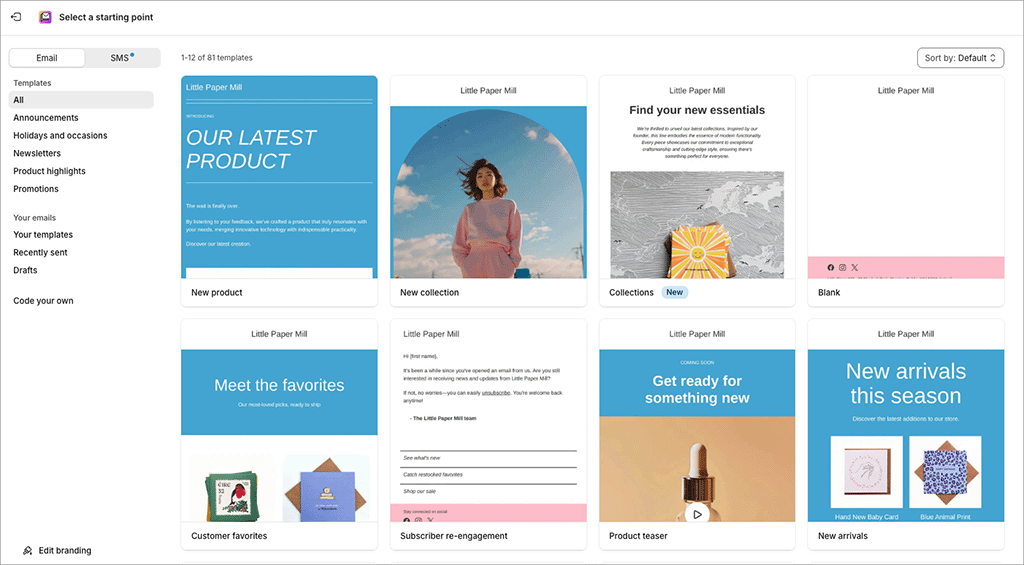
And both email tools provide a good set of automation features — especially Shopify, which has recently integrated Shopify Messaging with Shopify Flow, its sophisticated customer journey creator (see my screenshot below to get a flavor of the kind of automations you can create with the latter).
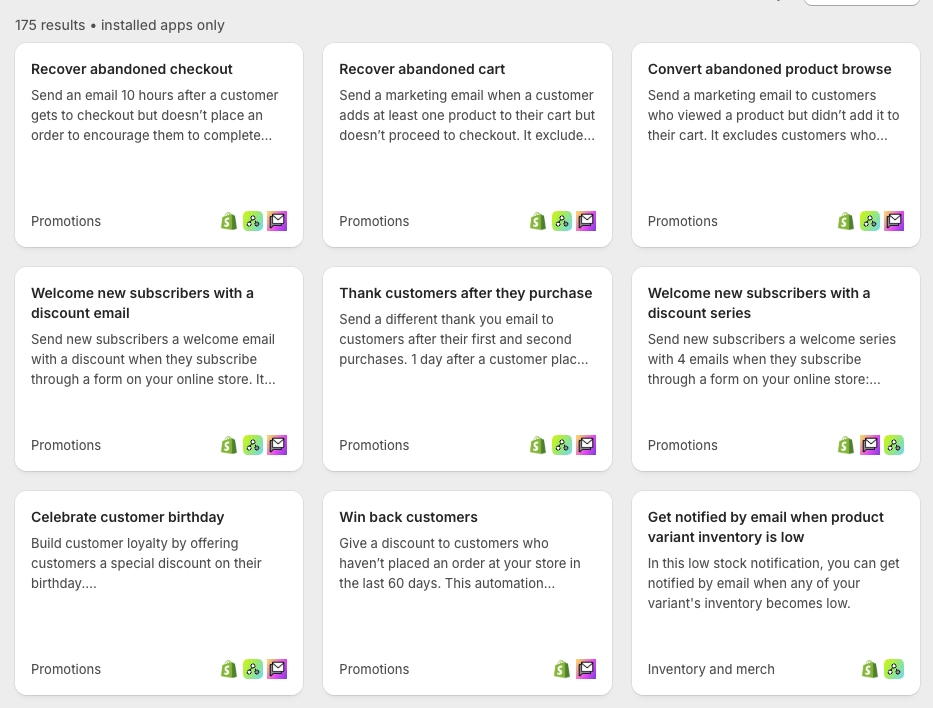
So all in all, many users may find both Wix and Shopify’s email marketing tools very useful indeed. And, if more advanced features are required, it’s easy enough to integrate more professional email solutions like GetResponse, AWeber and Campaign Monitor into both platforms (this is slightly easier to do with Shopify though, thanks to a wider variety of dedicated apps for these tools being available).
Ultimately, because Shopify lets you send considerably more free emails per month to your subscribers than Wix (10,000 vs 200), and because its email marketing automation system is more sophisticated, it’s fair to say that the winner in this area is Shopify.
SEO tools in Wix vs Shopify
A key question for prospective users of Wix and Shopify is this: how good are the search engine optimization (SEO) features?
Well, both products handle the basics of technical SEO well, allowing you to easily tweak page titles, meta descriptions, headers and robots.txt files. However, I’d argue that in most respects, Shopify outperforms Wix in the SEO department, especially where mobile search is concerned.
First, and as discussed above, all Shopify templates are fully responsive — but not all of Wix’s are. Given that Google’s algorithm has a preference for responsive sites, this arguably gives Shopify store a slight edge over some Wix ones when it comes to SEO.

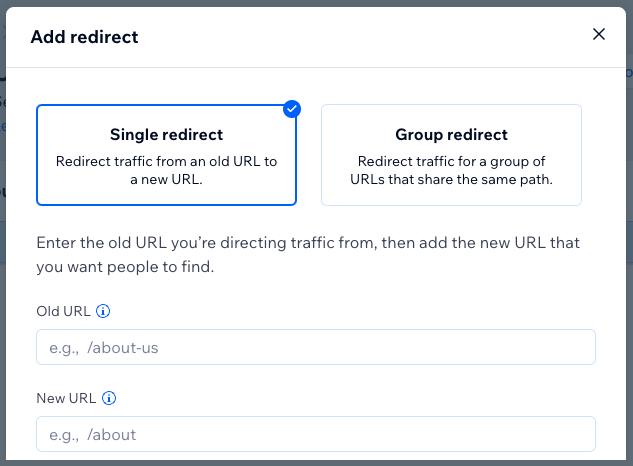
Second, any time you change a page or product URL in Shopify, it automatically creates a 301 redirect for you (a 301 redirect lets search engines know that a page has moved location — forgetting to create one can have a very negative effect on search rankings, especially where popular pages of your site are concerned).

In Wix, automatic redirects are only created if you’re on a paid-for plan . On the free plan, you’ll need to create this redirect yourself, using a different section of the interface to do so.
Third, it’s arguably easier to get a Shopify store to meet Google’s ‘Core Web Vitals‘ requirements. Core Web Vitals are a set of targets relating to the speed, responsiveness and visual stability of a website; and sites that meet them can receive preferential treatment in Google search results.
The Shopify app store provides a range of apps that help you meet Core Web Vitals targets; and the fact that all its template designs are responsive gives the platform a built-in advantage on this front too.
(One in particular, “Horizon,” is particularly aimed at giving site owners an edge in the performance department).

Additionally, a dedicated Core Web Vitals report in your Shopify dashboard (pictured above) makes it easy to keep tabs on how your site is performing against these targets.
And finally, Shopify lets you use the excellent ‘Yoast SEO’ app to sense-check your ecommerce SEO efforts. Yoast is an industry-standard SEO tool that examines your site’s content and produces an easy-to-implement task list for improving its performance in search results.
The only other platform that currently lets you use Yoast SEO is WordPress; Shopify is unique amongst hosted website builders in letting you — albeit for a fee — integrate it with your store.

Wix does provide a feature which SEO newbies might find useful, however — ‘SEO Setup Checklist’ (formerly ‘SEO Wiz’). This is a wizard-style tool which asks you various questions about your site and comes up with a checklist containing SEO recommendations for you to follow.
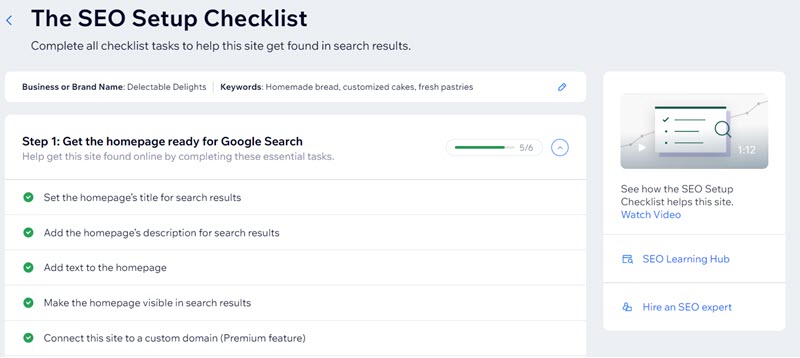
And recently, Wix introduced an ‘SEO Assistant’ tool that reviews your copy and suggests SEO tweaks you should make to them.
Wix is also to be commended for its ‘SEO Dashboard’ feature. This is basically a deep integration with Google Search Console, Google’s suite of tools that help website owners improve their rankings. The dashboard lets you view all your Search Console data without leaving the Wix environment.
Finally, it’s worth remembering that regardless of which of these two platforms performs best from a technical SEO perspective, your site will only ever rank in search results if good keyword research has been applied, its content is high in quality and it has a lot of links pointing to it.
To help you with this, Wix gives you a built-in integration with Semrush, one of the most popular keyword research tools on the market. This lets you perform 10 pieces of keyword research every 24 hours for free (more if you are on a paid-for Semrush plan).
Ultimately I’d argue that either a Shopify or a Wix site can rank well in search results if the content and link building strategies are strong enough.
But due to the fact that it meets Google’s technical SEO expectations more effectively (both in terms of Core Web Vitals and responsive templates), the better-performing option for those working in highly-competitive niches will probably be Shopify.
📚 Related SEO resources
- If you’d like to learn more about how to optimize a Wix or Shopify site for search engines, check out our dedicated Shopify SEO and Wix SEO guides.
- If you’re interested in learning about the tools you’ll need to create effective SEO campaigns, check out our Moz vs Semrush comparison, our Ahrefs vs Moz guide, our Ahrefs review and our Ahrefs vs Semrush shootout.
Analytics and reporting
When it comes to analytics and reporting, Shopify is the stronger option by some distance. It provides detailed, ecommerce-focused reports covering a huge range of metrics, including conversion rates, customer behavior, traffic analysis, checkout drop-off points and site speed and stability. (I counted 200+ types of reports in Shopify when conducting research for this comparison!).
It also lets you create sophisticated custom reports too.
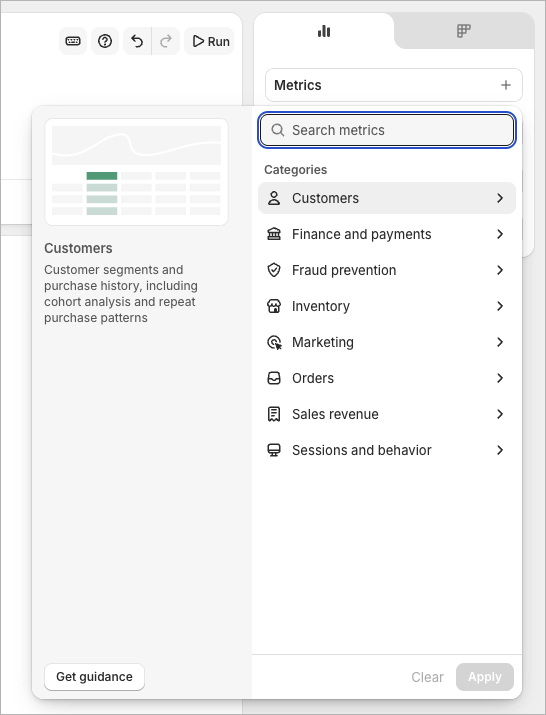
Wix, by contrast, takes a simpler, more beginner-friendly approach. Its analytics dashboard focuses on core metrics such as total sales, traffic sources, top-selling products, and abandoned carts, and these are presented in an easy-to-understand visual format. But only 16 ecommerce analytics reports are currently available from Wix — far less than Shopify provides.
Ultimately Wix’s reporting offering will work fine for store owners who just want a quick snapshot of performance — but they won’t be enough for more professional merchants. The latter group will typically need to rely on external tools like Google Analytics or third-party apps for more detailed analytics.
Security
A key advantage of using a hosted solution like Wix or Shopify — as opposed to using a self-hosted platform like WordPress — boils down to security. Both companies are technically responsible for it; you don’t have to worry about keeping themes or plugins up to date.
Both platforms give you:
- SSL certificates
- PCI compliance
- 2-factor authentication
Wix has one important edge in this area however, because it also backs up your site periodically. With Shopify, you’ll need to use a third-party app to do this, or export your product data to a CSV file from time to time.
Customer support
Another big advantage of using a hosted solution like Wix or Shopify over a self-built, hosted one is that you get customer support included.
Wix has an advantage here in terms of the number of support channels available: it gives you access to support via phone, chat and email, while Shopify restricts you to just chat on its regular plans.
(Phone support with Shopify is available for merchants on its ‘Shopify Plus’ plan).
There are also extensive ‘knowledge-base’ resources for both platforms that you can browse, and community forums that you can pose questions to.
Wix makes it a bit harder than you might like to actually find any contact details, though: when trying to get in touch with the company’s support team, I was repeatedly forced to search for answers to my query on its help portal before any contact details were displayed.
I understand the rationale behind this approach (encouraging the user to solve their own problem without recourse to an agent is a cost-saver!), but I’m not a fan of it.
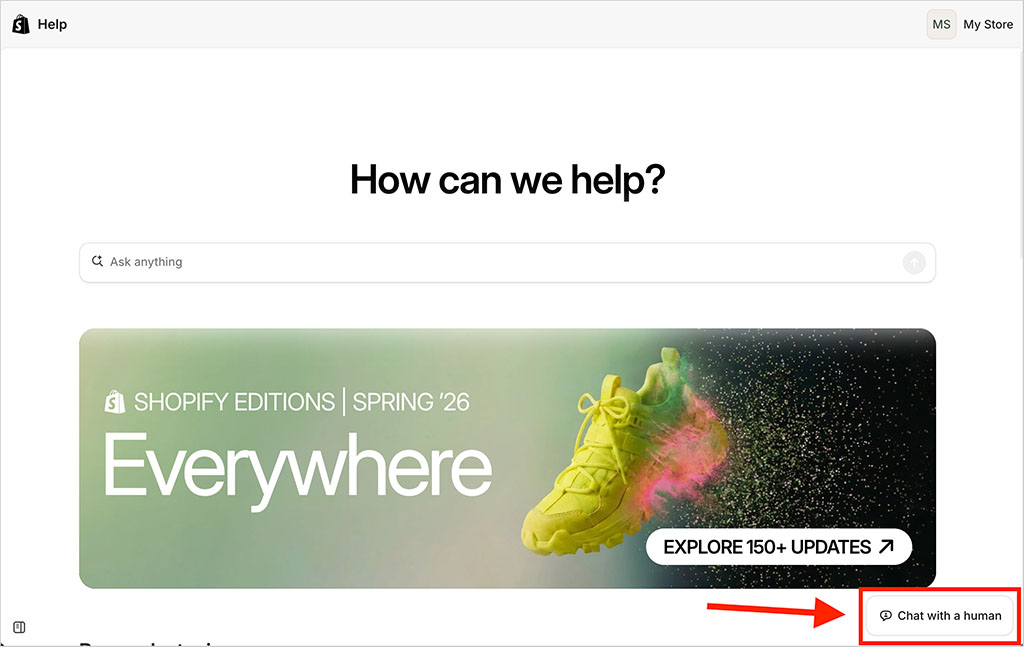
By contrast, Shopify provides a ‘Chat to a human’ button in a reasonably prominent position on its help center pages.
A few other things worth bearing in mind regarding customer support for both platforms are as follows:
- If you purchase a premium template on Shopify (i.e., as opposed to using one of the bundled free themes) you may need to contact a third-party developer for support with technical issues relating to this template. How good this support is will depend on the provider of the template.
- Wix uses a ‘request callback’ approach to phone support.
- Shopify’s help web pages are available in a few more languages — 34 to Wix’s 15.
- 24/7 customer support is available for both platforms in English, but if you need support in a different language, you may encounter more restrictive options and support hours.
- When reviewing Shopify’s support materials, I noticed that — rather oddly — they don’t really contain many screenshots. This makes them a bit less user-friendly than Wix’s.
User reviews for Wix and Shopify
So far you’ve heard my take on Wix vs Shopify. But I thought it might be helpful to share some user reviews for the two products too.
The table below highlights feedback from Wix and Shopify users who contribute to popular software review sites (details correct at time of writing — August 2026):
| Site | Wix user rating | Shopify user rating |
| Capterra | 4.4/5 (10,745 reviews) | 4.5/5 (6,702 reviews) |
| G2 | 4.2/5 (1,889 reviews) | 4.4/5 (6,566 reviews) |
| TrustRadius | 4.1/5 (379 reviews)* | 4.3/5 (709 reviews)* |
| Average user score (out of 5) | 4.2/5 | 4.4/5 |
As you can see from the data, users on the sites in question gave Shopify a slightly higher average rating (based on a higher number of reviews).
Wix vs Shopify: the verdict
Overall, Wix is the more obvious choice of the two platforms for those wishing to build a ‘general-purpose’ website. Its drag and drop editor, blogging tools, data capture features and wider range of templates make it more suitable for users who place equal emphasis on content creation and ecommerce.
For professional ecommerce applications though, the better choice is Shopify. This is because its advanced selling tools, POS options, dropshipping features, multi-currency selling functionality and huge range of apps make it a much more powerful option for anyone wishing to build an online store. Wix is catching up, but as things stand, Shopify is the more powerful ecommerce platform.
Of course, it’s important to get your own take on which platform is right for you, and I encourage you to try them both yourself. You can access the trials for both platforms using the below links:
I’ll leave you with my summary of the key pros and cons of both platforms — and do leave a comment if you have any questions or observations of your own.
Pros and cons of Wix vs Shopify
Reasons I would use Wix over Shopify
- Wix provides an entirely free plan that doesn’t have a time limit (but you should note that you can’t sell with it).
- Wix is a better tool for creating a ‘general-purpose’ website. It’s easier to add features like galleries, forms and events to a Wix site.
- The Wix platform is generally more affordable than Shopify.
- Wix doesn’t charge transaction fees if you use a third-party payment gateway.
- A much wider range of bundled templates is available in Wix than in Shopify.
- Wix lets you translate your site into considerably more languages than Shopify (as long as you are site is built with the classic Wix Editor).
- You can feature blog content on static web pages more easily in Wix.
- Wix provides built-in tools for managing cookie consent (for certain script types) in a GDPR-compliant way.
- Wix’s product option limits are more generous than Shopify’s.
- Its built-in email marketing features are stronger.
- It’s easier to create bespoke forms and capture data in Wix than in Shopify.
- Wix gives you basic autosave / archive functionality; Shopify doesn’t.
- Wix gives you a free domain name if you pay upfront for a year’s service — Shopify doesn’t.
- Phone and email support is provided by Wix but not by Shopify.
Reasons I would use Shopify over Wix
- All Shopify templates are fully responsive; only Wix sites built with the newer Harmony editor are.
- Shopify provides much more sophisticated international selling features.
- Shopify’s dropshipping features are more extensive.
- Shopify is better for point-of-sale applications — all of its plans are bundled with really strong POS functionality.
- Shopify’s product categorization options are more flexible and sophisticated.
- Shopify’s SEO features cater better for large product catalogs than Wix’s.
- You can use the platform extremely cheaply for your first three months of service.
- Shopify’s automatic tax tools are more sophisticated, with stronger support for international tax compliance.
- You can switch templates easily with Shopify — this is not the case with Wix, which forces you to rebuild your site if you want to move to another template.
- There is a much wider range of apps and integrations available for Shopify.
- Importing and exporting content and products is more straightforward in Shopify.
- Although Shopify’s interface is less flexible than the Wix equivalent, it’s arguably easier to use.
- A wider range of online payment gateways is available for Shopify.
- Shopify support is available in more languages.
- Data from popular software review sites seems to indicate a slightly higher level of user satisfaction with Shopify than with Wix.
The alternatives to Wix and Shopify
If you feel that neither Wix nor Shopify are the right ecommerce platform for you, there are lots of alternative solutions available. (Our Shopify alternatives and Wix alternatives guides contain a list of the key ones).
For professional merchants, I’d suggest that BigCommerce is well worth investigating as a key alternative to Wix and Shopify — it is a professional ecommerce tool with a feature set that is comparable to Shopify’s.
(In fact, several key features that require an app purchase in Shopify are available out of the box in BigCommerce.)
Check out our BigCommerce vs Shopify comparison and our BigCommerce review for more details, or watch our BigCommerce vs Shopify shootout on YouTube.
For general website building purposes, Squarespace is definitely worth a look — it offers a really easy-to-use interface and better blogging tools than either Shopify or Wix, and also comes with a good range of ecommerce tools. In particular, it’s a great choice if you need to build a small business website.
Integrating Squarespace with third-party services is a bit harder however, and its ecommerce functionality isn’t as strong as Shopify’s.
For more information about Squarespace, do check out these resources from Style Factory:
If you’re on a very low budget, and only selling a few products, you could consider Big Cartel or GoDaddy — but you should note that their ecommerce features are quite limited compared to those of Shopify and Wix.
For more details, you can read our Big Cartel vs Shopify comparison here, our full Big Cartel review here and our Shopify vs GoDaddy shootout here.
Because of its free plan, Square can also be a good choice for merchants on a very low budget; it’s also a very good point-of-sale solution. Take a look at our Shopify vs Square comparison for more details about this product.
WordPress is also a good option for selling online (particularly when used in conjunction with WooCommerce); however, to get the best ecommerce setup with WordPress, we usually recommend investing in some developer support.
Check out our Shopify vs WordPress comparison, our Wix vs WordPress comparison and our Squarespace vs WordPress comparison for more insights on how WordPress stacks up against popular hosted ecommerce solutions.
For merchants looking to create an extremely ‘bespoke’ store, Webflow is worth a look – this rather unique platform gives you a huge degree of control over the design of your store, and access to a wide range of animations too. You can read our Webflow review here (our Webflow vs Wix and our Webflow vs Shopify comparisons may also be of interest here.)
Finally, you could also consider using online marketplaces like Amazon, eBay or Etsy to build your online store. Although these kinds of platforms work in a very different way to hosted website builders like Wix and Shopify, thanks to their existing (and very large) user bases, they can provide a very effective way to sell products online.
If you’re interested in learning more about using Amazon, eBay or Etsy to build an online storefront, you can take a look at our Shopify versus Amazon, Shopify versus eBay and Shopify versus Etsy comparisons.
Wix and Shopify — at-a-glance feature breakdown
| Wix | Shopify | |
| Pricing | $16 to $159 per month | $5 to $2,300 per month |
| Templates | 3,112 (all free) | 1,048 (24 free) |
| Responsive templates | Partially | Fully responsive |
| Checkout type | One-page | One-page |
| Access to site code | None | Extensive |
| Payment gateways | 80+ | 100+ |
| Products you can sell | 50,000 | Unlimited |
| Product options | 6 | 3 (without app) |
| Transaction fees | None | None, but only if using ‘Shopify Payments’ |
| Apps | 1,980 | 21,000+ |
| Dropshipping apps | 48 | 934 |
| Email marketing | 200 free messages per month | 10,000 free messages per month |
| User base (source: Builtwith.com) | 8.9m websites | 6.9m websites |
| Multilingual sites you can host | 180 | 20 |
| Multi-currency selling | Yes | Yes |
| Free domain | With annual plans | No |
| Free trial | 14 days | 3 days (but extendable to 3 months for $1) |
Update details
This article was updated on August 20, 2026. The following key edits were made:
- The pricing information was updated to reflect the removal of the “Starter” plan from Shopify’s plan lineup.
- Information about Wix templates and its Harmony Editor was updated.

Comments (37)