

We have an honest review policy, but this page contains affiliate links. If you buy through these, we may earn a commission. This helps fund our research at no cost to you.
Written by Chris Singleton | Researched and reviewed by Matt Walsh

In this Squarespace Email Campaigns review, I take a look at the key pros and cons of the tool and help you decide whether it’s right for your email marketing needs.
| Key pros | Key cons |
|---|---|
| + It’s pretty cheap | – Automations are basic |
| + Beautiful designs | – Limited range of fonts |
| + Integrates neatly with Squarespace | – Hard send limits apply |
| + Extremely easy to use | – Segmentation options are limited |
Squarespace is one of the world’s leading website building platforms. With its easy-to-use interface, comprehensive feature set and its slick templates, it’s easy to see why so many people love it.
(You can check out our Squarespace review for the full lowdown on the platform).
And in recent years, Squarespace has gradually been adding new functionality to the platform, aiming to transform it from a tool for creating simple websites into an all-in-one digital marketing platform — one that allows you to manage your content, sell goods and send e-newsletters without ever leaving its interface.

This is in keeping with a general trend — other website builder platforms, like Shopify and Wix, have been doing much the same.
With the introduction of its Email Campaigns feature, Squarespace has taken a step further in the ‘all-in-one’ direction.
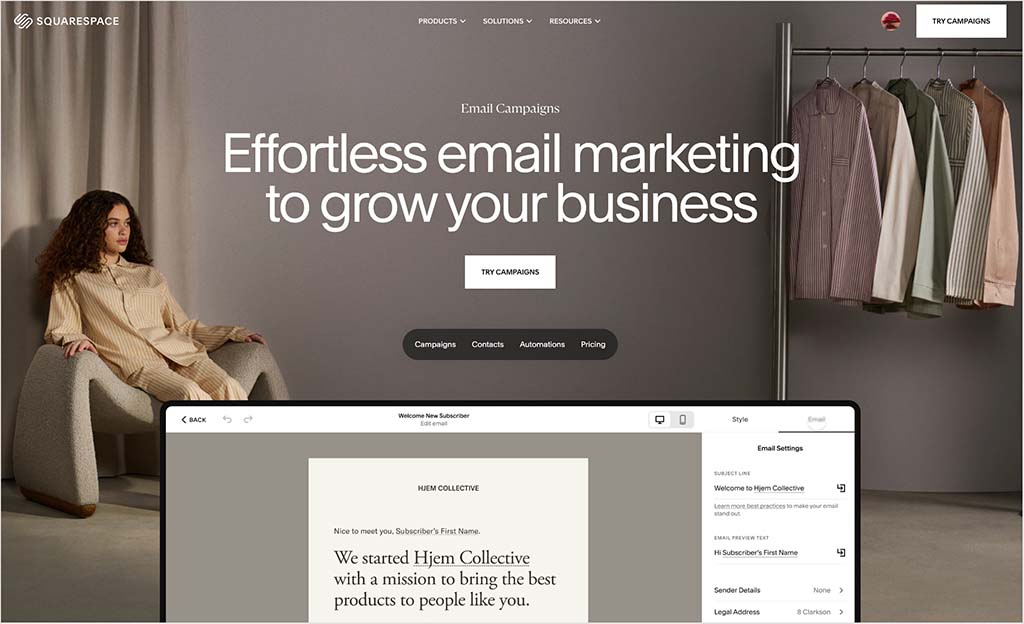
But can Squarespace Email Campaigns really replace established emarketing products like AWeber, GetResponse, Mailchimp and Campaign Monitor?
Well, in this short review, I’m going to try to answer this question with a look at the key pros and cons of Squarespace’s new email marketing tool.
Pros and cons of using Squarespace Email Campaigns
Pros of Squarespace Email Campaigns
Let’s start with the reasons why you might want to use Email Campaigns:
That Squarespace style: the 110 e-newsletter templates are all very ‘Squarespacey’ — attractive in nature and providing brand consistency between your site theme and your newsletters.
You can use the product to manage your e-communications and your website in one place, which is very convenient.
You can import content from your Squarespace site straight into your email templates — it’s really easy to drop Squarespace blog post excerpts, products, and other content into e-newsletters created using the tool.
It is extremely easy to use (as you might expect from Squarespace). In fact, I’d say it’s possibly one of the best email building interfaces I’ve used.
It integrates neatly with Squarespace’s newsletter sign-up forms, making data capture a breeze (there’s no messing about with embedding HTML forms onto your Squarespace site, or setting up zaps to get Squarespace talking to a third-party email marketing tool). Similarly, it’s tightly integrated with Squarespace e-commerce features, making it easy to send post-sales emails to your customers.
- It’s cheap: by comparison to dedicated email marketing solutions, its fees are very low. You can start using Squarespace Email Campaigns for as little as $8 per month and its most expensive plan, which lets you host an unlimited number of subscribers and send up to 500,000 messages per month, costs just $118 per month.*
It can cost several hundred, if not thousands of dollars a month to do this on some well-known competing solutions.
- It provides easy-to-understand, real-time email metrics.
- It lets you import existing mailing lists easily.
- You can send up to 5,000 emails for free during the initial trial period.
* Note: these prices are based on paying on an annual basis. The equivalent month-to-month costs are $12 and $169 respectively.
Cons of Squarespace Email Campaigns
Here are the reasons you might want to avoid using Squarespace Email Campaigns:
The automation features are limited by comparison to a dedicated email marketing app (and even those offered by competing platforms like Wix or Shopify). Essentially, you can use Squarespace Email Campaigns to send simple automated follow-up emails based on somebody subscribing to a list or buying a product; by contrast, professional email marketing solutions like AWeber, Mailchimp and GetResponse allow you to make use of a much larger (and more sophisticated) range of triggers.
The send limits may not work for some users — particularly those with larger lists. The maximum number of emails you can send a month with Squarespace is 500,000 — and if you reach that limit, you’re blocked from sending any more emails until the start of your next billing period. So, if, for example, you need to send 6 emails per month to a 100k list, you won’t be able to do this with Squarespace.
- Most of the fonts that are available on your Squarespace site can’t be used in emails created with Squarespace Email Campaigns. To be fair here, not all email clients will display web fonts anyway, so this isn’t the end of the world. That said, many competing email marketing products do bundle web fonts, which can help your emails look more on-brand in the email programs that do support their use.
- The segmentation options are a bit basic — although you can segment your list easily enough using tags, you can’t create complex segments (based on and/or statements etc.). This may make it a bit harder for some users to create very targeted mailouts.
- There are no split testing features — unlike dedicated email marketing solutions, you can’t set up A/B tests in Squarespace Email Campaigns to see which subject headers, sender names or content generate the most open rates or clickthroughs.
- By using it, you’re putting all your eggs in one basket — your website and email list will be in one account. This could be a serious issue if you ever lose access to it (particularly if you also have your domain registered with Squarespace — if anything happens to your account, you could be without all the key assets of your business). So, if you do use Email Campaigns, make sure you back up your list periodically.
- You have to be a Squarespace customer to use it. Unlike dedicated email marketing tools like Mailchimp or GetResponse, it’s not a standalone tool.
Don’t miss out on our free Business Growth E-Kit
For a limited time only, we’re offering our readers some excellent free tools to help them grow their business. Sign up free to immediately receive:
- downloadable cheatsheets on how to grow an online business
- an exclusive discount code for email marketing app GetResponse
- a 30-day free trial of Canva Pro
- extended free trials of essential growth-hacking apps
- ongoing free tips and advice on digital marketing
We respect your privacy, and you can unsubscribe any time. View privacy notice.
So, should you use Squarespace Email Campaigns?
So what to make of all this?
Well overall, there is a lot to like about Email Campaigns, not least the price — if you have a very large list, you’ll be able to host it much more cheaply with Squarespace Email Campaigns than a lot of other email marketing solutions.
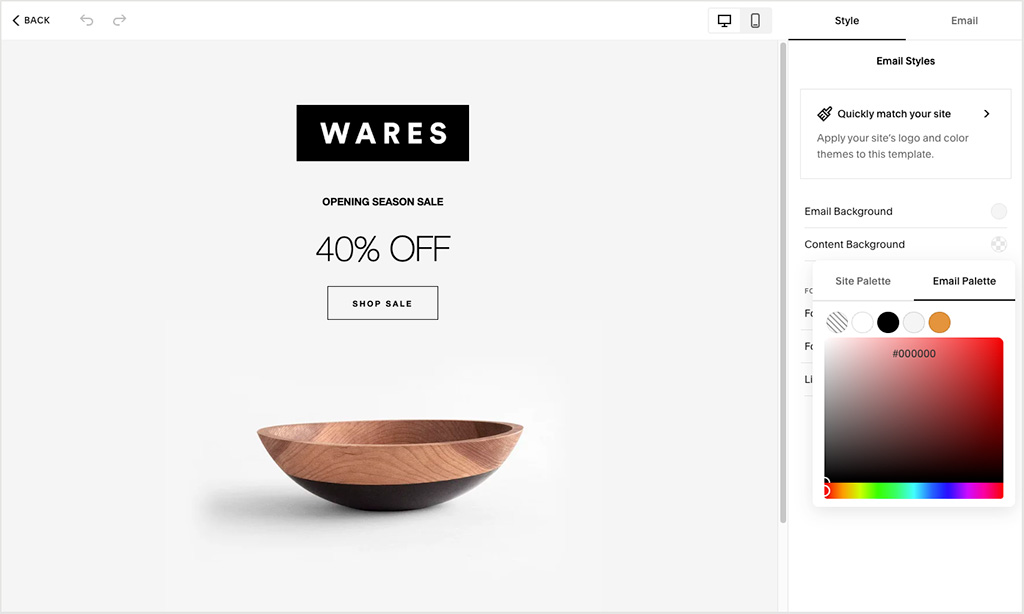
Additionally, the templates are excellent and the integration with the Squarespace platform in general is top-notch.
For users who need to send an occasional email to their mailing list (particularly if it’s a large one), Squarespace Email Campaigns is a really good option.

If you’re starting a new business, and unfamiliar with the ins and outs of email marketing, it’s a very non-threatening way to dip your toes into that world.
However, if you’re somebody who needs to segment their mailing list in sophisticated ways, split test your campaigns or use advanced email marketing automation techniques, you’d be better off using a standalone professional email marketing app.
More Squarespace resources from Style Factory
- Squarespace plugins / extensions
- Squarespace SEO guide
- Squarespace tutorial
- Squarespace vs Shopify
- Squarespace vs Wix
- Squarespace vs WordPress
- Squarespace vs Webflow
- Squarespace vs BigCommerce
- Squarespace plans — pricing guide
- Squarespace free trial — FAQ
- How to speed up Squarespace
- YouTube video review of Squarespace
- YouTube video on Squarespace SEO
- YouTube comparison of Squarespace and Shopify
- YouTube comparison of Squarespace and Wix
Update details
This post was updated on March 2, 2026. The following updates were made:
- Product screenshots were updated.
- The number of available email templates was updated.
- Pricing information for Squarespace Email Campaigns was updated.
- Monthly send limit allowances were updated.

Comments (10)