

We have an honest review policy, but this page contains affiliate links. If you buy through these, we may earn a commission. This helps fund our research at no cost to you.
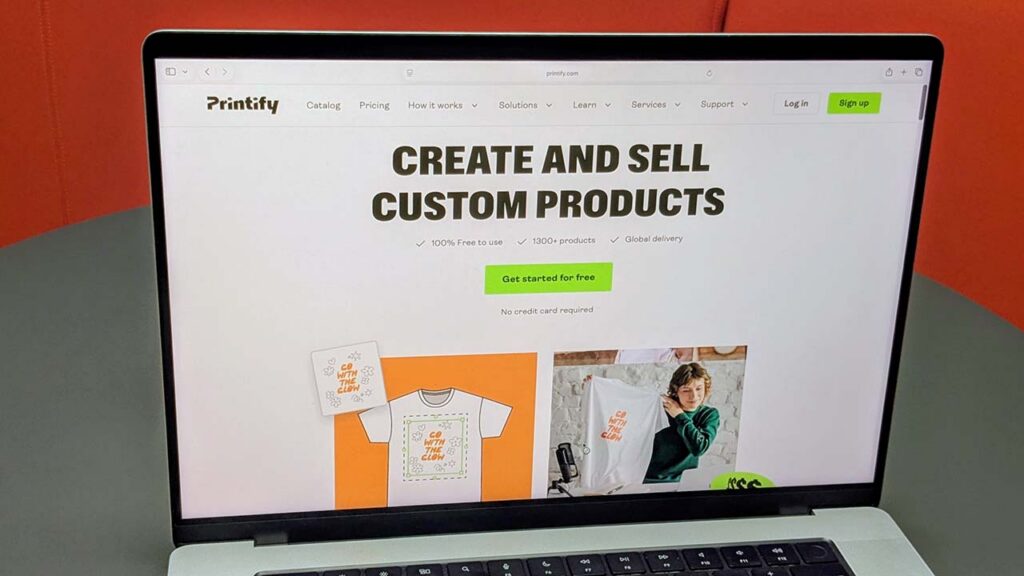
In this guide, I’ll show you how to access Printify’s Free plan and use it to start creating and selling print-on-demand products.
Printify is one of the most popular solutions for print-on-demand sellers — and you can start using it without paying a monthly subscription fee.
Its Free plan costs $0 per month and gives you everything you need to get a print-on-demand business off the ground. You can create unlimited product designs, work with Printify’s large network of print providers and connect up to five online stores to your account.
There’s no time limit on the Free plan either. You’ll pay for products and shipping as orders come in, but you can continue using Printify without taking out a paid subscription.
For sellers processing more orders, there’s also a Printify Premium plan. This gives you lower product prices and additional selling tools for $39 per month — or $24.99 per month when you pay annually. I’ll cover this later in the article too, including when upgrading is likely to make financial sense.
What does the Printify Free plan include?
Printify’s Free plan gives you access to the platform’s core product creation and selling features. Despite the $0 price tag, there aren’t many restrictions on what you can create with it.
The main features you get are:
- Unlimited product designs — you can create as many customized products as you like.
- Up to five stores — these can be connected to sales channels including Shopify, Etsy, eBay, WooCommerce and Wix
- Printify’s Product Creator — for adding designs to products and generating product mockups
- Access to Printify’s full product catalog and its network of print providers
- Manual order creation and custom order imports — useful if you need to process orders that originate outside your connected stores
- 24/7 merchant support and access to Printify’s self-service help resources.
Crucially, there’s no limit on the number of products you can create or sell on the Free plan. The main restrictions compared with Printify Premium are the five-store limit and the fact that you pay standard rather than discounted product prices.
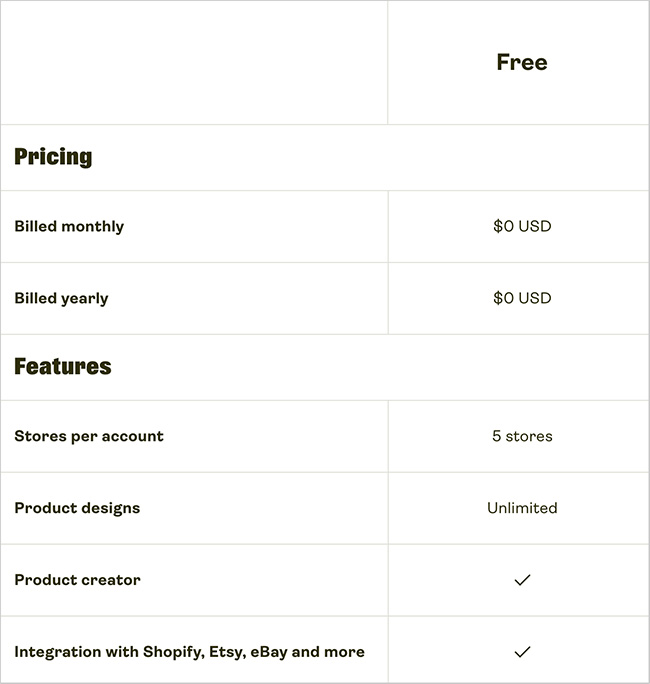
So there’s quite a lot you can do without paying Printify anything upfront. Let’s look at how to get your Free account set up.
How do you sign up for the Printify Free plan?
Getting started with Printify is straightforward, and you don’t need to enter any payment details to create a free account.
To sign up:
- Go to the Printify website using our signup link and click the ‘Get started for free’ button.
- Create your account using Google, Apple or your email address.
- Complete Printify’s short onboarding process. You’ll be asked a few questions about your experience with print-on-demand, your goals and where you plan to sell.
- Once onboarding is complete, Printify takes you straight to its product catalog, where you can choose your first product and start customizing it.
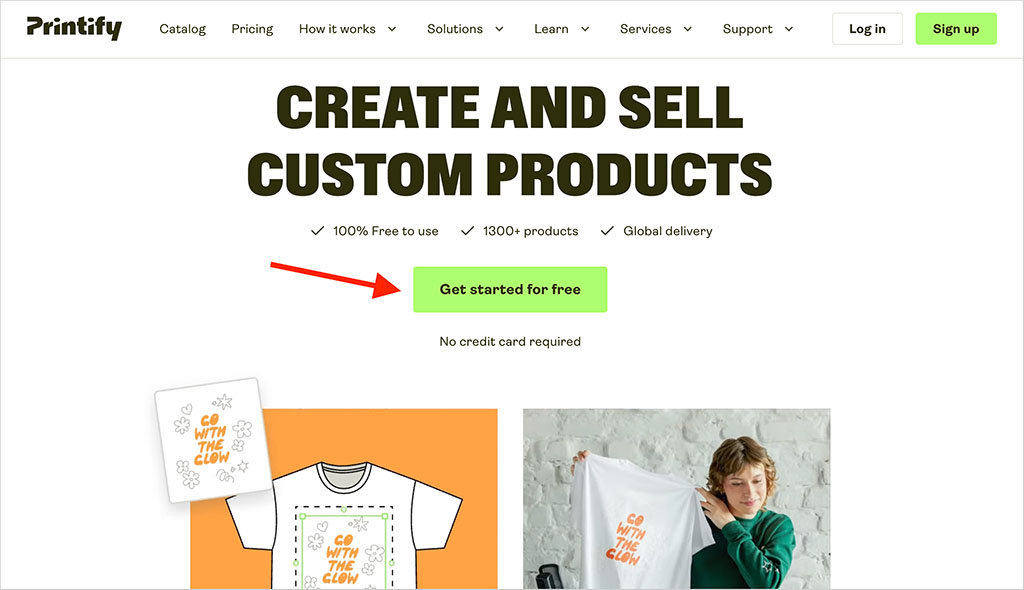
There’s no need to select a paid plan during this process — your new account will be on the Printify Free plan, and you can start exploring the platform and creating products immediately.
How do you connect an online store to Printify?
Once your Printify account is set up, you can connect it to an existing ecommerce store or marketplace. The Free plan lets you connect up to five stores, which should be more than enough for most people starting a print-on-demand business.
Printify works with a range of popular sales channels, including:
- Shopify
- Etsy
- WooCommerce
- Wix
- Squarespace
- eBay
- Amazon
- BigCommerce
- TikTok Shop.
The exact connection process varies by platform, but it’s generally straightforward. With Shopify, for example, you install the Printify app in your Shopify store, approve the connection and sign into your Printify account. Once that’s done, you can create Printify products and publish them directly to your Shopify storefront.
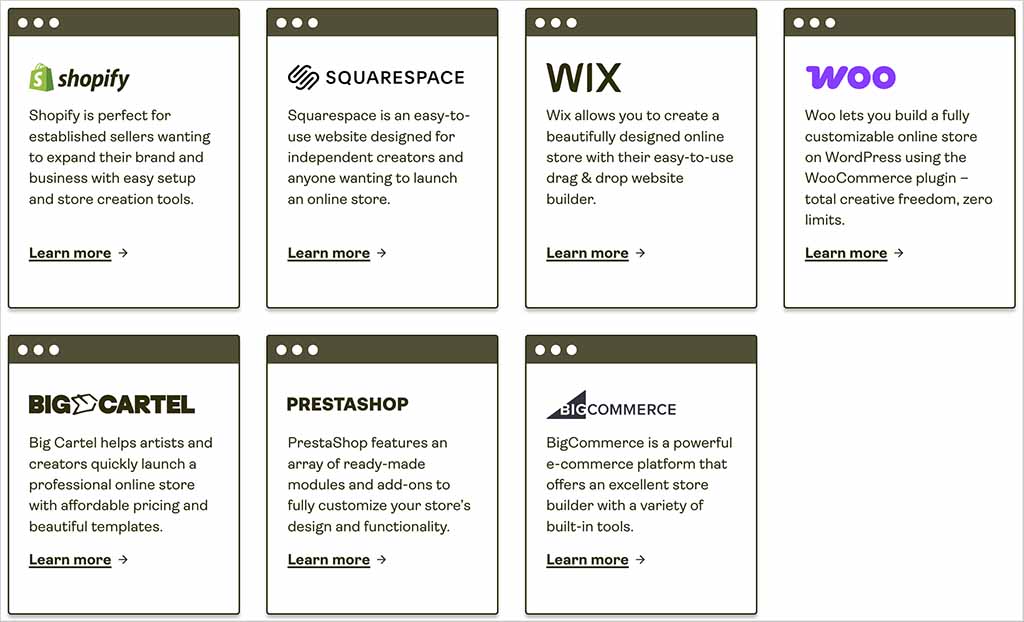
For a more detailed walkthrough of the Shopify setup process, see our guide to connecting Printify to Shopify.
And if you don’t have an ecommerce site yet, you can use a Printify Pop-Up Store instead. This gives you a simple hosted storefront for selling your products without paying for a separate ecommerce platform. It’s fairly basic compared with Shopify or Wix — customization is limited, there are no blogging or advanced SEO tools, and your store uses a printify.me address rather than a custom domain.
That said, Pop-Up Stores can be a great option for sellers on a tight budget. If you want to start selling quickly — particularly to an existing social media audience, club, community or event — they provide a straightforward way to get your products online at minimal cost.
How do you create a product with Printify?
Creating products is one area where the Free plan places very few restrictions on you — you can create an unlimited number of product designs without upgrading to Premium.
To get started, choose an item from Printify’s product catalog and select a print provider to produce it. You can then customize it using Printify’s Product Creator, which I’ve found very easy to use. It lets you upload and position your own artwork, add text and graphics, and access a library of stock images and other design assets from within the editor.
You can also use the Product Creator to choose the product colors and variants you want to offer, adjust your design for different print areas and generate realistic mockups of the finished item.
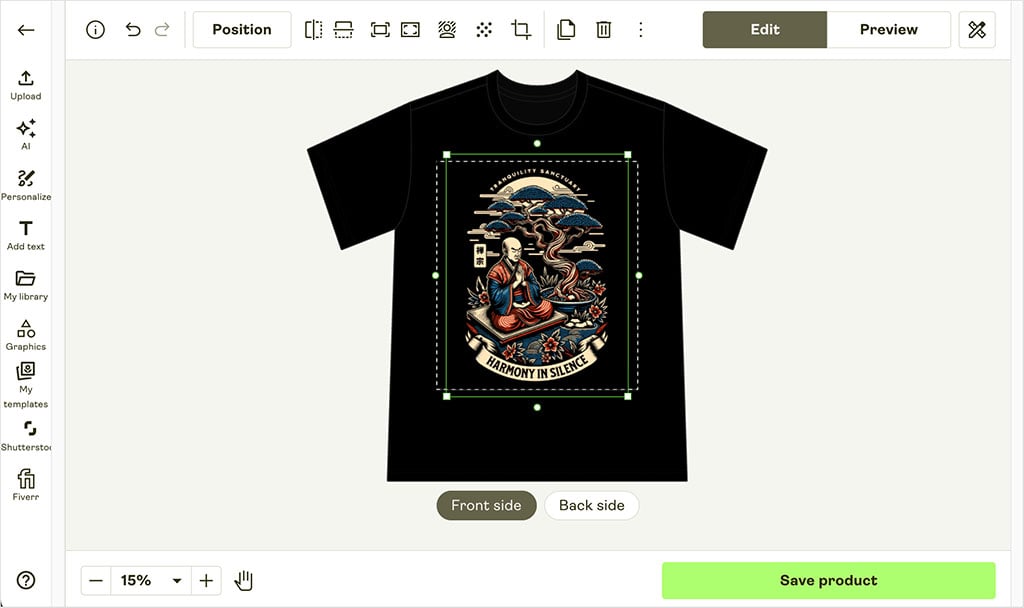
Once you’re happy with everything, you can set your retail price and publish the product to your connected store. When somebody buys it, the order is passed to Printify for production and fulfillment.
One thing worth spending some time on here is your choice of print provider. The same product can be available from several different suppliers — and their prices, shipping rates and production locations can vary considerably.
How does Printify’s print provider network work?
Printify takes a different approach to fulfillment from many print-on-demand services. Rather than producing everything itself, it works with a large network of independent printing companies that manufacture and ship products on its behalf.
The network currently includes 90+ print providers operating across 141 facilities and 100+ locations worldwide. And importantly, you get access to this full network on the Free plan.
For many products, you’ll have several providers to choose from. Printify gives you information that helps you compare them, including:
- product pricing
- shipping costs and destinations
- production times
- available sizes and colors
- printing options and print areas
- provider ratings.
Having this choice can be a real advantage. You can prioritize lower product costs, strong provider ratings or a production location close to your main customer base, depending on what matters most to your business.
But it does mean that a bit of homework is required. Different providers can charge quite different amounts for the same base product — and shipping costs can vary too.
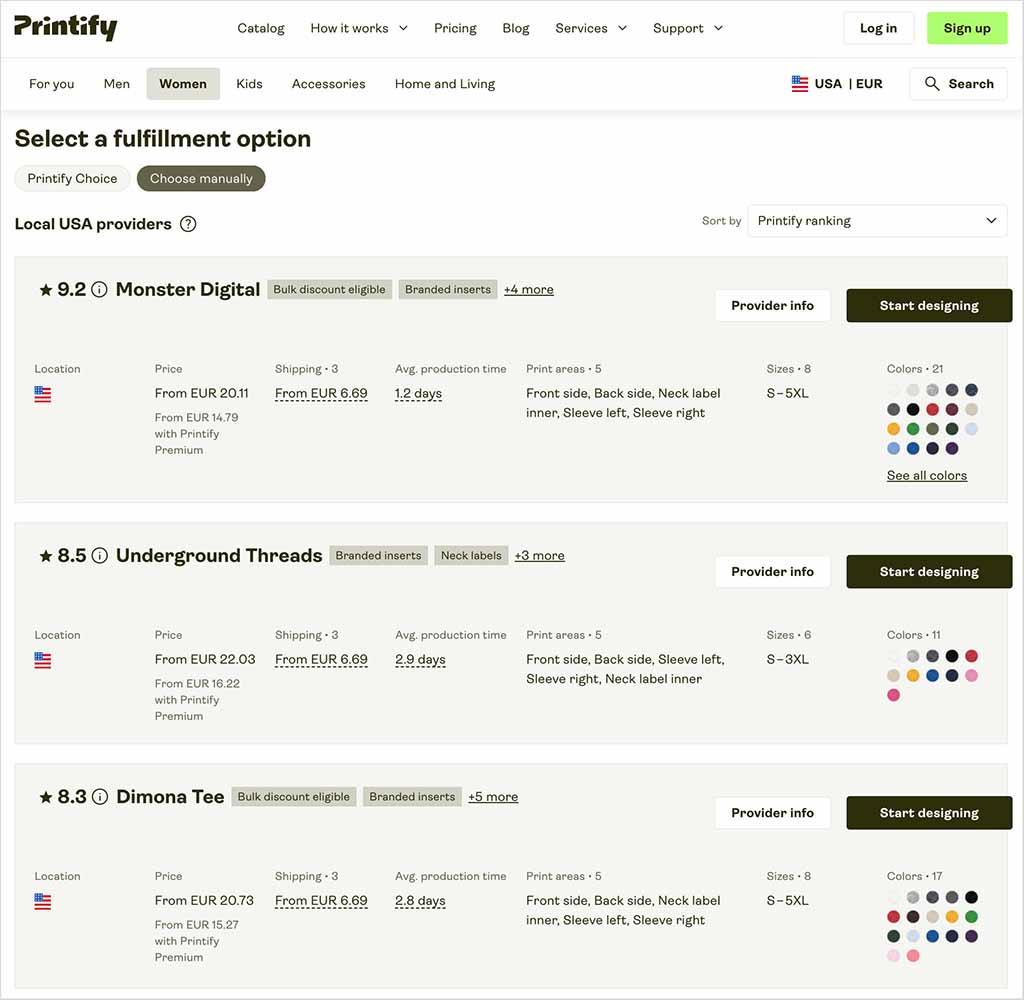
So when choosing a provider, don’t automatically go with the cheapest product price. Look at the overall package of product cost, shipping, production time and provider performance.
And those pricing differences are particularly important when you’re using the Free plan — which brings us to what Printify actually charges you when you start selling.
What do you actually pay for with Printify Free?
Printify Free has no monthly subscription fee, but you will of course have costs to cover when you start fulfilling orders.
These typically include:
- the cost of the product itself
- printing and fulfillment
- shipping
- any optional extras or services you choose to use.
One slightly unusual aspect of Printify is that there isn’t necessarily one fixed price for each product. Because Printify works with multiple print providers, the amount you pay for the same item can vary depending on which supplier you choose.
The differences can be significant. For example, when researching our Printify review, I found the popular Bella + Canvas 3001 t-shirt priced at $10.98 with one provider and $14.96 with another. For a Gildan 18500 hoodie, there was a $7.54 difference between the cheapest and most expensive suppliers.
Shipping costs can vary between providers too, so the cheapest base price won’t always result in the lowest overall fulfillment cost.
Free plan users pay Printify’s standard product prices. If you upgrade to Printify Premium, however, you can access product discounts of up to 20% — and as your order volumes increase, these savings can become one of the main reasons to move away from the Free plan.
For a more detailed look at product costs, shipping rates and other fees, check out our full Printify review.
What is Printify Premium?
Printify Premium is the platform’s main paid plan. It costs $39 per month if you pay monthly, or $24.99 per month if you pay for a year upfront — a saving of around 36% compared with monthly billing.
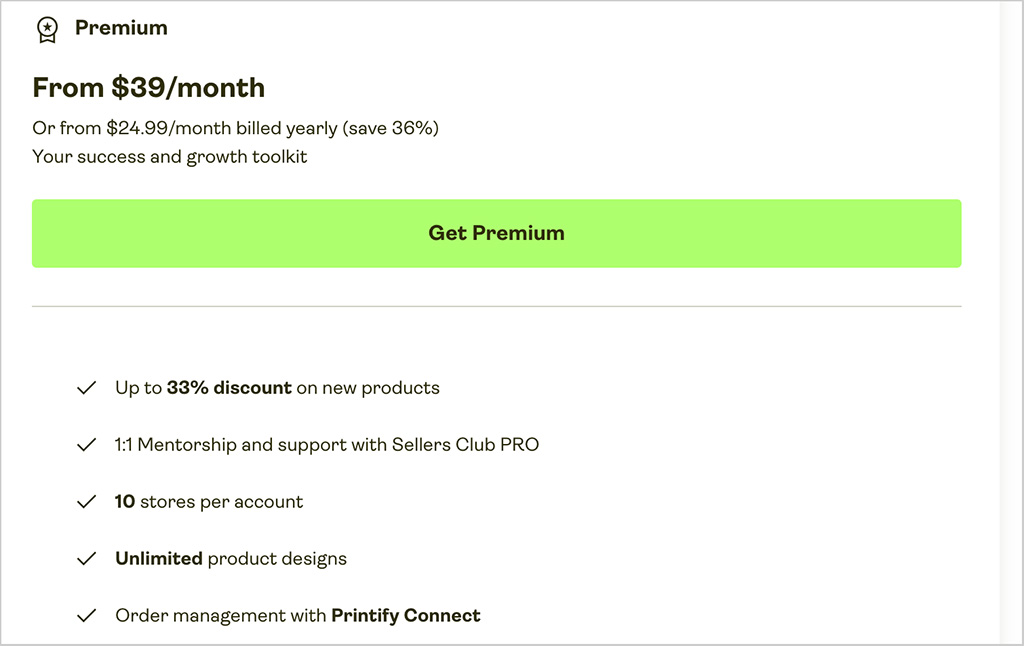
The biggest reason to upgrade is cheaper product pricing. Premium gives you discounts of up to 20% on Printify products, which can have a meaningful impact on your profit margins once you’re processing a reasonable number of orders.
You also get several additional benefits, including:
- support for up to 10 stores, rather than five on Free
- up to 20% off products
- up to 33% off newly added products
- up to 33% off custom branding
- access to AI Mockups
- Printify Connect order support
- Sellers Club PRO mentoring and support
- early access to selected new features.
Two of the more interesting Premium extras are Printify Connect and Sellers Club PRO. Connect can reduce your customer-service workload by letting Printify deal directly with customers over issues like refunds and reprints, while Sellers Club PRO provides mentoring and guidance from experienced ecommerce sellers. (A 30-day free trial of Sellers Club PRO is also available.)
Neither of these features is available on Printify Free, but I wouldn’t consider their absence a major drawback for most new sellers. The much bigger reason to upgrade is the discounted product pricing — once you’re making regular sales, the savings this provides can easily outweigh the cost of the Premium subscription.
How do Printify Free and Premium compare?
Here’s how the two plans stack up:
| Feature | Printify Free | Printify Premium |
|---|---|---|
| Monthly cost | $0 | $39 |
| Annual billing | $0 | $24.99/month |
| Stores per account | 5 | 10 |
| Product designs | Unlimited | Unlimited |
| Product Creator | ✓ | ✓ |
| Ecommerce integrations | ✓ | ✓ |
| Product discounts | — | Up to 20% |
| Discounts on new products | — | Up to 33% |
| Custom branding discounts | — | Up to 33% |
| AI Mockups | — | ✓ |
| Printify Connect | — | ✓ |
| Sellers Club PRO | — | ✓ |
| 24/7 merchant support | ✓ | ✓ |
| Early access to new features | — | ✓ |
For most people starting a print-on-demand business, Printify Free should provide everything needed to get up and running. You can create unlimited products, access Printify’s print-provider network and connect as many as five stores without taking on a monthly subscription.
Printify Premium becomes much more attractive once sales start building. Its product discounts are the key consideration here: if the amount you save each month exceeds the subscription fee, upgrading becomes a fairly straightforward financial decision.
How do I cancel Printify?
If you’re subscribed to Printify Premium and want to stop paying for it, you don’t need to close your Printify account. You can simply cancel Premium and return to the Free plan.
To do this, go to Wallet → Payments in your Printify dashboard and select Cancel subscription. You’ll retain your Premium benefits until the end of your current billing cycle, after which your account will switch back to Printify Free.
If you want to leave Printify altogether, you can delete your account via Account Settings → Personal Data → Delete my data. Before doing this, you should disconnect any stores, cancel your Premium subscription and remove your registered credit card. Account deletion is irreversible, and you’ll still be responsible for any outstanding orders and charges.
Is Printify Free worth it?
For most people starting a print-on-demand business, Printify’s free plan is an excellent place to begin. There’s no monthly fee or time limit, and you can create unlimited product designs, connect up to five stores and access Printify’s full network of print providers.
The main thing you miss out on is discounted product pricing. But when you’re just starting out, paying standard prices may make more sense than taking on another monthly subscription — particularly if your order volumes are still low.
My suggestion, then, is to start with Printify Free and upgrade when the numbers justify it. Once your sales reach the point where Premium’s product discounts save you more than the subscription costs, moving to the paid plan becomes an easy decision.
Frequently asked questions about the Printify Free plan
Can I use Printify for free?
Yes. Printify has a Free plan that costs $0 per month, with no time limit. You can create unlimited product designs, connect up to five stores and start selling without taking out a paid Printify subscription.
Do I need a credit card to use Printify?
No. You don’t need to provide credit card details to create a Printify Free account and start designing products, but you will need to add a payment method when you begin placing or fulfilling orders so that Printify can charge you for products and shipping.
Does Printify charge you when you make a sale?
Yes. Although Printify Free has no subscription fee, you’ll need to pay Printify for the products it fulfills and their shipping. The amount you pay varies depending on the product and print provider you choose.
How much is Printify Premium?
Printify Premium costs $39 per month, or $24.99 per month when billed annually. It gives you product discounts of up to 20%, support for up to 10 stores and additional features including Printify Connect and Sellers Club PRO.
Can I sell on Shopify with Printify Free?
Yes. You can connect Shopify to Printify without upgrading to Premium, and the Free plan supports up to five connected stores. You will still need to pay Shopify’s own subscription and any applicable transaction or payment-processing fees.
Can I use Printify without an ecommerce platform?
Yes. You can create a Printify Pop-Up Store, which gives you a simple hosted storefront for selling your products without subscribing to a separate ecommerce platform. It’s more basic than a dedicated platform like Shopify or Wix, but it provides a low-cost way to start selling online.
Which is better, Printify Free or Premium?
For most new sellers, Printify Free is the better place to start because it provides the core tools you need without a monthly fee. Premium becomes more attractive as your order volume grows and the savings from its product discounts start to outweigh the cost of the subscription.

No comments