

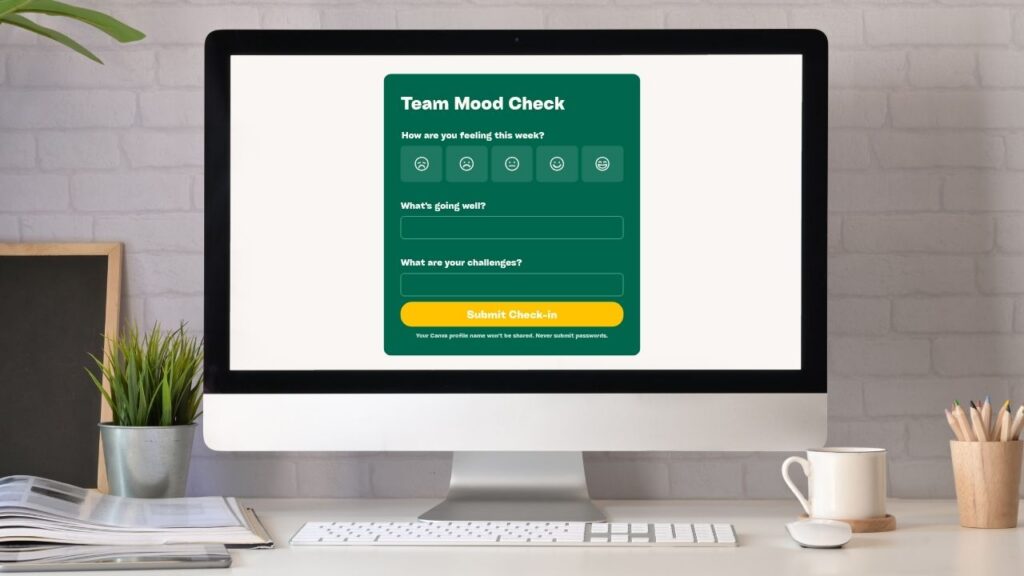
Canva Forms and Google Forms both let you create surveys, questionnaires, quizzes, signup forms, and feedback forms. But they do this in quite different ways.
So, in this short post, I’m going to compare these form builders in four key areas — design, data collection, storage, and pricing. By the end you’ll know which tool is right for you.
1. Design
This is where Canva Forms has the clearest advantage over Google Forms.
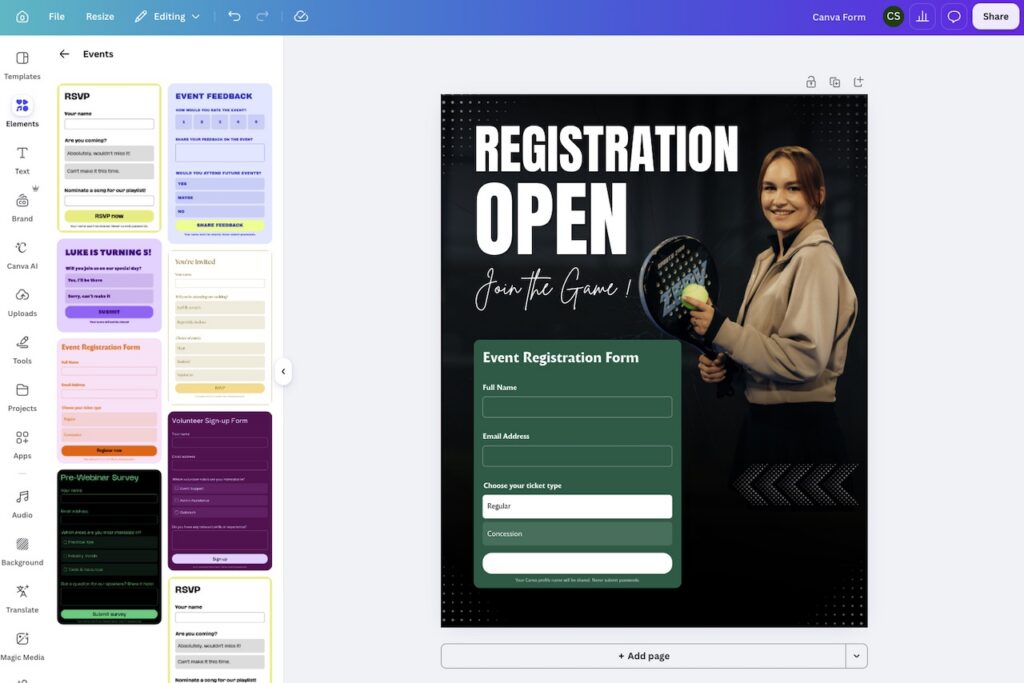
Because Canva Forms is built into a dedicated design platform, it gives you much more control over how your forms look. You can use Canva’s templates and its extensive range of fonts and visual assets to create forms that feel more like branded pieces of content than a boring data capture mechanism.
When creating a test form with Canva Forms, I simply picked a template that I felt visually reflected my needs, dropped a form into it, edited my fields, and had something useable to work with within a couple of minutes (see my screenshot below). Then, I hit the share button to get a “public view link” — a URL that I could share with anyone that I wanted to complete the form.
Google Forms gives you some customization options, but they’re much more limited. The controls provided let you change colors, add images, and apply basic branding — but the overall visuals of a Google Form remain fairly fixed.
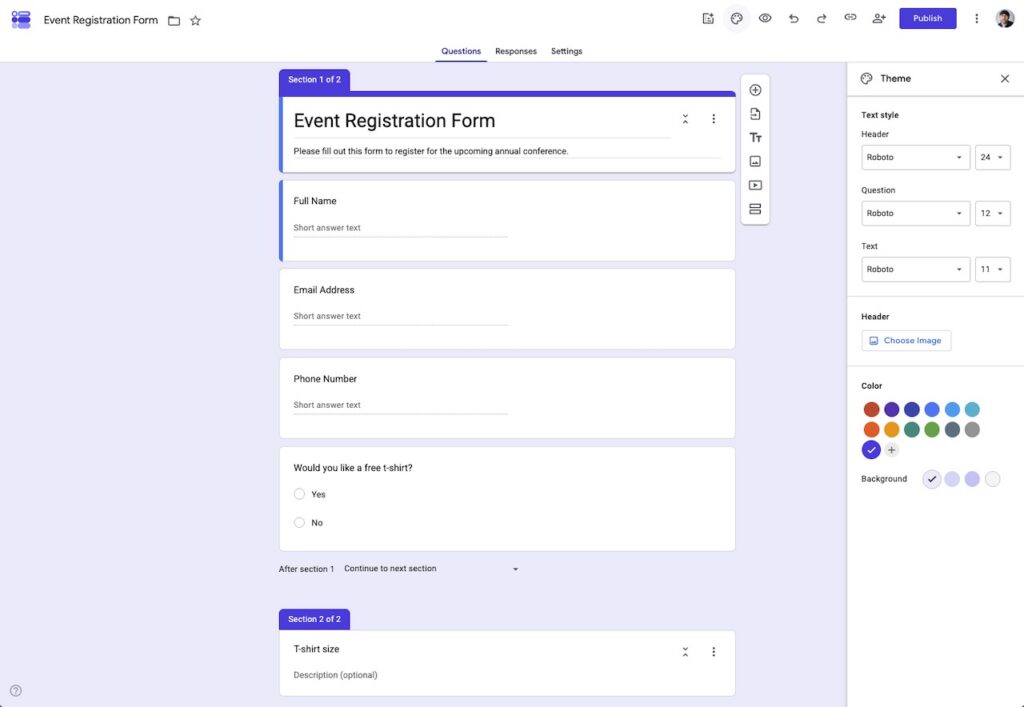
Ultimately, if presentation is important — and you want your form to feel more like a piece of marketing than a data capture exercise — Canva Forms is the better choice.
2. Data collection options
Both Canva Forms and Google Forms let you add the standard fields you’d expect, including:
- multiple-choice radio buttons
- checkboxes
- short and long text responses
- ratings
- polls.
But Google Forms gives you much better tools for building sophisticated questionnaires — mainly because it lets you add conditional logic to your forms.
This lets you send respondents to different sections of a form depending on how they answer a question.
For example, if somebody answers “yes” to one question, you can show them one set of follow-up questions — and if they answer “no,” you can show them another.
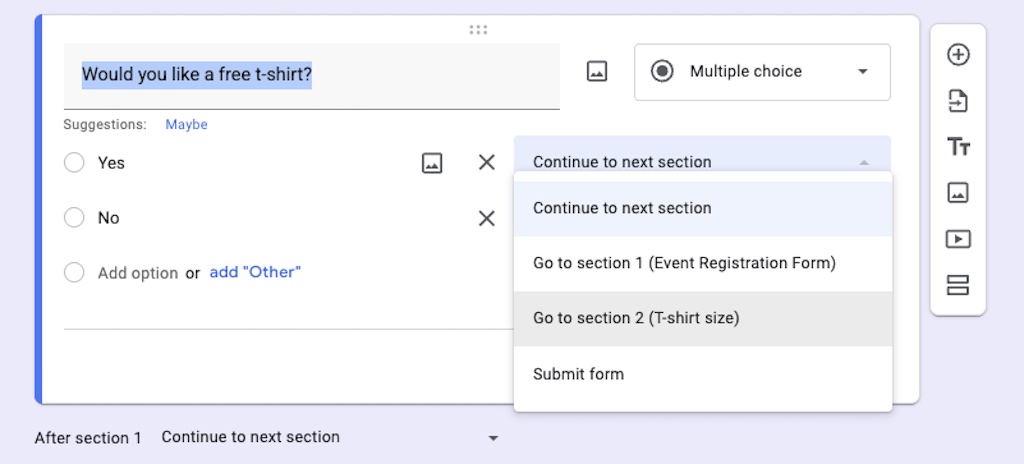
Google Forms’ support for conditional logic makes it better suited to things like detailed surveys, application forms, customer research, and questionnaires where different users need to follow different paths.
So for straightforward forms, both tools work well. But for more complex data collection, Google Forms definitely has the edge.
3. Storage and integrations
Both Canva Forms and Google Forms send their data directly to their spreadsheet tools — Canva Sheets and Google Sheets respectively. And this gives Google Forms quite a significant advantage if you want to do more with the information you collect.
This is because Google Sheets is widely supported by third-party business tools. Automation platforms like Zapier can monitor a Google Sheet for new responses and then use that data to trigger actions elsewhere — for example, adding leads to other systems or starting another automated workflow.
Canva Sheets doesn’t currently have the same breadth of third-party integrations — you’re basically dealing with a self-contained Canva workflow.
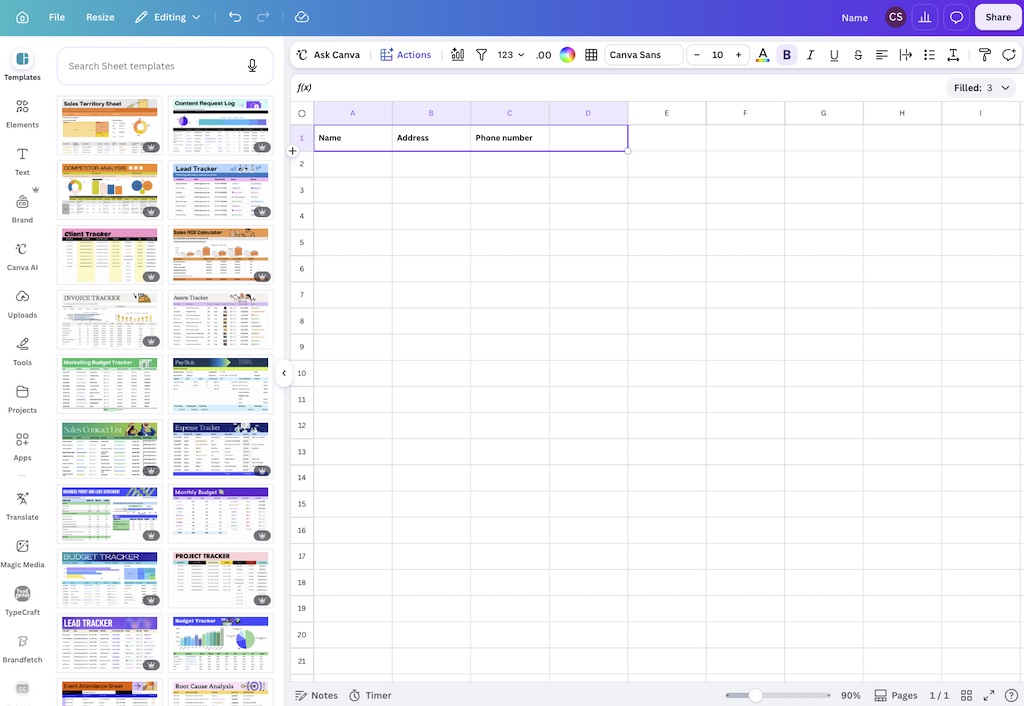
Now to be fair, you can export your Canva Forms data and import it into Google Sheets and other systems. But this involves a manual process that you’ll have to remember to complete regularly.
Ultimately, if you want your form data to feed into spreadsheets, automations, or other business systems, Google Forms gives you a much more straightforward workflow.
4. Pricing
Canva Forms and Google Forms can both be used for free. Canva Forms is available on the Canva Free plan (or the Canva Pro free trial), while Google Forms is free with a standard Google account.
Upgrading to a paid Canva plan basically helps your forms look nicer — doing so gives you access to more premium templates, images, graphics, and other creative assets.

Upgrading to Google Workspace can make Google Forms more useful in a business setting — a paid Google account gives you more storage and more control over who is allowed to open and submit particular forms.
If you do decide to upgrade to the paid version of either Canva or Google Workspace, the entry-level plans cost $8.40 and $18 per month respectively.
Verdict
The simplest way to think about the difference between these two form builders is this: Canva Forms is stronger at the front end — it gives you much more control over the look and feel of your forms. But Google Forms is stronger at the back end — it gives you more sophisticated data capture tools and makes it easier to process and move the information you collect.
If you only need a straightforward form and want to give users a visually appealing, on-brand experience, there’s a strong argument for using Canva Forms.
If you have more advanced data-capture requirements, Google Forms is the better choice. This is particularly the case if you need to make use of conditional logic or want your form responses to feed into other business systems.
FAQs about Canva Forms and Google Forms
Is Canva Forms better than Google Forms?
Canva Forms is better if design and branding are your main priorities. Google Forms is better for creating more advanced questionnaires, conditional logic forms, and integrations with other business tools.
Is Canva Forms free?
Yes. Canva Forms can be used on Canva’s free plan. Paid Canva plans mainly give you access to a larger range of templates, images, graphics, and other design assets.
Is Google Forms free?
Yes. Google Forms is free to use with a standard Google account. Google Workspace plans add extra business-oriented features, including more storage and additional administrative controls.
Can Canva Forms use conditional logic?
No. Google Forms is a better option if you need to use conditional logic in your forms. It lets you direct respondents to different sections of a form based on their answers, making it more suitable for complex surveys and questionnaires.
Can Canva Forms connect to Google Sheets?
Canva Forms sends responses to Canva Sheets rather than directly to Google Sheets. You can export your data and import it into Google Sheets, but this involves an additional manual step.

No comments