

In this review, I’m taking a close look at Weglot, a website translation tool that promises to make creating multilingual sites simple. It’s used widely to translate content in WordPress, Squarespace, Shopify, and dozens of other platforms — but how well does it actually perform, and is it the right choice for your project?
Below you’ll find my quick verdict, followed by a more detailed assessment of the tool.
Quick verdict
Weglot gives you one of the most beginner-friendly ways to create a multilingual website. It’s extremely quick to set up, handles most of the technical aspects of multilingual SEO for you, and gives you an intuitive dashboard for managing your translated content.
That said, it’s not perfect: its costs can rise considerably as your site expands, and to be 100% sure of compliance with Google’s guidelines on machine translations, you may need to manually review the content it translates. Customer support options are also fairly limited.
But for users who want a straightforward, reliable translation tool that works across a wide range of website builders, Weglot really delivers.
What is Weglot?
Weglot is a cloud-based translation service that adds multilingual functionality to your website without requiring you to manually create separate language versions of it. Once connected to your site, Weglot detects your visible text, translates it automatically, and serves the relevant translation to your visitors (based on their location). These translations are managed through a central online dashboard.
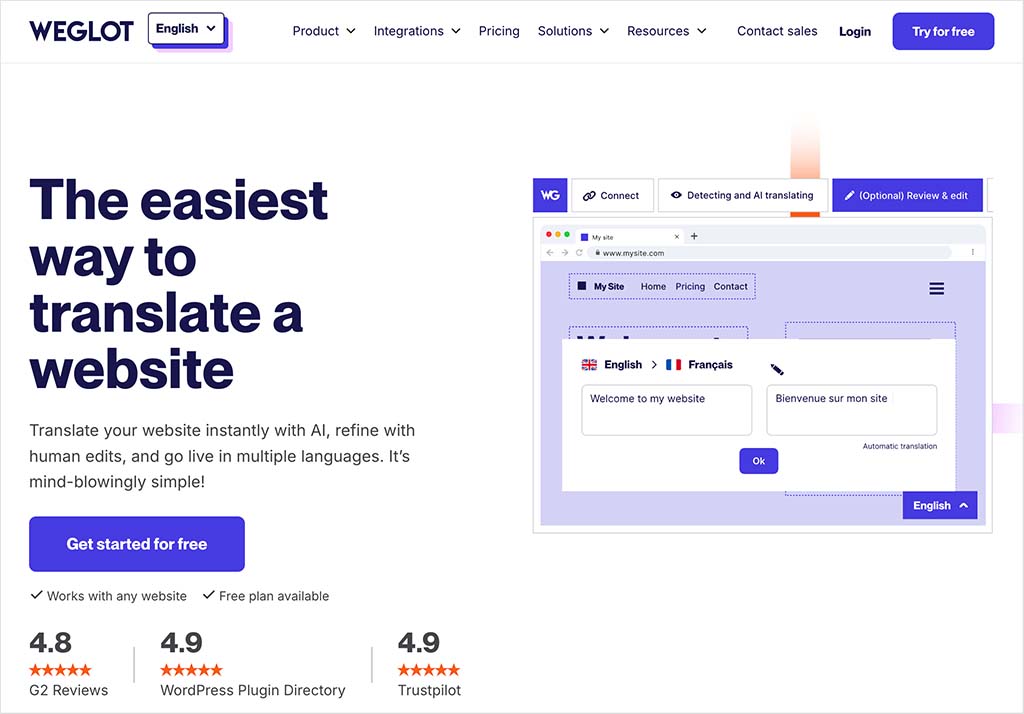
A key appeal of Weglot is that it works across a wide range of platforms. Whether you’re using an established website building tool (WordPress, Shopify, Webflow, Squarespace etc.) or a custom-built site, the setup process is relatively straightforward and consistent.
In the rest of this review, I’ll walk you through Weglot’s main pros and cons — and help you decide whether it’s the right translation platform for your business.
Let’s start with the advantages of using the platform.
Advantages of using Weglot
1. It’s extremely easy to set up
Weglot is one of the quickest and easiest tools I’ve ever used for creating multilingual versions of a site. In my tests (which involved a website hosted on the Squarespace platform), I went from installing the tool to having a working multilingual website in under a minute.
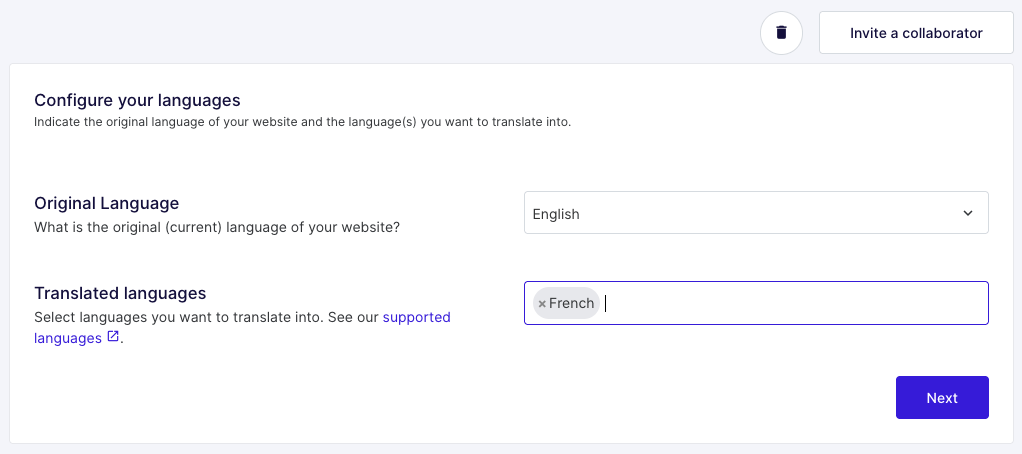
All I had to do was connect my site to Weglot, select the languages I wanted to translate it into, and Weglot did the rest.

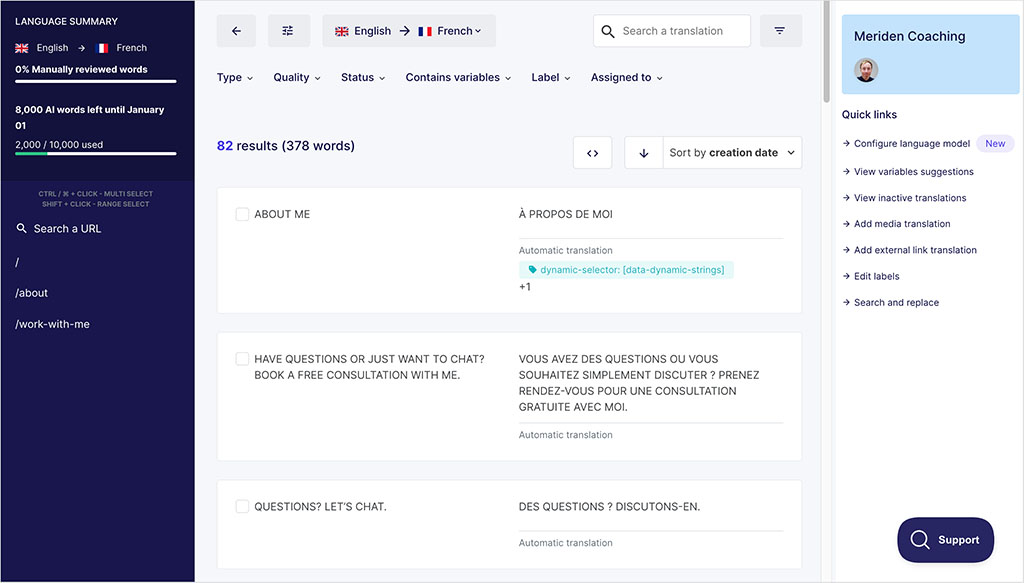
There was no real learning curve to overcome — the interface (pictured in my screenshot below) is clutter free, with key features obvious and translated content easy to find and edit.
2. It’s great for international SEO
Weglot automates much of the technical SEO setup that multilingual site owners typically struggle with. It…
- lets you create clean, language-specific URLs
- adds correct hreflang tags to your content (the HTML attributes that help Google locate different language pages and display the most appropriate ones for your visitors)
- ensures that each translated page can be indexed properly by search engines.
The platform also automatically translates key SEO elements — including page titles, meta descriptions and image alt text — meaning that your translated pages aren’t let down by metadata left in the original language.
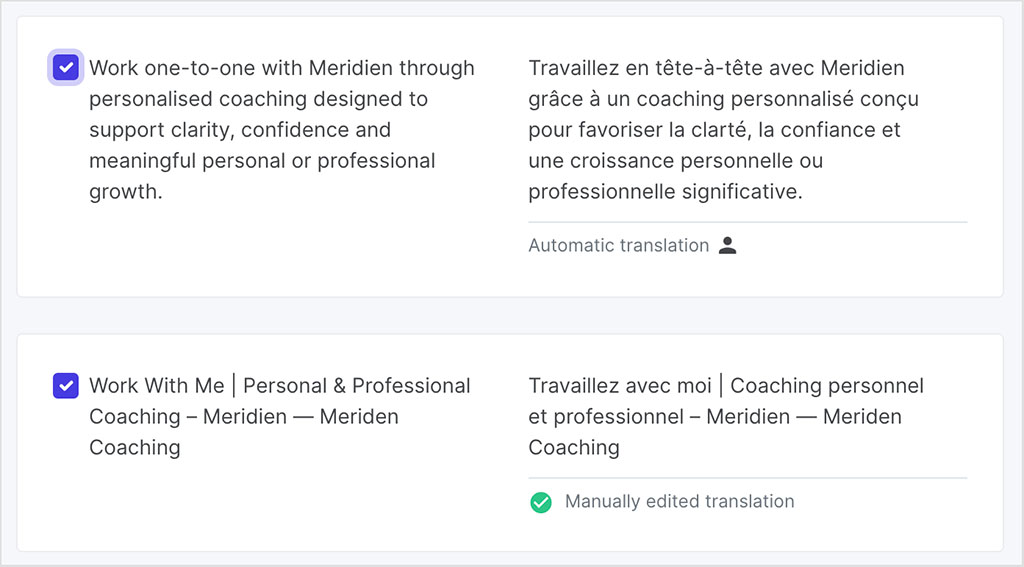
Getting the technical side of international SEO wrong can lead to duplicate-content issues or pages that never appear in search results, so Weglot’s automated approach here is to be commended. It massively reduces the risk of SEO problems, and gives site owners a reliable way to expand into new markets without having to worry too much about the technical side of multilingual SEO.
3. It automatically translates all your website content
Some translation solutions overlook (and consequently don’t translate!) some of the less obvious text that your visitors see — for example things like button text, pop-up content, forms, JavaScript-generated copy and third-party widgets.
But one of Weglot’s biggest strengths is how effectively it identifies and translates ALL the content on your site, irrespective of where it comes from — meaning that you generally won’t have to worry about making manual fixes to elements on your site.
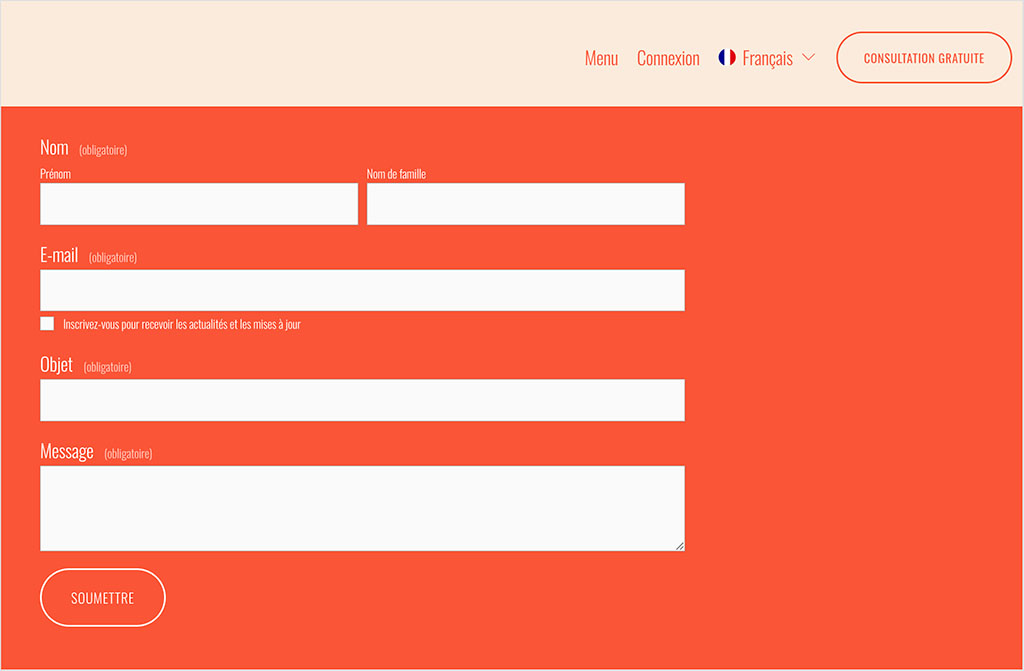
All this results in a much more ‘hands-off’ approach to website translation: Weglot lets you focus on improving your key pages and overall content strategy rather than hunting down stray bits of text.
4. It delivers good automatic translations, and lets you refine them easily
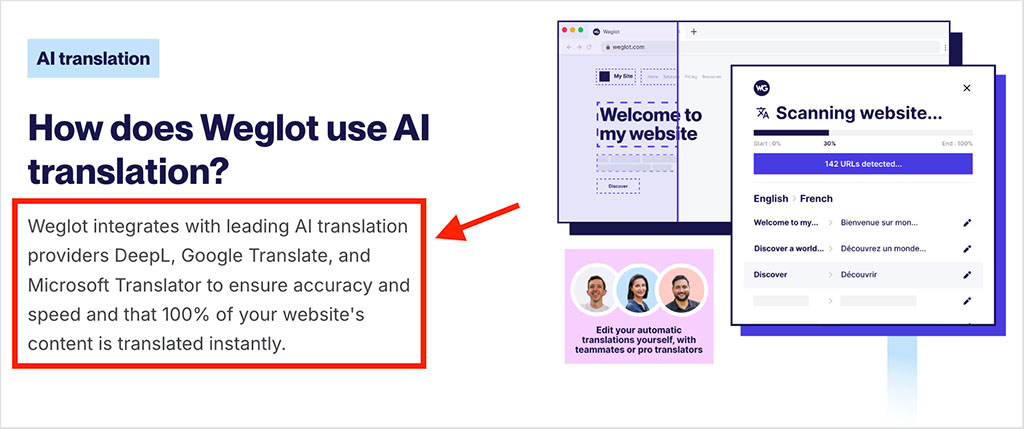
Weglot’s automatic translations are generally strong, thanks to its use of well-known machine translation engines from DeepL, Google and Microsoft. The company says that around 80% of its users publish their pages without making manual edits, and while you may still want to fine-tune certain phrases, the baseline quality is more than adequate for most sites.
(That said — and as I discuss later on — there are actually good reasons to manually edit your content, even when using a tool like Weglot to automatically translate it).
If you do want to keep tighter control over wording however, Weglot provides several handy tools to help you with this. It lets you add ‘glossary rules’ to keep important terms consistent, and the platform’s AI Language Model — available on all plans — can learn from any edits you make and apply a similar style across other site copy.
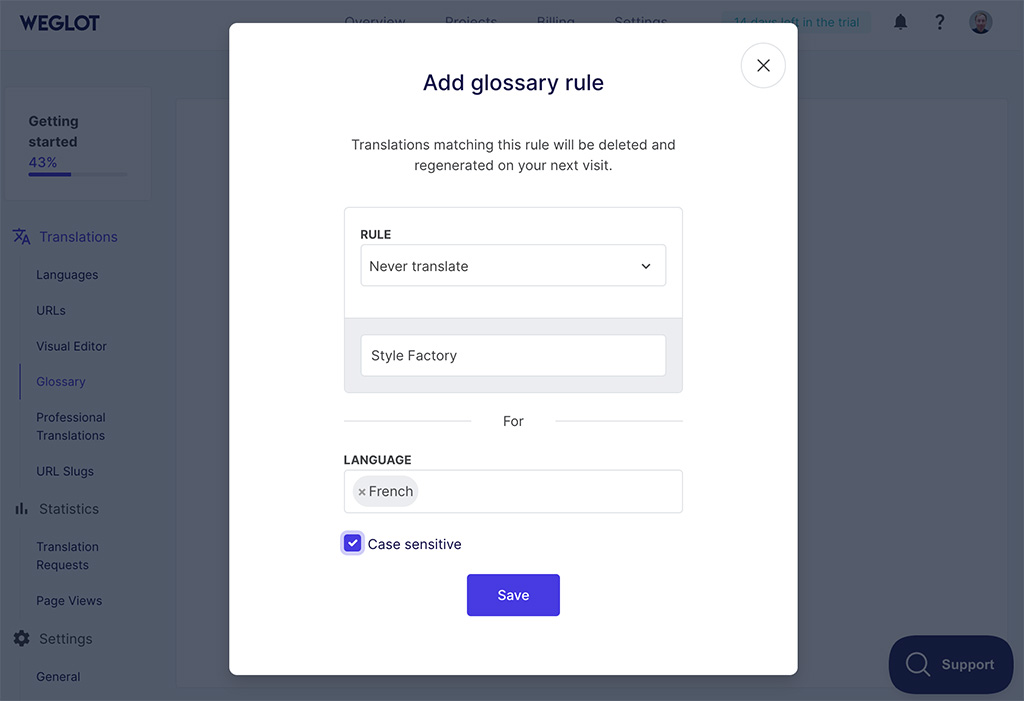
On Weglot’s Advanced plan or higher, tone-of-voice controls let you influence the overall writing style more directly; this can help you maintain a cohesive writing style across all the languages you’re using.
(This level of consistency can make a noticeable difference to user trust.)
5. It gives you straightforward tools for managing and reviewing translations
Weglot doesn’t just automate translations — it also gives you a simple, centralized dashboard for reviewing them. This lets you see all your translated content in a clear list; filter or search for specific items; and make edits easily.
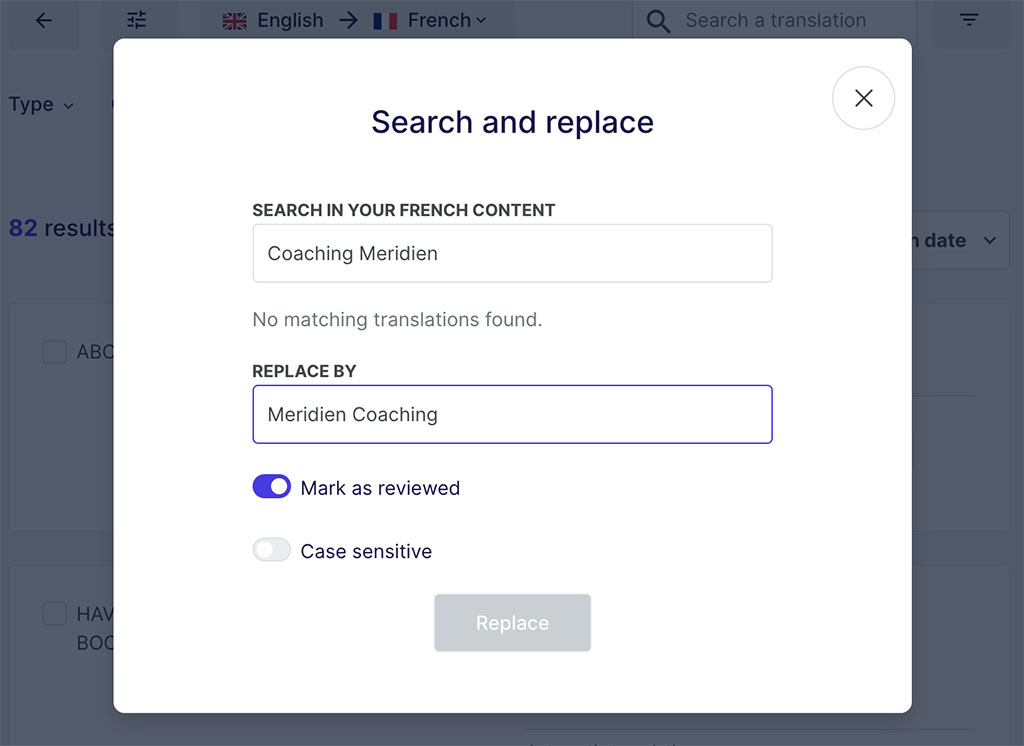
For beginners, this single dashboard is far easier to navigate than the scattered ‘string-management’ interfaces used by some translation plugins.
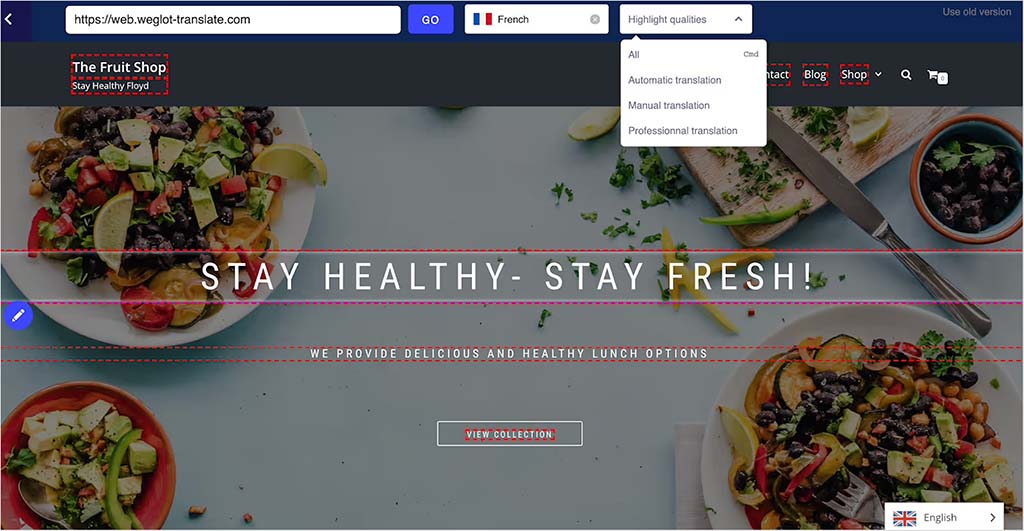
If you prefer working in a more hands-on way, you can do this via an on-page editor that lets you click on any part of your site and adjust the translation in context (see my screenshot below for an example of this in use). This removes much of the guesswork involved in locating where certain phrases appear, and makes it easier to ensure that layout and meaning work together across different languages.
6. It works on practically any website platform
Many translation tools only work with a single content management system, but Weglot is ‘platform-agnostic.’ It integrates with more than 40 website builders — including WordPress, Shopify, Webflow, Squarespace, and Wix — and you can use it on custom-built sites too by inserting a short code snippet on them. This makes Weglot far more flexible than platform-specific solutions (such as Langify for Shopify, Bablic for Webflow or WPML for WordPress).
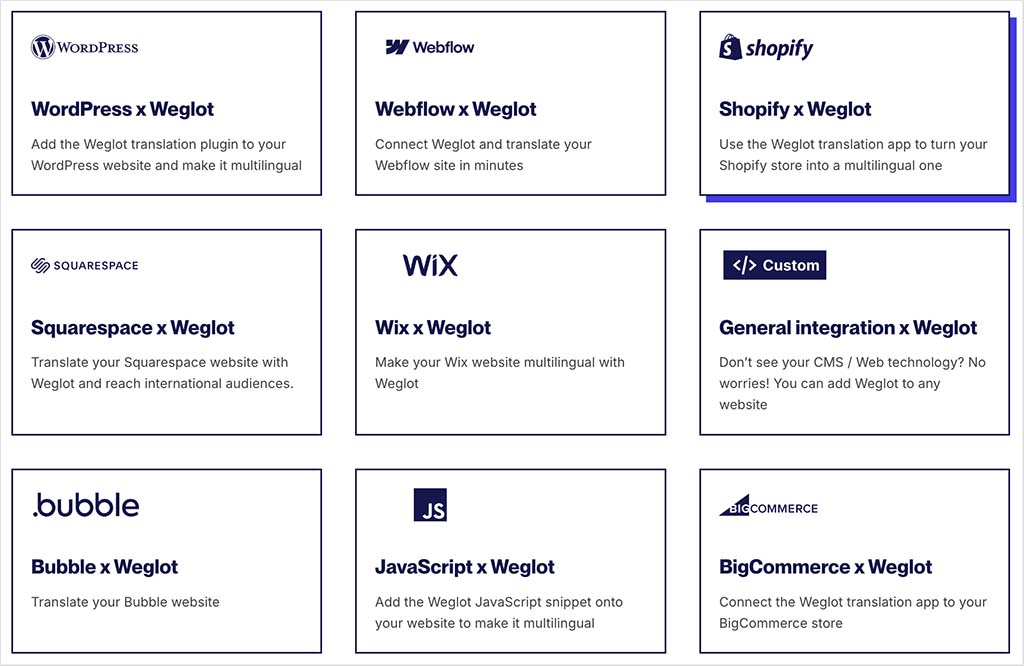
For agencies and freelancers, this flexibility can simplify workflows considerably; Weglot offers a consistent translation setup across different client platforms, and removes the need to juggle separate tools to suit each CMS.
7. It can be used for free
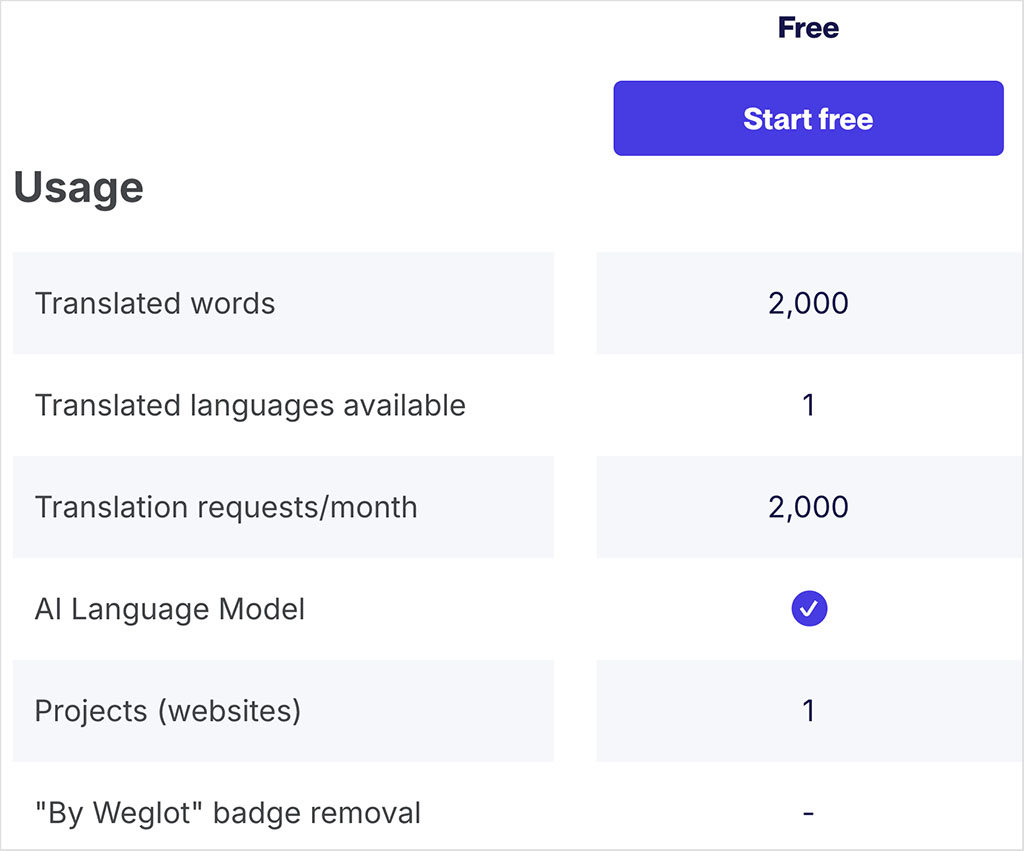
Weglot offers a free plan that lets you translate up to 2,000 words into one additional language — something that will often suit personal projects or simple sites well.
While these limits won’t work for larger sites, the free plan nonetheless gives you a useful (and usuable!) way to try the platform and its translations out before committing to a subscription.
The main downside of using the free plan is that it displays Weglot branding on your site.
Disadvantages of using Weglot
1. It can become expensive, and quickly
Weglot’s pricing is based on how many words you translate and how many languages you present your content in — which means that costs can rise significantly (and quickly) for larger or content-heavy sites.
As you can see from my screenshot of the pricing table below, Weglot plans range from $170/year on the Starter tier to $3,290/year or more for higher word allowances. So if you run a large site, Weglot may become one of your more significant running costs.
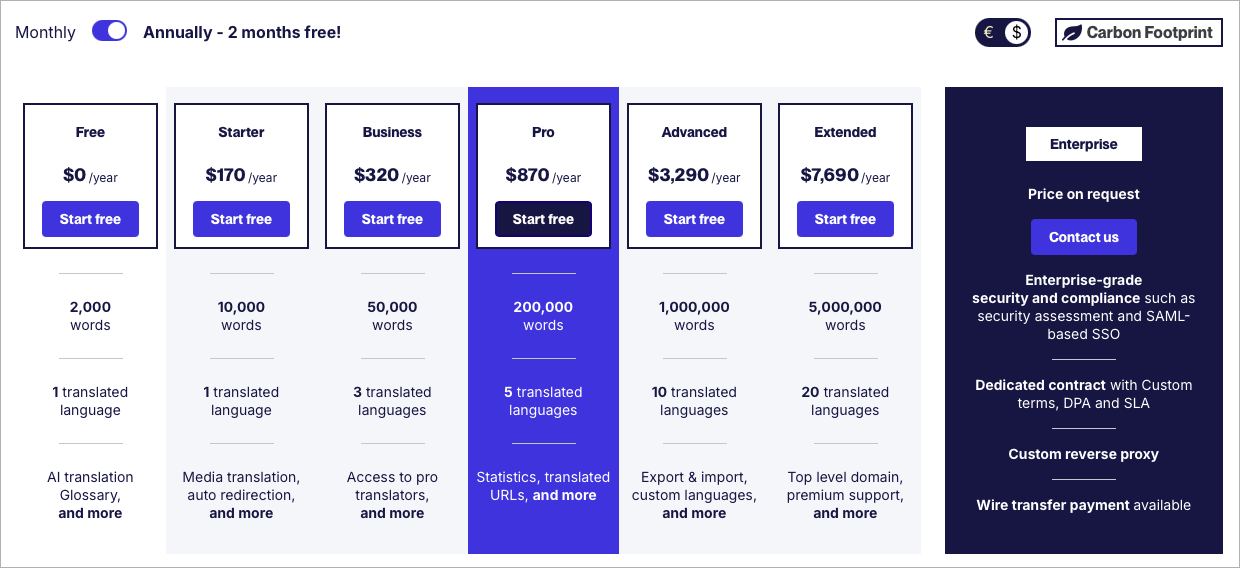
This usage-based model isn’t entirely unfair, and still makes using Weglot considerably cheaper than hiring professional translators. And you can exclude URLs from translations if you like, which can help control costs.
But overall, this pricing approach can make using the product a lot more expensive than opting for ‘flat-fee’ tools like WPML or Polylang.
2. You may still need to manually review translations
Technically speaking, Google’s spam policies can frown upon use of unreviewed machine-generated content as a way to scale content production — and Weglot translations can, of course, be considered precisely that.
Now, to be fair to Weglot, its translation accuracy is high, so the risk here is relatively low. But there are occasionally times when it may not quite get everything right, or — with particularly sensitive pieces of content — where you really might want to have oversight of what’s being produced.
So in an ideal world, it’s best to manually review and edit the translations that Weglot produces to ensure that the output provided is100% accurate, with all nuances catered for correctly.
The problem here is that doing this takes away from the ‘quick to deploy’ advantage that Weglot provides, and you might not have the staff, time or budget to do this.
To be fair to Weglot however, the need to manually review translated text will apply to any automated translation service. And a key aim of the platform is to enable users to get high-quality results by making it easy to combine AI translations and human edits.
💡 Tip: Weglot actually offers a service that lets you order professional translations performed by humans. You can learn more about this here.
3. There’s no built-in workflow for translation approvals
While Weglot provides some decent team collaboration features, it stops short of offering users a structured editorial workflow.
You can invite multiple team members to work on a project on all plans (even its free plan, which allows access for up to five users) — and assign different permission levels to control who can manually edit translations or manage settings.
However, Weglot doesn’t include a formal translation review or approval process. There are no approval stages, reviewer sign-off steps, or string-level commenting tools; and edits made by authorised users are published immediately. This keeps the platform fast and easy to use, but it offers less oversight for teams that need tighter quality control.
Some competing platforms provide more advanced workflows, with review queues, approval statuses, in-context comments and granular role-based permissions.
4. URL slugs aren’t translated automatically
Weglot doesn’t automatically translate URL slugs — and the option to edit them is only available on paid plans. If, for example, you want /about-us to become /sobre-nosotros for your Spanish audience, or /à-propos for your French audience, you’ll need to enter those translations manually in the Weglot dashboard — they aren’t generated during the first pass of the automatic translation process.
Other translation tools handle this differently. TranslatePress, for instance, can automatically translate slugs, and WPML lets you translate slugs directly within WordPress as part of the normal page-editing flow. By contrast, Weglot keeps slug editing separate from your regular translations, forcing you to go through an extra configuration step whenever you publish new content.
If you run a small site, you won’t find this to be a major inconvenience, but if you’re translating a large blog or ecommerce store with Weglot, this approach can result in some fairly significant admin work.
5. Translations are dependent on Weglot’s servers working
Because Weglot is a fully hosted solution, all translation processing and storage takes place on on Weglot’s servers rather than in your CMS and your own server.
This approach is chiefly what makes the tool so easy to deploy, but it also means that if your Weglot plan expires, or if the platform experiences downtime, the translated versions of your pages won’t appear.
(Weglot does give you the option to download all your translated content before cancelling your account, however.)
Self-hosted solutions like WPML or Polylang work differently. They store all translated content directly in your website’s database, giving you long-term ownership of your translations, without a need to export or import anything should you cancel your account — and ensuring that your multilingual pages continue to load even if you stop paying for updates or support.
6. You can’t choose which translation engine is used
Weglot uses several well-known machine translation engines — including DeepL, Google and Microsoft — but the platform decides which one is applied during translations. There’s no option to manually select a preferred provider, or to enforce a single engine across your entire site.
For most users this won’t matter at all, since the default output is usually strong. But for businesses working in sensitive industries, or for teams who strongly prefer a specific engine (for example, DeepL for European languages), this lack of control may feel limiting.
7. Customer support is a bit limited
Weglot’s support team is generally responsive, but their agents can only offer help in English and French. For a company offering translation services, this is ironic. There’s also no phone support — all queries are handled via email or contact form.
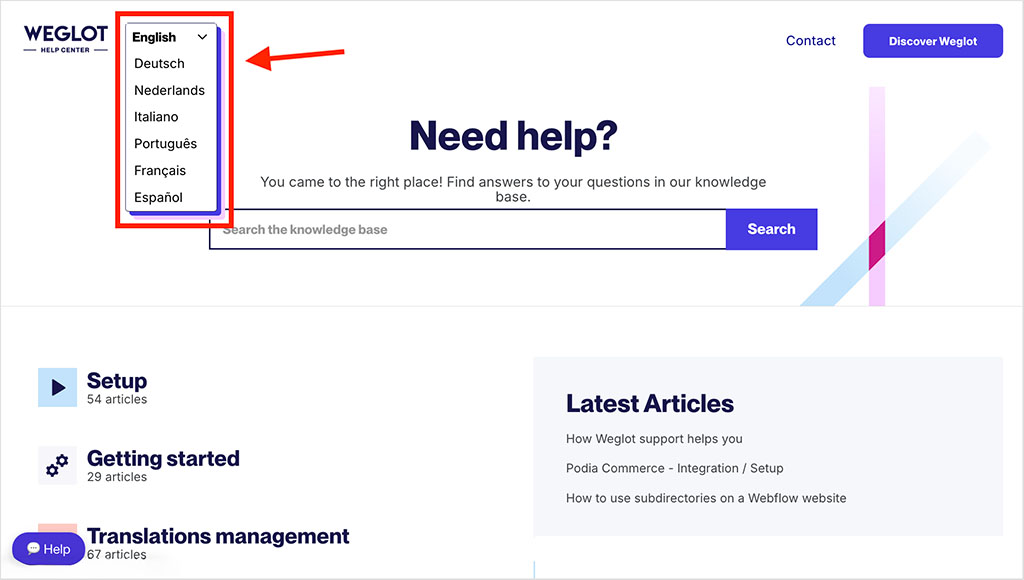
And although Weglot’s help center and setup documentation are strong, they are only available in seven languages; again, given the nature of Weglot’s business, you’d think that help materials would be available in considerably more languages.
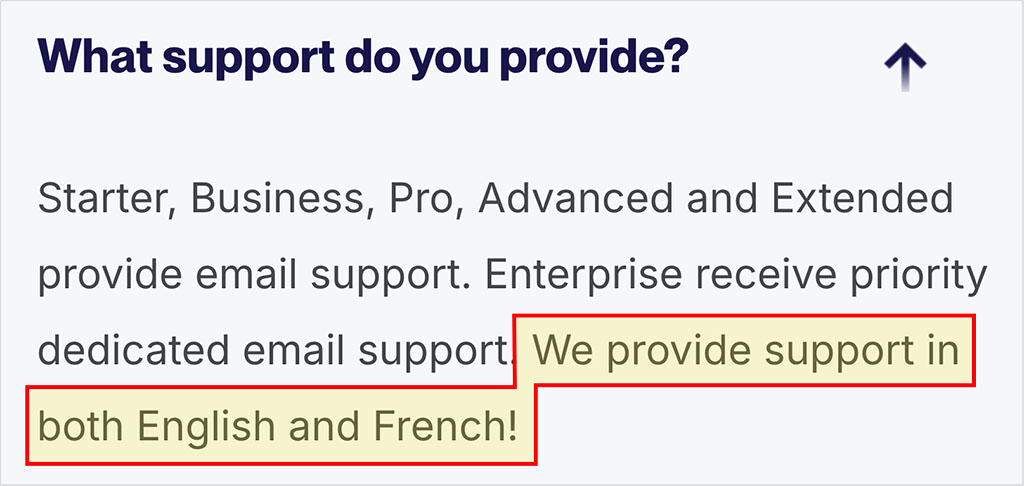
All that being said, for many SME users, Weglot’s help offering will be perfectly adequate, especially given how easy the product is to deploy. And it’s worth noting that Enterprise customers do receive enhanced support, including access to a dedicated Weglot account manager and solution engineers.
Does Weglot slow your site down?
Weglot works by loading a small, non-blocking JavaScript snippet that detects and applies translations automatically. This script is lightweight, loads asynchronously, and usually has less performance impact than common third-party tools like analytics platforms, tag managers, or chat widgets.
And significantly, Weglot doesn’t duplicate content inside your CMS. Unlike tools such as WPML or Polylang, it doesn’t create extra posts, products, or database records for each language you’re translating content into. This helps keep the backend lean and avoids the gradual increase in database complexity that can affect performance on self-hosted websites.
That said, Weglot isn’t completely overhead-free. It does introduce an external script, an extra network request, and some JavaScript execution. On highly performance-sensitive sites, this can result in poorer Core Web Vitals metrics (a set of targets for site speed and stability set by Google — sites with good Core Web Vitals scores can, in certain contexts, receive preferential treatment in search results).
In cases where performance is absolutely critical, you could consider using Weglot’s ‘reverse proxy’ feature, which serves content as HTML on your own domain, but crucially without using your server to generate translations, or adding additional pages to your site (the pages delivered are ‘virtual’ ones). The downside here is that this feature is only available on Weglot custom plans (which are not ‘off-the-shelf’ packages, require a bit of negotiation to set up, and can be expensive to purchase).
The bottom line though is that for most sites, Weglot can be used with minimal impact on site loading times, and if you have advanced performance requirements, it can be configured further to ensure that translations are served in an even faster way.
Weglot review: the verdict
Overall, Weglot is one of the most user-friendly tools available for turning a single-language website into a multilingual one. Its biggest strength lies in how quickly it can be set up: within minutes of putting Weglot to work, you can have translated pages live and multilingual SEO sorted — and all your translations manageable via a clean, intuitive dashboard.
The platform feels mature and well thought out. Translation quality is strong, the editing tools are easy to use, and the tool is compatible with a multitude of different website builders. All this means that Weglot can remove much of the friction typically associated with international expansion.
There are trade-offs to consider though. Weglot costs can rise significantly as your site grows, and Weglot’s fully hosted approach means you don’t get the same level of content ownership as you might from competing products. Perhaps most significantly, to ensure maximum compliance with Google’s guidelines on automated content production, you will still need to manually review any translations produced by the tool.
All that said, if your priority is launching and maintaining a multilingual site quickly, and without technical headaches, Weglot delivers. It isn’t the cheapest option available, but for many users it will be the fastest, cleanest and least stressful way to publish content in multiple languages.
If you have any questions about Weglot — or you’d like to share your own experience with the platform — feel free to leave a comment below.
Weglot user reviews
In the above review, I’ve shared my own perspective on Weglot — but it’s also useful to look at how the platform is rated by the wider user base. To get a clearer picture of this, I collated review data from several well-known review platforms and app marketplaces. Below you’ll find average scores for Weglot across Trustpilot, G2, WordPress and Shopify.
| Review site | Average rating (out of 5) |
| Trustpilot | 4.8 (1,500+ reviews) |
| G2 | 4.7 (600+ reviews) |
| WordPress Plugin Directory | 4.8 (1,900+ reviews) |
| Shopify App Store | 4.5 (800+ reviews) |
| Average review score | 4.7 |
Weglot alternatives
Although Weglot is one of the most popular website translation tools available, there are several key alternatives worth considering — especially if you prefer a self-hosted setup, want more control over your translation workflow, or are working exclusively on WordPress sites.
It’s also worth noting that some website builders and ecommerce platforms, including Wix and Shopify, offer built-in multilingual tools that may be sufficient for simpler sites.
Google Translate
Google Translate provides fast, low-cost automatic translations and is easy to deploy, either via an API key or a simple JavaScript widget. For small sites, MVPs, or projects where multilingual SEO isn’t a priority, it can deliver acceptable translations without an ongoing subscription and gives developers full control over how translations are handled.
Where it falls short is in everything around the translation itself: Google Translate doesn’t create SEO-indexable language versions, doesn’t manage hreflang tags or multilingual URLs, and doesn’t offer a built-in interface for reviewing or editing translations. As a result, while it works well as a translation engine, it doesn’t turn a site into a fully fledged multilingual setup in the way Weglot does.
WPML
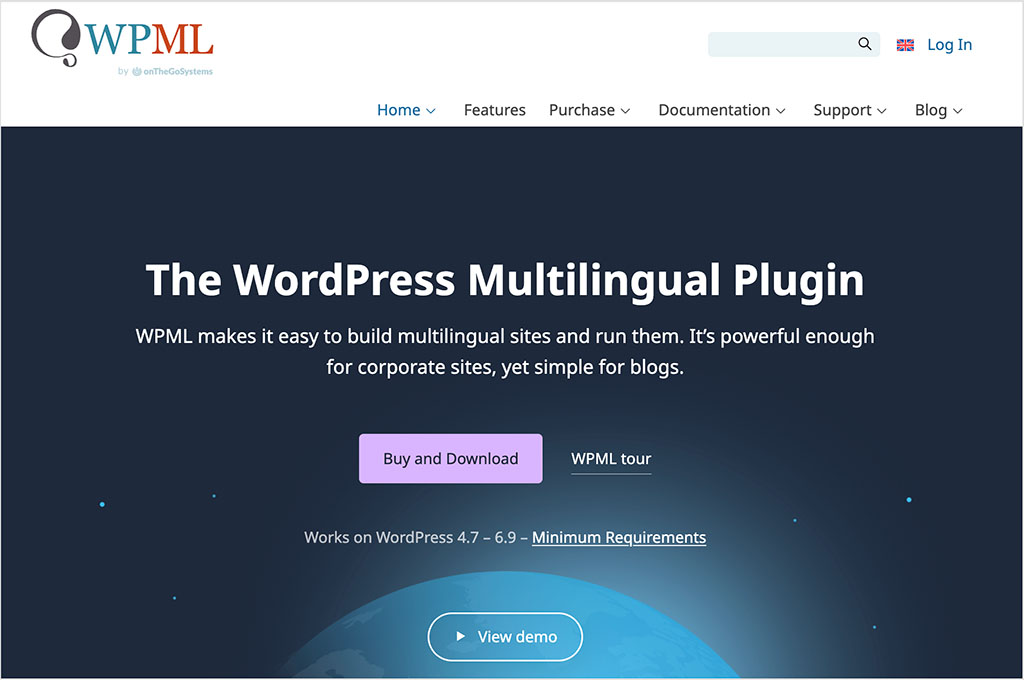
WPML is one of the leading WordPress translation plugins and a common alternative to Weglot for site owners who want full ownership of their multilingual content. Because it stores translations directly in your WordPress database, you retain long-term control over your language versions even if you switch tools later. WPML can be more complex to configure than Weglot, but it offers deep integration with WordPress themes and plugins.
Polylang
Polylang is another well-established WordPress plugin that lets you create multilingual content manually. It’s lighter in approach than WPML and can be a cost-effective option for small site owners that don’t mind doing more of the translation work themselves. Like WPML, it keeps everything stored locally in your WordPress environment, which will appeal to users who want maximum control over their data.
TranslatePress
TranslatePress combines the convenience of a visual editor with the control of a self-hosted plugin. You can use the tool to either translate your site content yourself, or alternatively use paid add-ons to do so via translation engines like DeepL. It’s a good option for WordPress users who want a more visual workflow and more influence over which translation engine is used.
Lokalise, Crowdin and other localization platforms
If your needs go beyond website translation — for example, if you’re localizing software interfaces or managing large translation teams — platforms like Lokalise, Crowdin and Smartcat provide workflow tools and approval systems that aren’t available in Weglot. These tools are more complex, but they offer granular control over roles, permissions and quality assurance.

Weglot FAQ
Is Weglot good for SEO?
Yes. Weglot automatically handles many of the technical SEO tasks involved in running a multilingual website. It creates language-specific URLs, adds correct hreflang annotations, ensures translated pages are indexable, and translates key SEO elements like page titles and meta descriptions. This makes the platform a good option for site owners who want to gain international search results but are not wholly comfortable with manually configuring key aspects of multilingual SEO.
Does Weglot affect site speed?
For most sites, the impact is minimal. Weglot works by loading a lightweight, asynchronous JavaScript snippet, which generally has less performance impact than many common third-party tools like analytics or chat widgets. That said, it does introduce an additional external script request, so there can be a small effect on metrics like Core Web Vitals.
Do you own your translations with Weglot?
Not fully. Weglot is a hosted solution, which means your translated content is stored on Weglot’s servers rather than in your CMS. As a result, access to your translations depends on having an active Weglot subscription. If you stop paying, the translated versions of your site will no longer be displayed.
Is Weglot better than Google Translate?
Weglot and Google Translate serve different purposes. Google Translate works well as a translation engine, but it doesn’t create SEO-indexable language versions, add hreflang tags to your content, or provide tools for editing and managing translations. Weglot, by contrast, is designed to turn a single-language website into a fully-fledged multilingual setup, giving you extensive control over translations and technical SEO.
Can Weglot elminate manual translation work?
Weglot automatically translates your website using machine translation engines like DeepL, Google, and Microsoft, and most sites can be published straight away without manual edits being necessary. However, if you want maximum accuracy, brand consistency, or full compliance with Google’s SEO guidelines on machine-generated content, it’s best to review and refine important pages manually. This is especially the case where sensitive or high-value content is concerned.
Additional research / contributions by Chris Singleton.

No comments